Network Video Recorder User Manual
49
Step 8 Click the Apply button to apply the settings.
4.2 Configure Privacy Mask
Purpose:
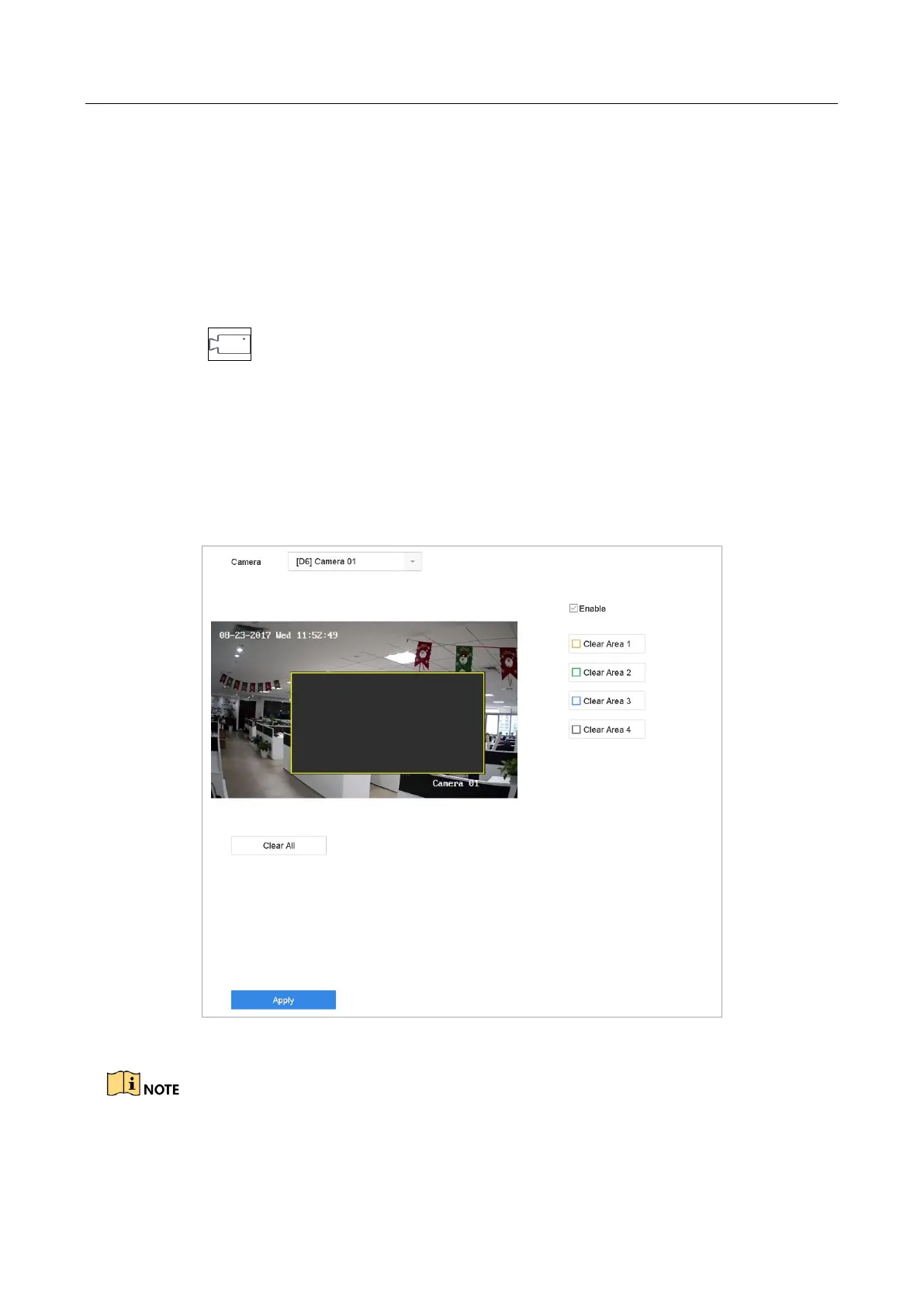
The privacy mask can be used to protect personal privacy by concealing parts of the image from
view or recording with a masked area.
Step 1 Click on the main menu bar.
Step 2 Click Privacy Mask.
Step 3 Select the camera to set privacy mask.
Step 4 Click the checkbox of Enable to enable this feature.
Step 5 Use the mouse to draw a zone on the window. The zones will be marked with
different frame colors.
Figure 4-2 Privacy Mask Settings Interface
Up to 4 privacy masks zones can be configured and the size of each area can be adjusted.
Related Operation:








 To Next Page