Network Video Recorder User Manual
69
Up to 1 IP SAN disk can be added.
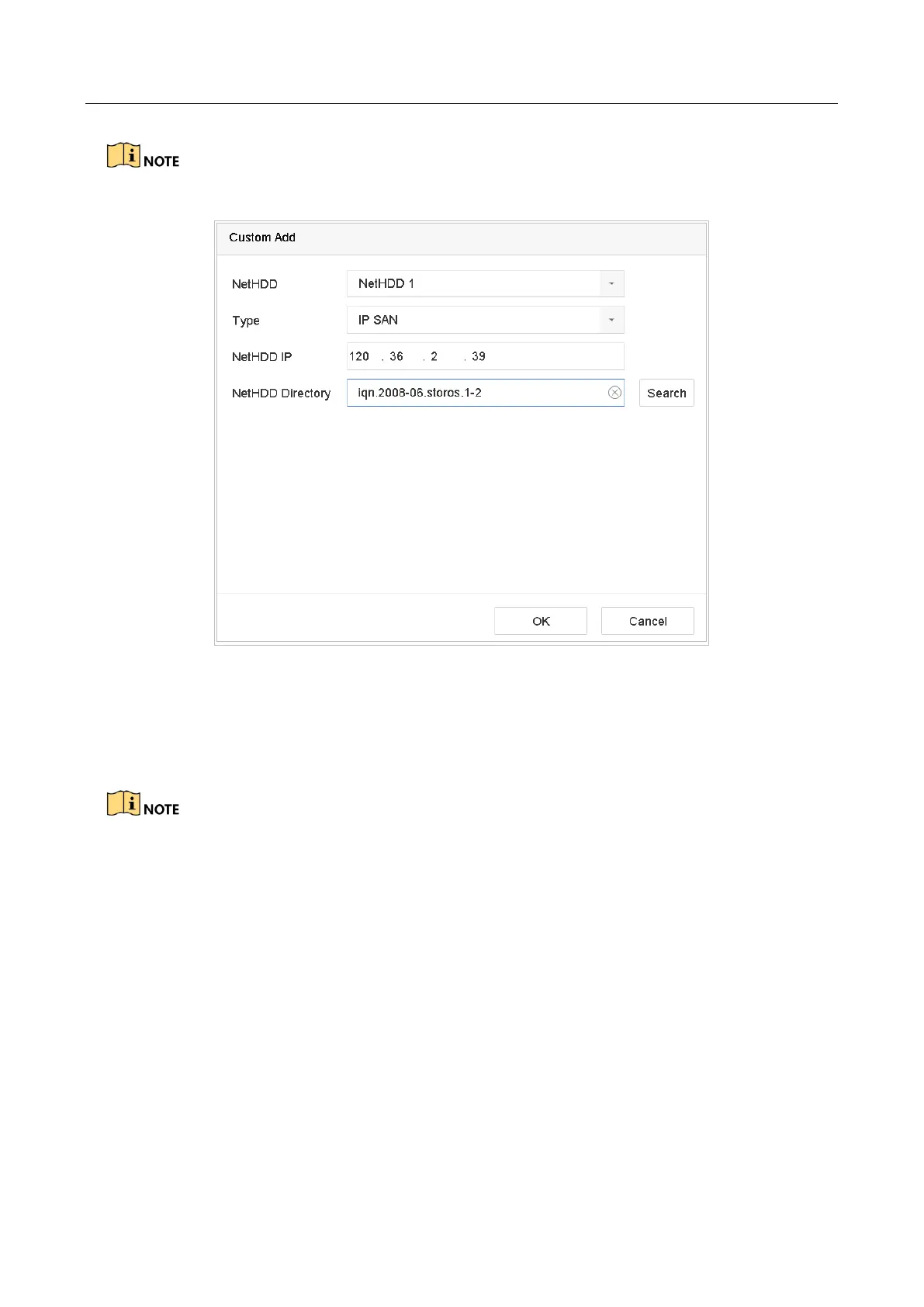
Figure 7-2 Add IP SAN Disk
Result:
After having successfully added the IP SAN disk, return to the HDD Information menu. The
added NetHDD will be displayed in the list.
If the installed HDD or NetHDD is uninitialized, please select it and click Init for initialization.
7.1.3 Configure eSATA for Data Storage
Purpose:
When there is an external eSATA device connected to device, you can configure eSATA for the data
storage, and you can manage the eSATA in the device.
Step 1 Click Storage>Advanced.
Step 2 Select the usage type to Export or Record/Capture from the dropdown list of Usage.
Export: Use the eSATA for backup.
Record/Capture: Use the eSATA for record/capture. Refer to the following steps for operating
instructions.



 To Next Page