Network Video Recorder User Manual
115
11.6.2 Configure One-Key Disarming
Purpose:
The one-key disarming enables the device to disarm the alarm input 1 by one-key operation.
Step 1 Go to System> Event>Normal Event>Alarm Input
Step 2 Select the alarm input1 item from the list and click .
Step 3 Select the alarm input type to N.C or N.O.
Step 4 Edit the alarm name.
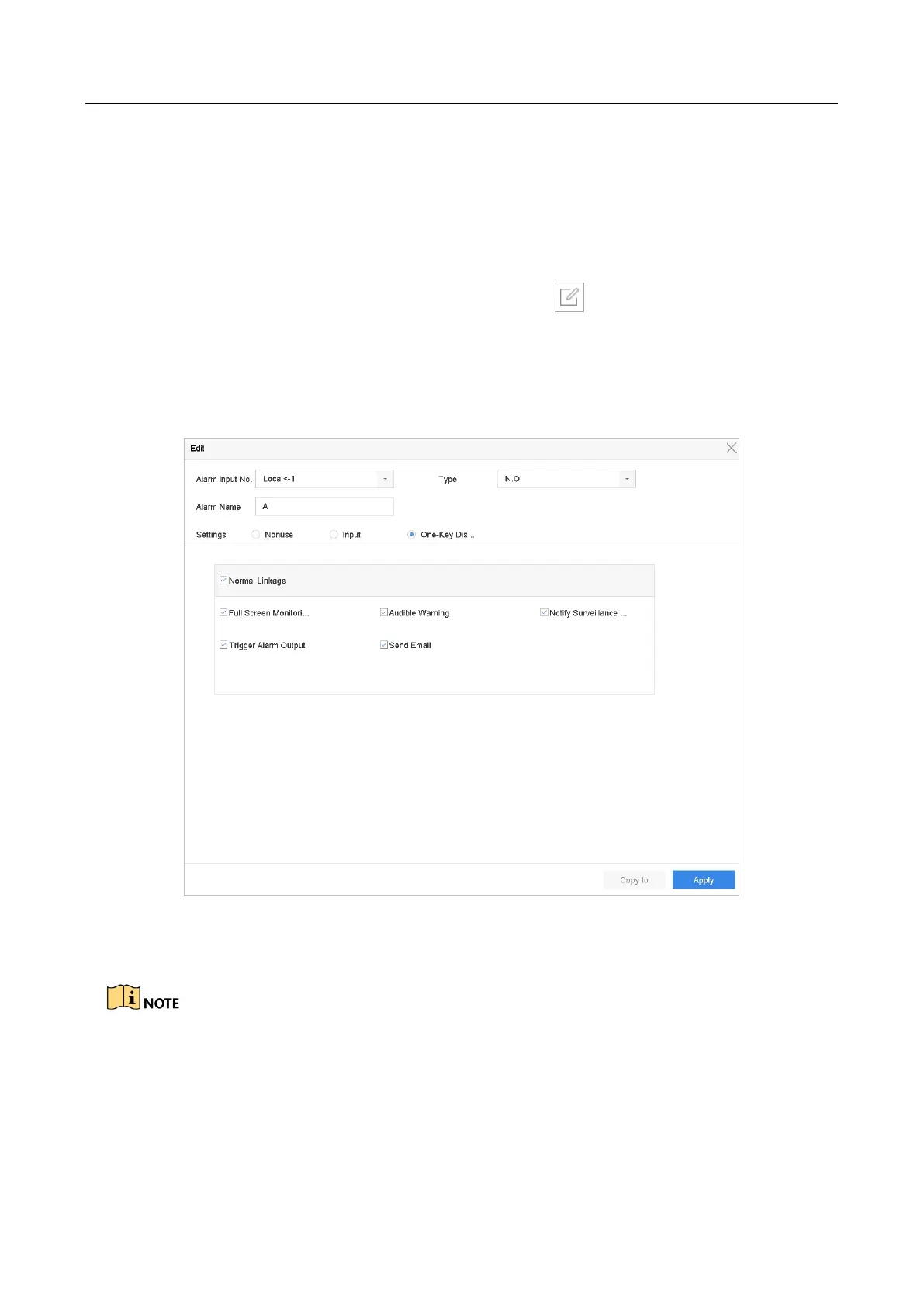
Step 5 Check the radio button of Enable One-Key Disarming.
Figure 11-7 One-Key Alarm Disarming
Step 6 Select the alarm linkage action (s) you want to disarm for the local alarm input1.
When the alarm input 1 (Local<-1) is enabled with one-key disarming, the other alarm input
settings are not configurable.
Step 7 Click Apply to save the settings.








 To Next Page