Network Video Recorder User Manual
38
The Setup Wizard can walk you through some important settings of the device. If you don’t want
to use the Setup Wizard at that moment, click the Exit button.
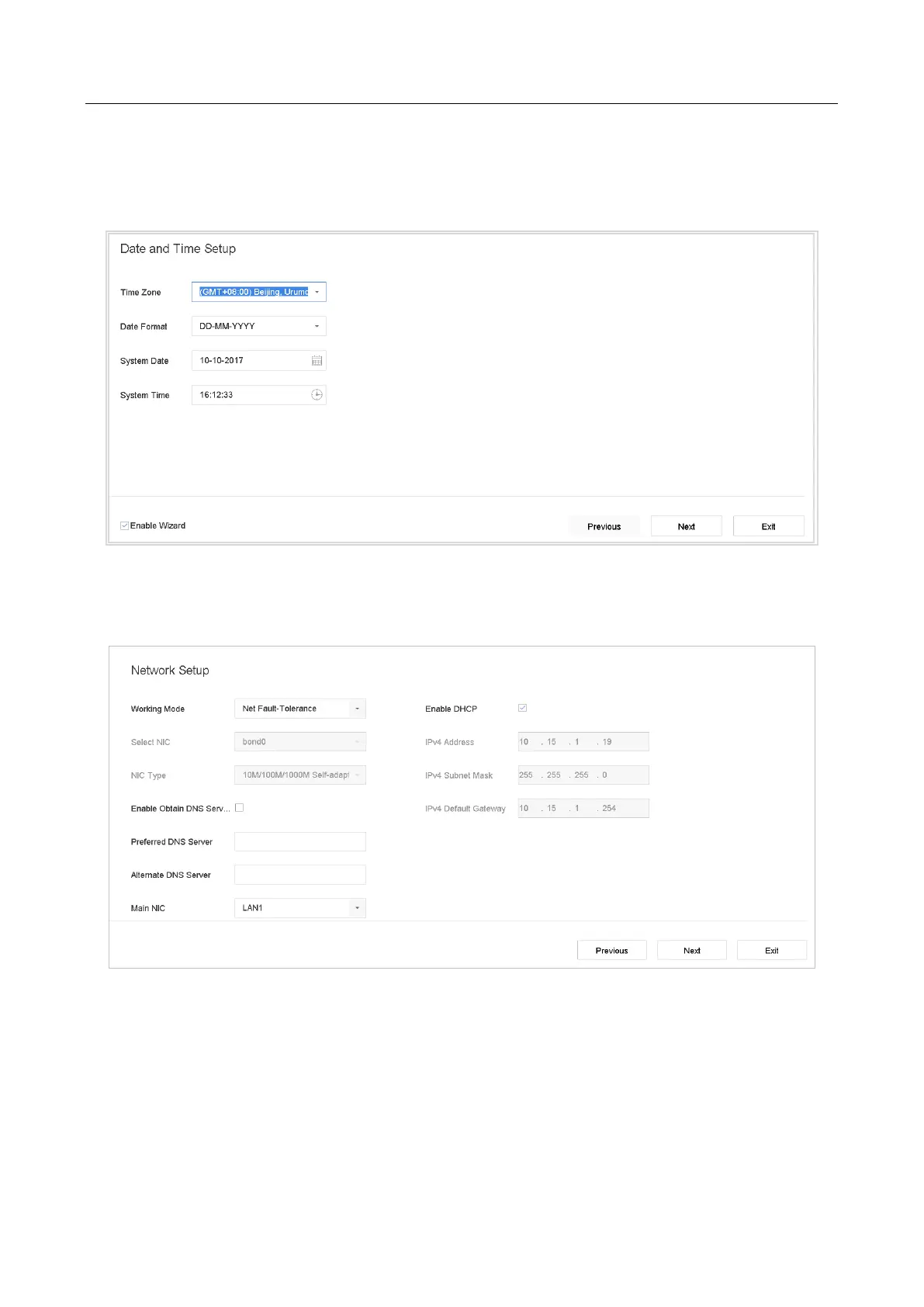
Step 1 Configure the date and time on the Date and Time Setup interface.
Figure 2-7 Date and Time Settings
Step 2 After the time settings, click Next to enter the Network Setup Wizard window, as
shown in the following figure.
Figure 2-8 Network Settings
Step 3 Click Next after you configured the network parameters, which takes you to the HDD
Management window.



 To Next Page