Network Video Recorder User Manual
86
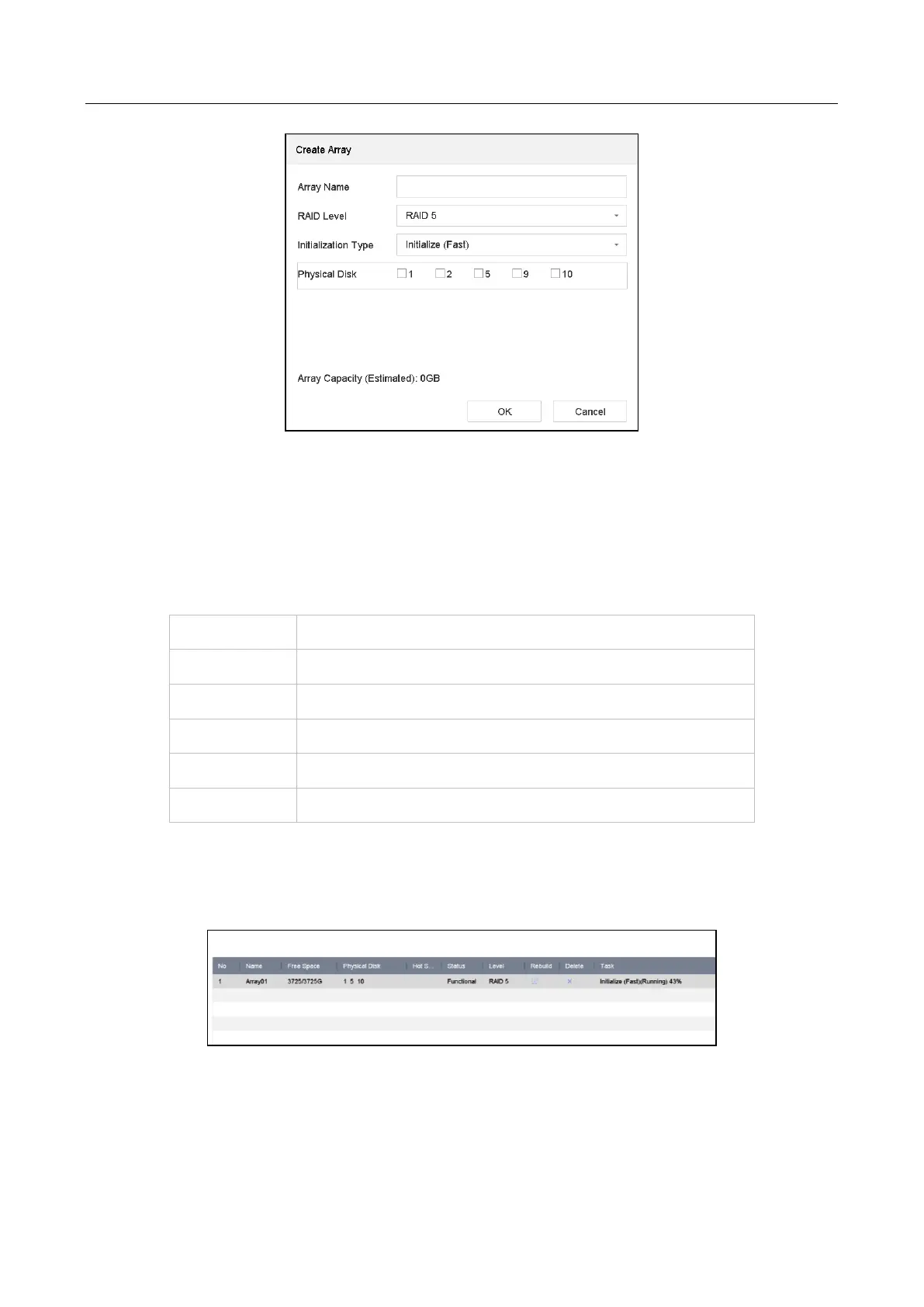
Table 8-1 Create Array
Step 3 Enter the array name.
Step 4 Select RAID Level as RAID 0, RAID 1, RAID 5, RAID 6, or RAID 10 as required.
Step 5 Select the physical disks to constitute array.
Table 8-2 Required Number of HDD
The number of HDD must be an even ranges from 4 to 16.
Step 6 Click OK.
Step 7 Optionally, the device will automatically initialize the created array. Go to Storage >
RAID Setup > Array view the information of created array.
Figure 8-3 Array List








 To Next Page