p/n 18603-001, Rev. C LTV
®
1200/1150 Ventilator Service Manual Page 8-17
Current Model LTM Instructions
Temporary removal (current model LTM)
Parts required for replacement: Tools required:
• None • Phillips screwdriver with torque meter
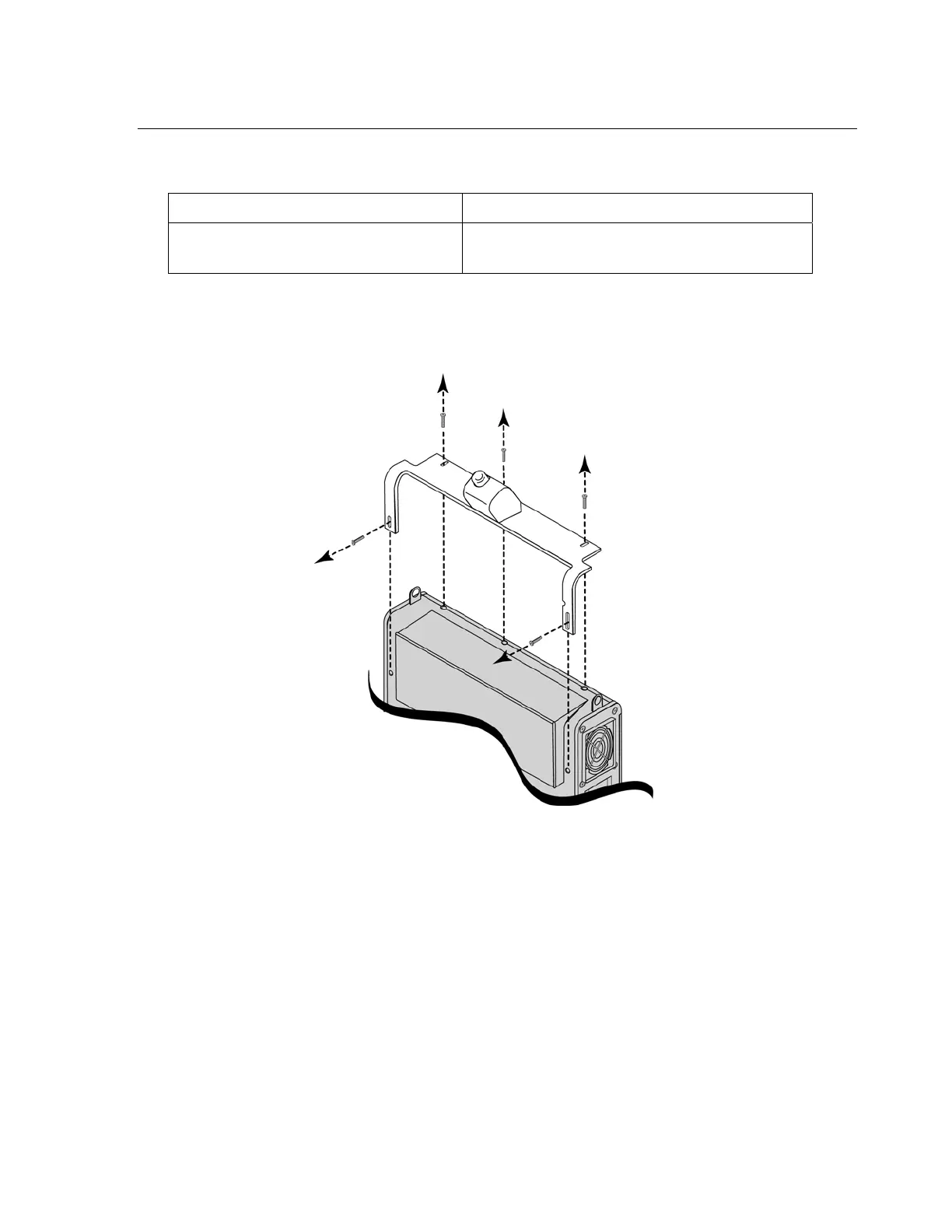
1) Use a small Philips screwdriver and remove the five back panel mounting screws and
the LTM mounting assembly, as shown. Retain the screws for reuse when the mounting
assembly is reinstalled.



 To Next Page