Page 4-4 LTV
®
1200/1150 Ventilator Service Manual p/n 18603-001, Rev. C
Cleaning or Replacing the O
2
Inlet Filter (LTV
®
1200 Only)
The O
2
inlet filter should be cleaned or replaced when it becomes soiled. Failure to do this
can affect ventilator performance.
CAUTION
Oxygen Supply Contamination - The accuracy of the oxygen delivery capabilities of LTV
®
1200/1150 ventilator can be compromised by foreign debris contamination in the oxygen
supply system. To reduce the risk of airborne contaminants entering the ventilator, ensure
that any oxygen supply connected to the ventilator is clean, properly filtered
5
and that the
ventilator’s O
2
inlet port cap is securely installed on the O
2
Inlet Port whenever the ventilator
is not connected to an external oxygen supply.
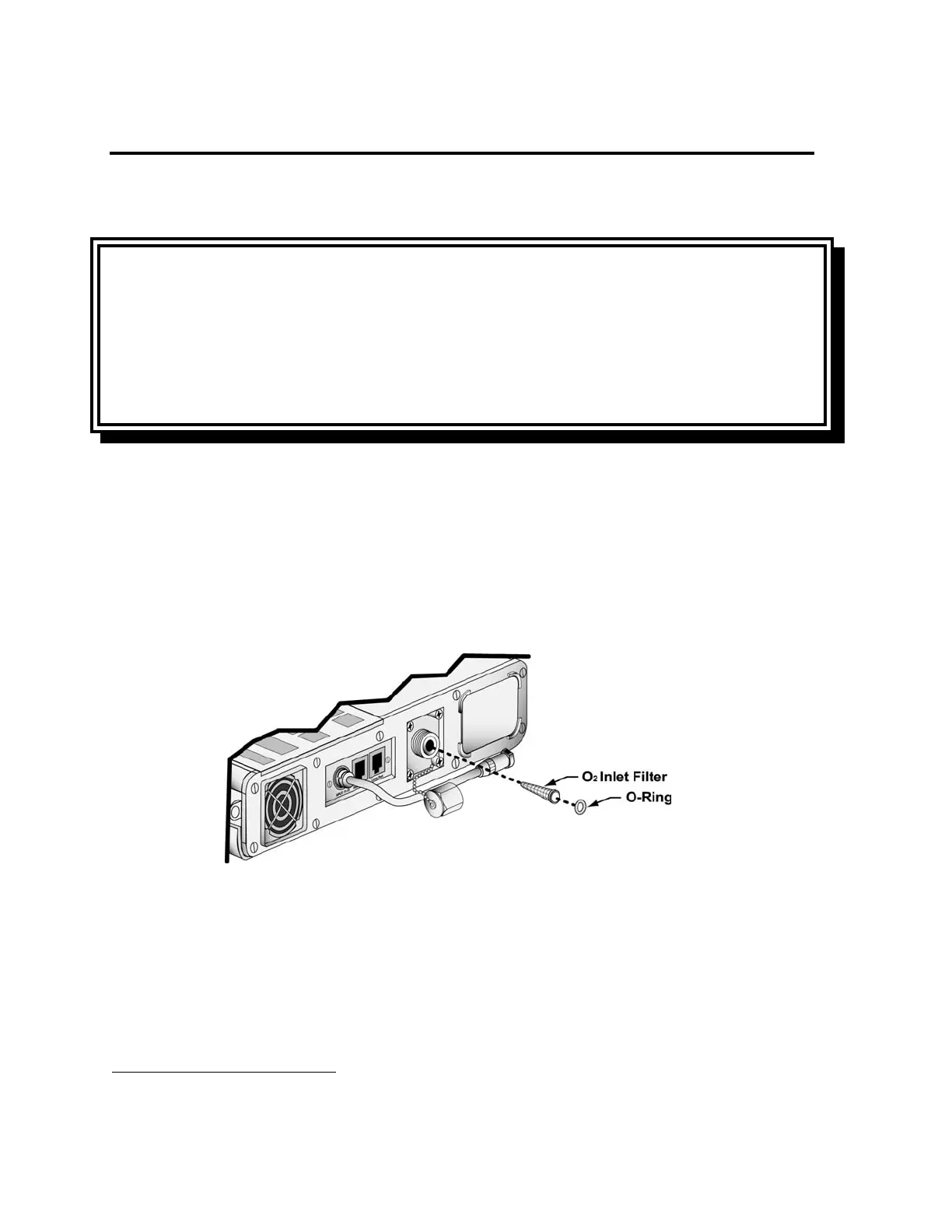
To clean or replace the O
2
Inlet Filter:
1) Disconnect the high pressure O
2
hose from the oxygen block on the left side of the
ventilator.
2) Using a pick, gently remove the rubber O-Ring from inside the O
2
inlet port. Use caution:
Do not damage the O-Ring while removing it. Tip the ventilator to allow the O
2
Inlet Filter
to slide out.
3) Clean the filter using a mild cleanser, warm water and a soft brush. Rinse the filter
thoroughly to remove all traces of the cleanser. Allow the filter to dry completely before
replacing it in the ventilator.
5
In addition to the existing internal O
2
Inlet filter, P/N 14313, an External, In-Line Oxygen Filter (P/N 14470) is
available from Pulmonetic Systems, Inc.



 To Next Page