Page E-10 LTV
®
1200/1150 Ventilator Service Manual p/n 18603-001, Rev. C
Settings, Dip Switch
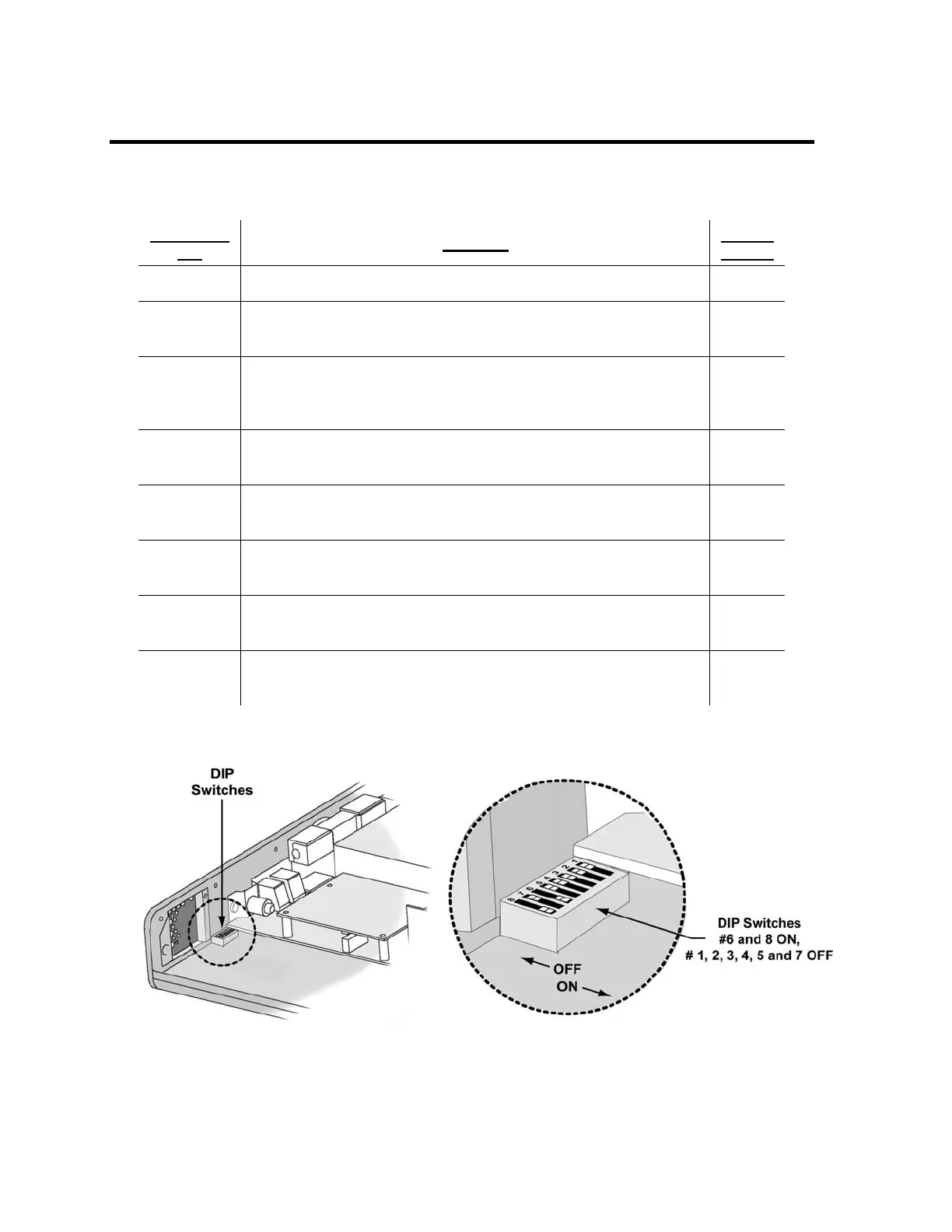
The following Dip Switch Settings table provides DIP Switch factory set default information.
Dip Switch
No.
Function
Default
Setting
1 Force all LEDs to turn on. Use in conjunction with dip switch #5. OFF
2
Intended for factory use only
Force O
2
pressure to 50 psi regardless of inlet pressure.
OFF
3
Intended for factory use only
Disallow dimming when on battery and no Front Panel activity after
60 seconds.
OFF
4
Intended for factory use only
OFF
5 OFF = Normal operation.
ON = Maintenance mode (for calibration)
OFF
6
Intended for factory use only
RTC clock battery connection.
ON
7
Intended for factory use only
ON = Flash write enabled.
OFF
8
Intended for factory use only
ON = Flash write protect.
ON



 To Next Page