Page 8-26 LTV
®
1200/1150 Ventilator Service Manual p/n 18603-001, Rev. C
LTM/LTV
®
mounting bracket new installation (earlier model LTM)
Parts Required for Installation: Tools required:
• LTM/ LTV
®
mounting block (1), P/N 11146
36
• LTM/ LTV
®
mounting bracket (1), P/N 11125
36
• Replacement screws kit, P/N 11149
• Phillips screwdriver
with torque meter
• 7/64” Allen wrench
To install the LTM/LTV
®
mounting bracket
37
:
If LTV
®
protective boots are installed on the ventilator, the upper boot must be removed in
order to mount the LTM/ LTV
®
mounting bracket. See page 8-7 for instructions.
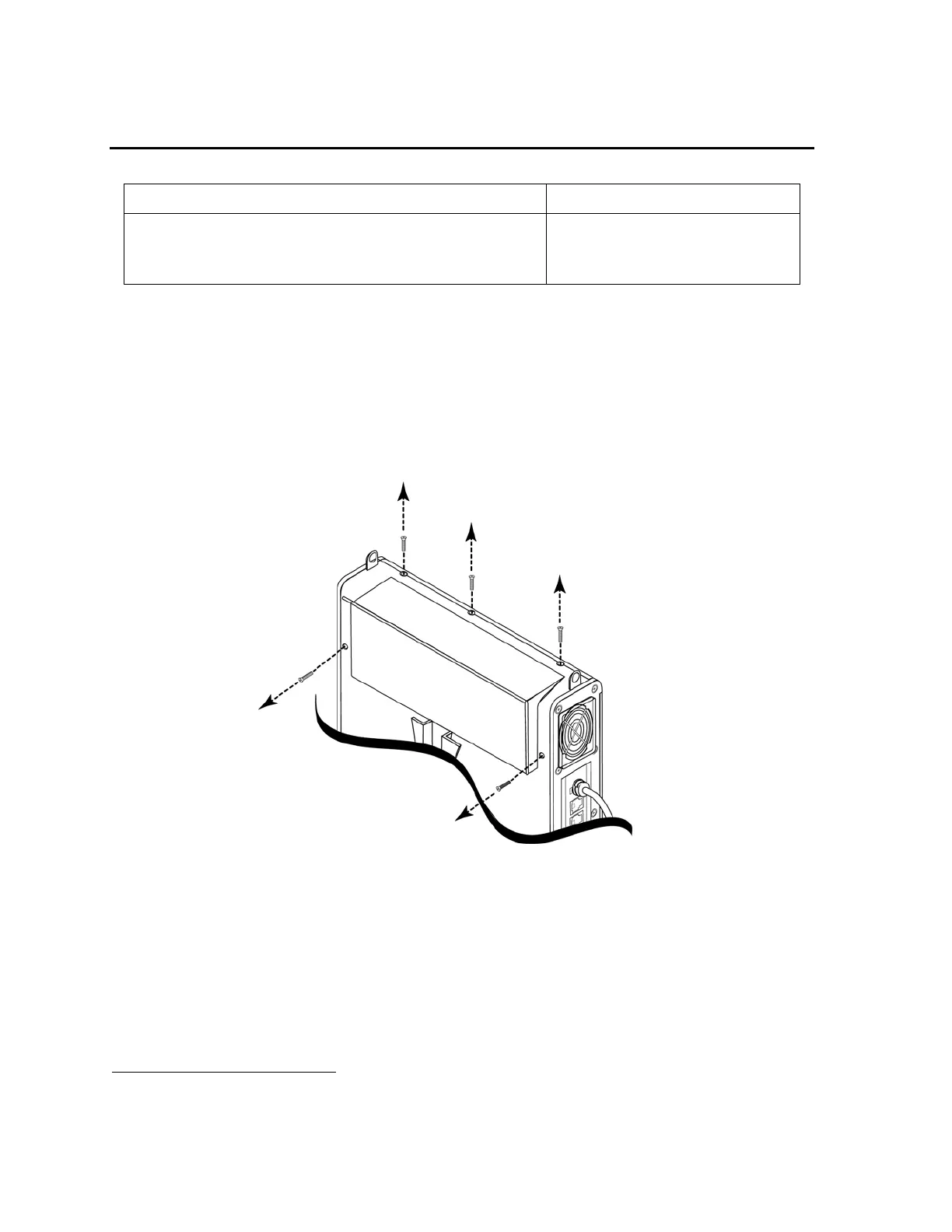
1) Lay the disconnected ventilator on a clean dry surface, use a Philips screwdriver and
remove the five back panel mounting screws, as shown in the illustration below.
2) Orient the ventilator and mounting bracket as shown in the illustration on the next page,
position the bracket on the ventilator and align its screw slots with the corresponding
screw holes in the ventilator back panel.
36
Contained in Pulmonetic Systems LTM to LTV
®
Mount Assembly Kit, P/N 11003.
37
See Appendix E - Reference Information,
External Accessories Screw Location, Type and Length for additional information.



 To Next Page