p/n 18603-001, Rev. C LTV
®
1200/1150 Ventilator Service Manual Page 6-23
Vent Maintenance Exit
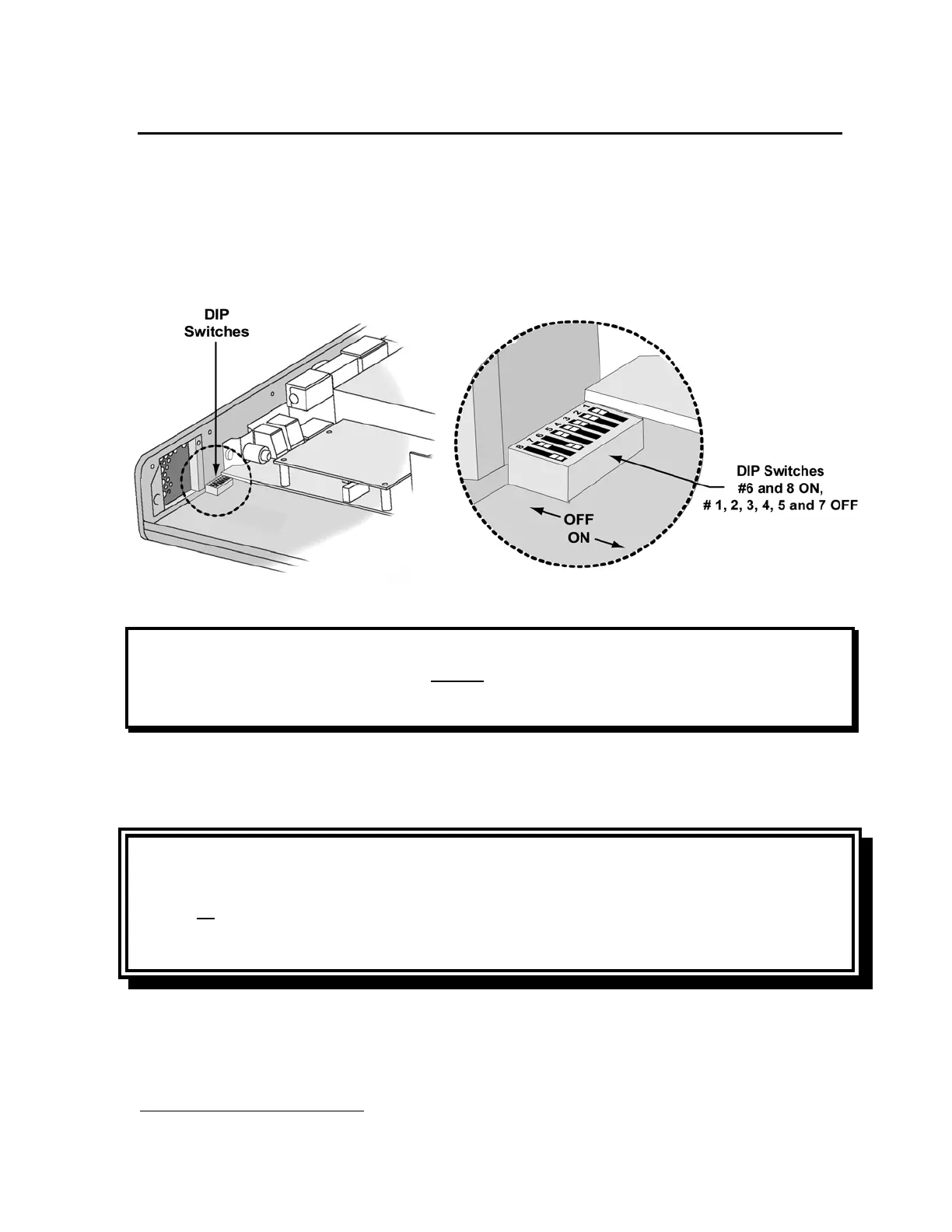
The ventilator will not resume normal operation while the maintenance mode DIP is set.
To exit maintenance mode:
1) Turn the ventilator off.
2) Locate DIP #5 and set it to OFF (towards the outside of the ventilator). Verify that DIP
switches #6 and #8 remain ON.
NOTE
An O
2
Sampling Tube
17
used for testing internal oxygen enrichment (oxygen leakage) during
General Checkout testing, must be installed before replacing the ventilator’s back panel. See
General Checkout in Chapter 9 – Final Checkout Test for test requirements.
3) Install an O
2
Sampling Tube. See Back Panel, Reinstallation in Chapter 8 – Component
Removal and Replacement for detailed instructions.
CAUTION
Final Tubing Check - Anytime internal flexible tubing is removed or replaced, check to
ensure all tubes have been correctly routed (point to point and layering), are fully connected
on the ports or fittings, and do not have any holes or tears in them. If necessary, gently
reposition the tubing to eliminate possible kinks or occlusions.
4) Replace the back panel (see Back Panel, Reinstallation in Chapter 8). Turn the ventilator on
to resume normal operation.
17
O
2
Sampling Tube, P/N 10544, ~10.0” long, 0.125” O.D. X 0.079 I.D. clear polycarbonate tubing.



 To Next Page