Page 8-62 LTV
®
1200/1150 Ventilator Service Manual p/n 18603-001, Rev. C
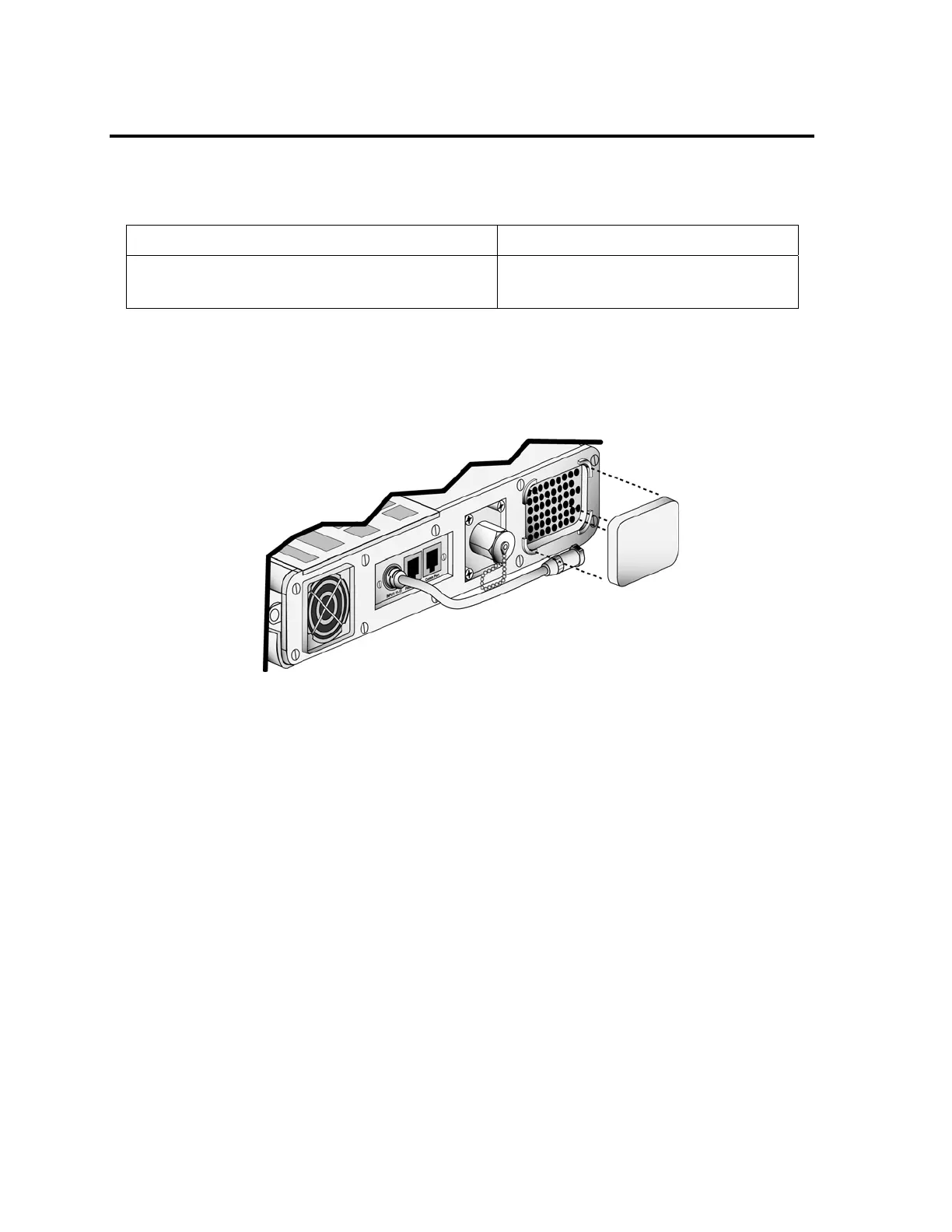
External Inlet Filter
The external inlet filter should be removed and cleaned once a month. If the ventilator is
being operated in high dust or humidity environments, it may need to be cleaned more often.
If the filter is damaged or can not be thoroughly cleaned, it should be replaced.
Parts required for replacement: Tools required:
Replace if damaged:
• Inlet Filter, Reticulated Foam P/N 10258
• Mild cleanser
• Soft cleaning brush
To clean or replace the External Inlet filter:
1) Gently pinch the external inlet filter and remove it from its housing on the left side of the
ventilator.
2) Clean the filter using a mild cleanser and warm water. Rinse the filter thoroughly to
remove all traces of the cleanser and gently wring it out. Allow the filter to dry completely
before replacing it in the ventilator.
3) Inspect the filter for damage. If the filter is not intact, shows signs of damage or cannot
be completely cleaned, replace it with a new filter.
4) Replace the filter by tucking it into its housing on the left side of the vent. Make sure the
filter lies flat and is seated all the way into the housing.



 To Next Page