p/n 18603-001, Rev. C LTV
®
1200/1150 Ventilator Service Manual Page 8-113
Right and Left Soft Side Panels
Parts required for replacement: Tools required:
Replace if damaged:
• LTV
®
1200 Left Soft Side P/N 10105
• LTV
®
1200 Right Soft Side P/N 10106
• LTV
®
1150 Left Soft Side P/N 10105-002
• LTV
®
1150 Right Soft Side P/N 10106-002
• 1/2" Flat-head Screw (3 each side) P/N 10338
• 1/4" Flat-head Screw (7 each side) P/N 10430
• Finish Washer (10 each side) P/N 10191, or
19119-001, or 19119-002
• Handle Attachment (1 each side) P/N 10118
• Phillips screwdriver with
torque meter
• Grounded anti-static wrist
strap
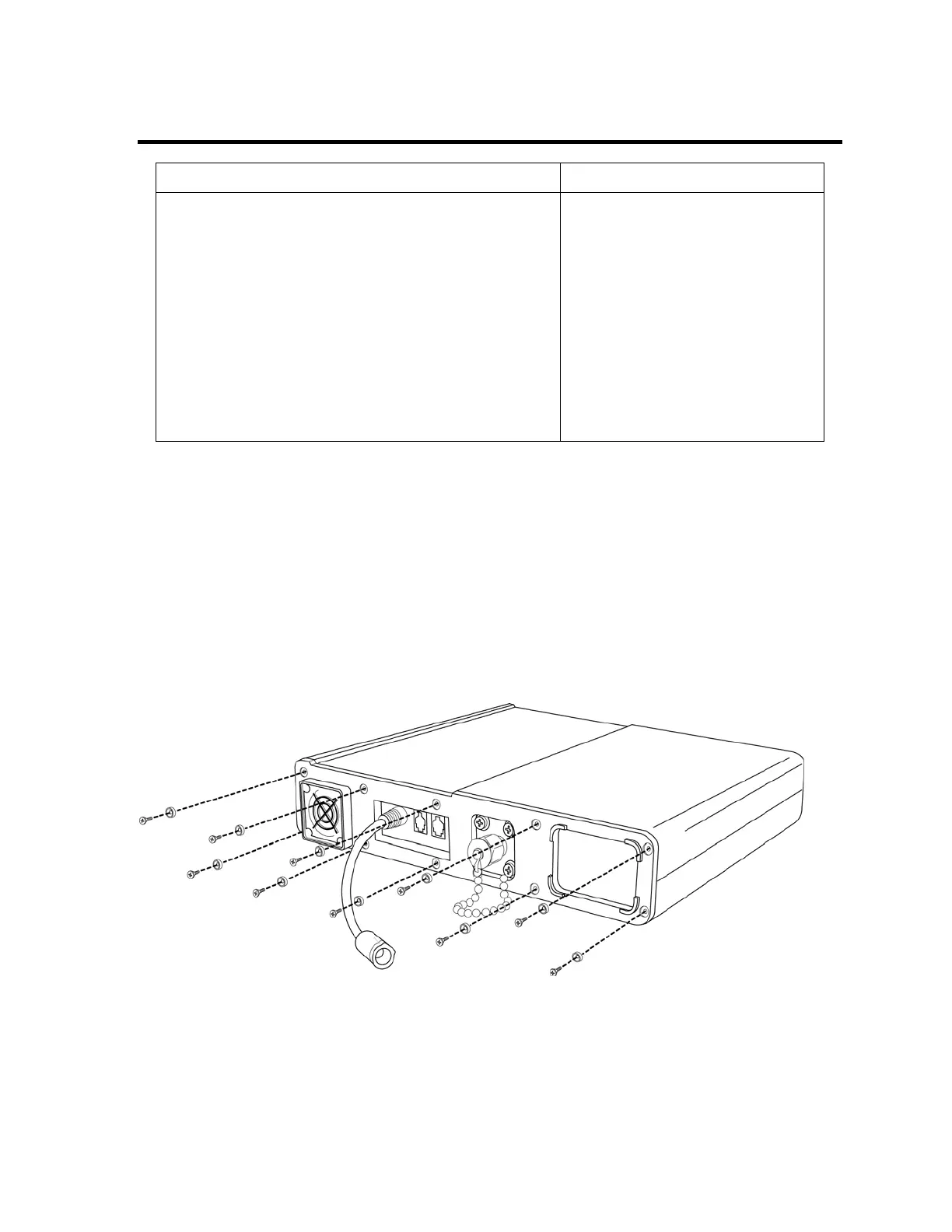
To replace the right or left soft side panel:
1) Remove the 10 flat-head screws and gray finish washers from the right or left side of the
ventilator as shown.
2) Pull off the soft side panel and set aside the handle attachment.
3) Position the new soft side panel and the handle attachment. Replace the 3 1/2" flat-head
screws and finish washers in the 3 center holes on the bottom side of the ventilator.
4) Replace the 7 1/4" flat-head screws and gray finish washers in the remaining holes.
Screws should be torqued to 20 in-oz (0.14 Nm).



 To Next Page