p/n 18603-001, Rev. C LTV
®
1200/1150 Ventilator Service Manual Page 8-73
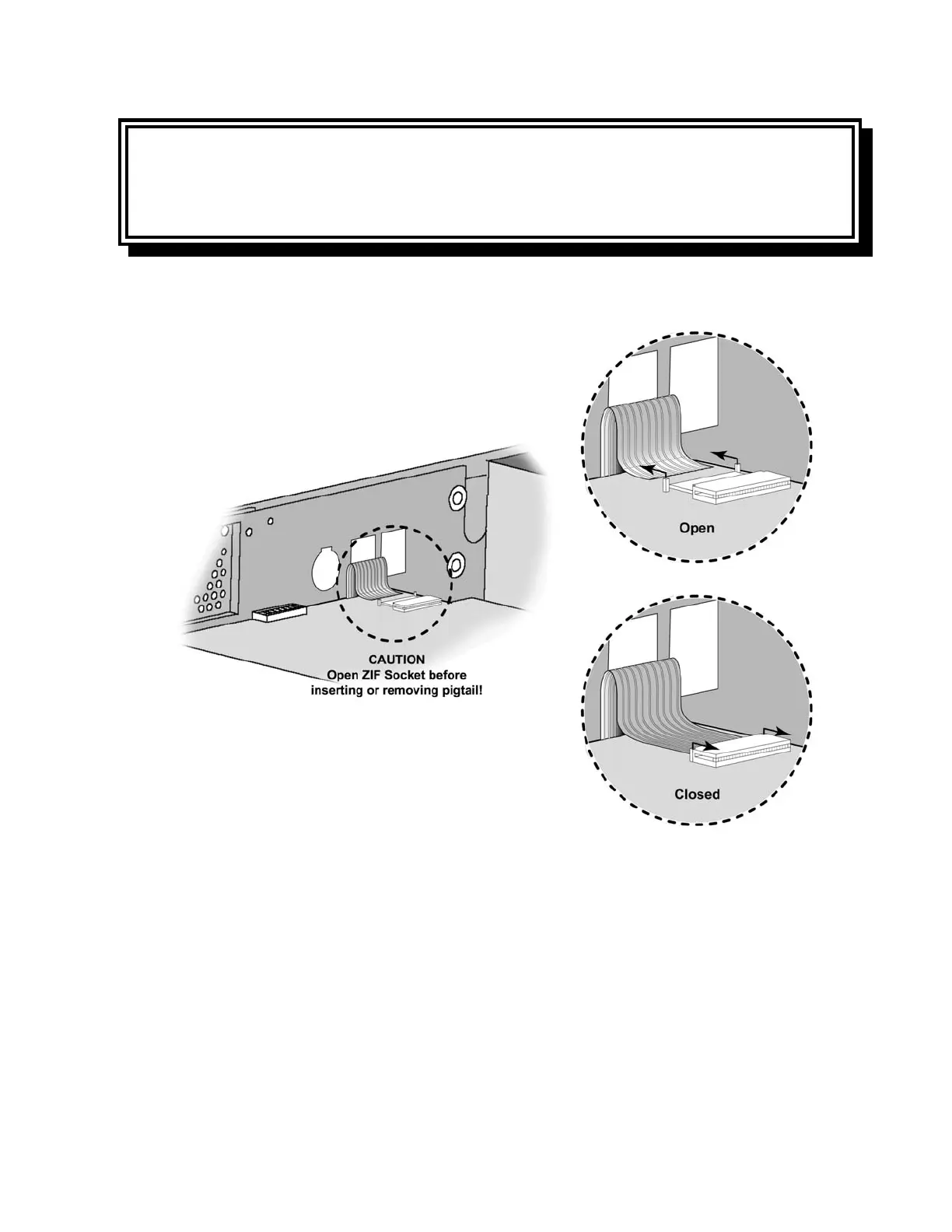
CAUTION
Damage to contacts - Handle the ribbon cable carefully to prevent any damage to the silver
contact area. Attempting to remove or attach the ribbon cable without opening the ZIF
connector will damage the cable and may require replacement of the front membrane panel.
13) Slide the ZIF connector on the keypad ribbon cable open as shown below and carefully
remove the ribbon cable from the connector.
14) Using a dental pick or flat tip screwdriver, lift one corner of the membrane panel and
overlay. Pull the membrane panel and overlay away from the upper weldment.
Removing the panel will destroy it.
15) Remove all adhesive or panel parts from the front of the upper weldment. The surface
must be clean and free of obstructions before installing the new panel. Any
unevenness on the surface of the upper weldment could damage the new panel or
cause it to operate incorrectly.



 To Next Page