Page 9-12 LTV
®
1200/1150 Ventilator Service Manual p/n 18603-001, Rev. C
B) With this charged battery, remove
external power, clear the power lost
alarm and allow ventilator to operate
continuously, using the following
settings:
Mode: Volume, Assist/Ctrl
Breath Rate: 15
Tidal Volume: 800
Insp. Time: 1.5 sec
PEEP: 5
• Battery Level LED is green upon
removing external power.
• Unit must operate continuously for a
minimum of 40 minutes.
C) With ventilator ON, disconnect the
internal battery. Confirm Vent Inop
LED is lit and alarm is sounding.
Reconnect external power (AC
adapter) and clear Reset alarm.
• Charge Status LED is red.
D) Reconnect the internal battery.
• Charge Status LED is flashing amber for a
few minutes (maximum 1 hour), and then
goes solid amber.
3) Perform an External Power test.
A) Continue with the external AC
adapter connected to the ventilator.
• Ventilator runs normally.
• External Power LED shows green.
• Charge Status LED is lit or flashing.
B) Remove external power, clear power
lost alarm. Connect an external DC
power source with a voltage between
14.8V and 15.0V, using the external
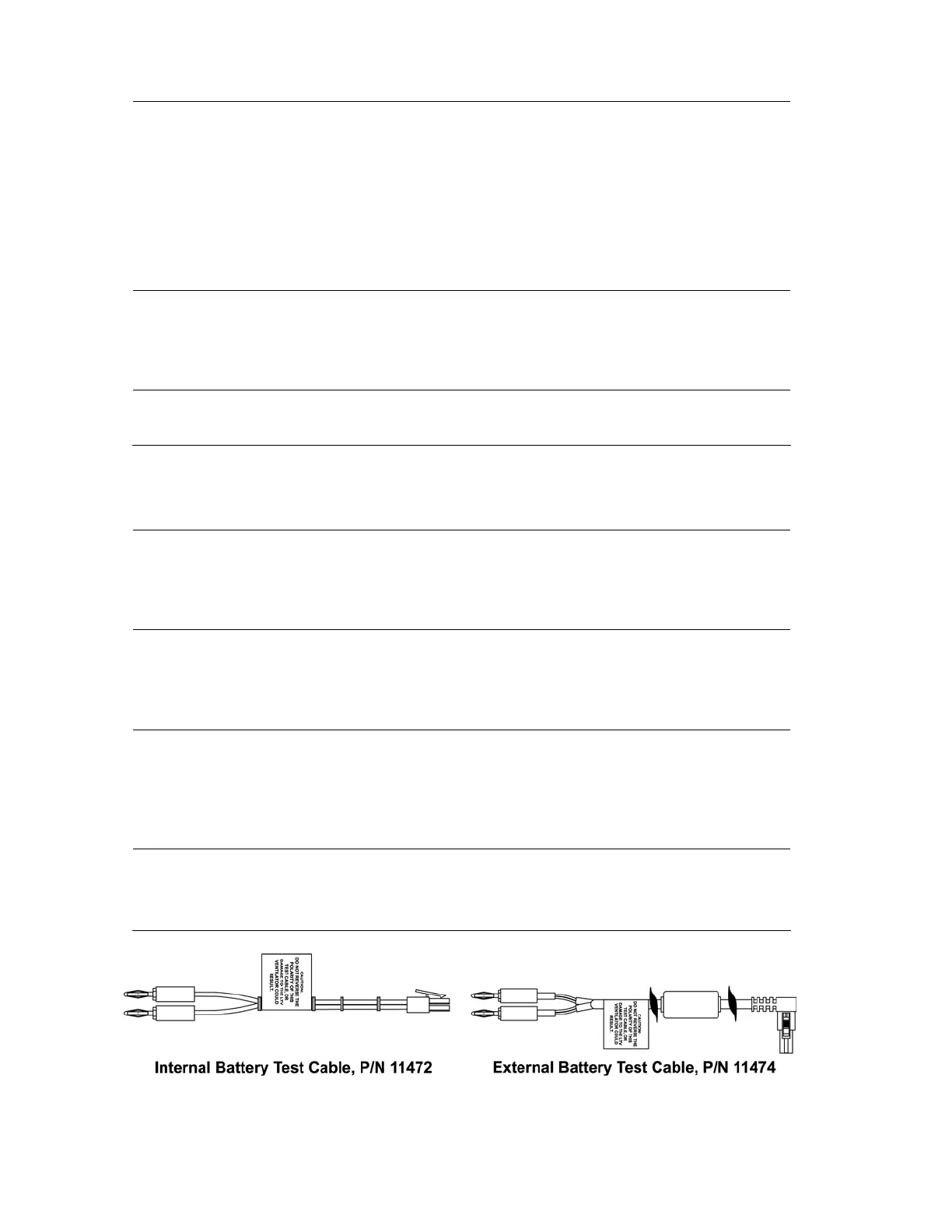
battery test cable.
• Ventilator runs normally.
• External Power LED shows green.
• Charge Status LED is lit or flashing.
C) Slowly reduce the external DC
voltage until the External Power
LED shows amber.
• Ventilator runs normally.
• External voltage is 11.0V ± 2%
• Charge Status LED is lit or flashing.
• A POWER LOW alarm occurs.
• Audible alarm sounds.
D) Slowly reduce the external DC
voltage until the External Power
LED extinguishes.
• Ventilator runs normally.
• External voltage is 9.5V ± 2%
• Charge Status LED is off.
• A POWER LOST alarm occurs.
• Audible alarm sounds.
• Battery Level LED is lit.
E) Remove external battery test cable
and replace with external power AC
adapter. Power down the ventilator
using the On/Standby button.



 To Next Page