ASSEMBLY/SETUP IN STRUC TIONS
1. Turn ignition key to RUN, or start the engine.
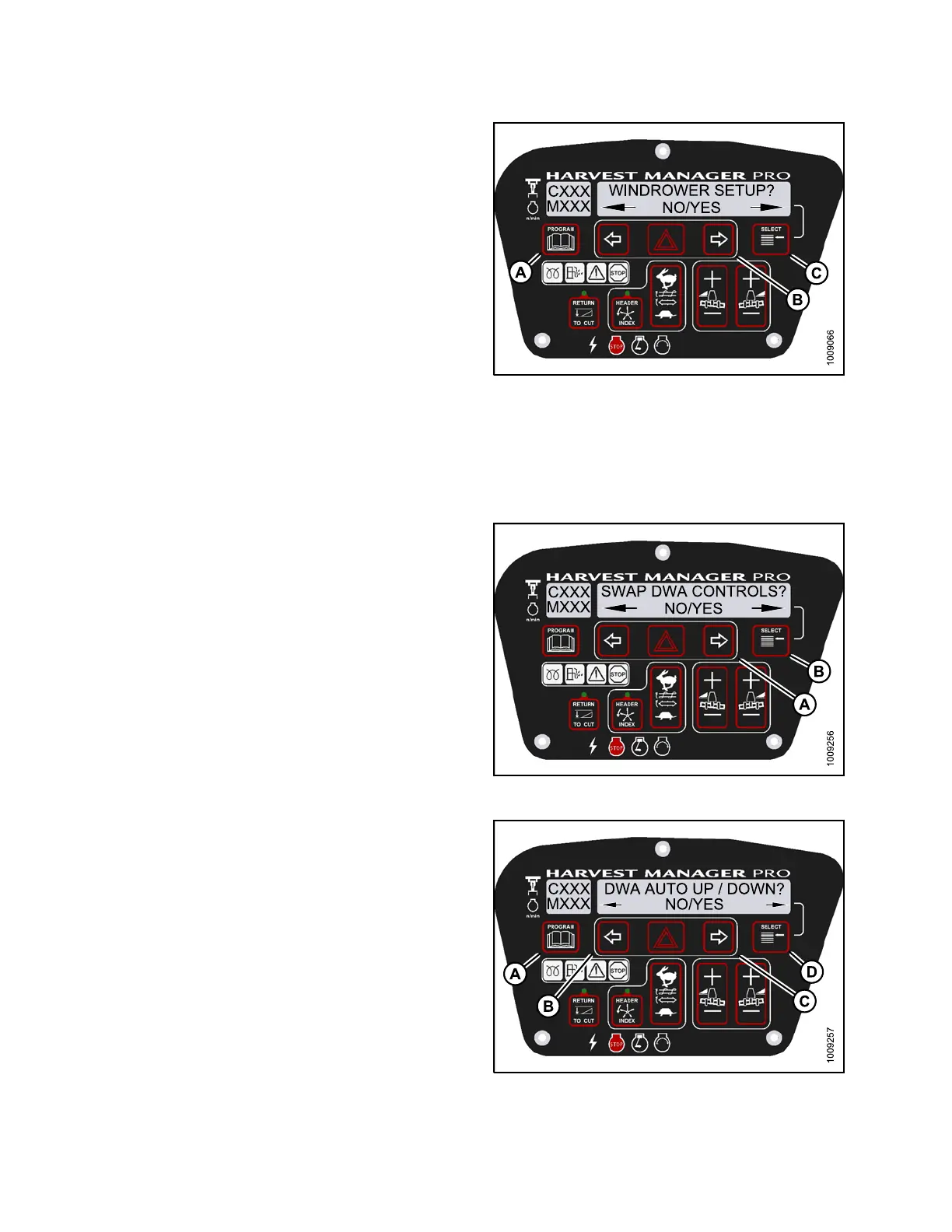
2. Press PROGRAM (A) a nd SELECT (C) on cab display
module (CDM) to enter Programming Mode.
• WINDROWER SETUP? is displayed on the
upper line.
• NO/YES is displayed on the lower line.
3. Press right (B) arrowto select YES. Press SELECT (C).
• SET KNIFE SPEED? is d isplayed on the upper line.
Figure 2.79: M155 CDM Programming Buttons
4. Press SELECT ( B) until DWA INSTALLED? is
displayed on the upper line.
• NO/YES is displayed on the lower line.
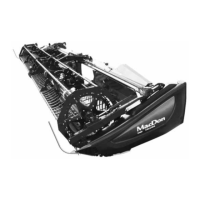
5. Press right(A) arrow to select YES. Press SELECT (B).
6. SWAP DWA CONTRO
LS? is displayed on the
upper line.
•NO/YESisdispl
ayed on the lower line.
NOTE:
This step swaps the DWA controls from the
console switch to the ground speed lever (GSL)
reel fore-aft buttons.
Figure 2.80: M155 DWA Controls
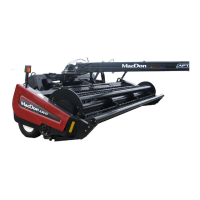
7. Press right arrow (C) to select YES. Press
SELECT (D).
• DWA AUTO UP/DOWN? is displayed on the
upper line.
• NO/YES is displayed on the lower line.
NOTE:
If the Operator selects YES, the DWA Auto-Up
function will be activate d by the GSL Reel
Fore-Aft button.
8. Press right arrow (C) to select YES. Press
SELECT (D).
9. Press PROGRAM to exit Programming Mode or press
SELECT to proceed to next windrower setup action.
Figure 2.
81: M 155 DWA Au to Up/Down
214049 46 Revision A


 To Next Page