4 Maintenance and Servicing
4.1 Draper Maintenance
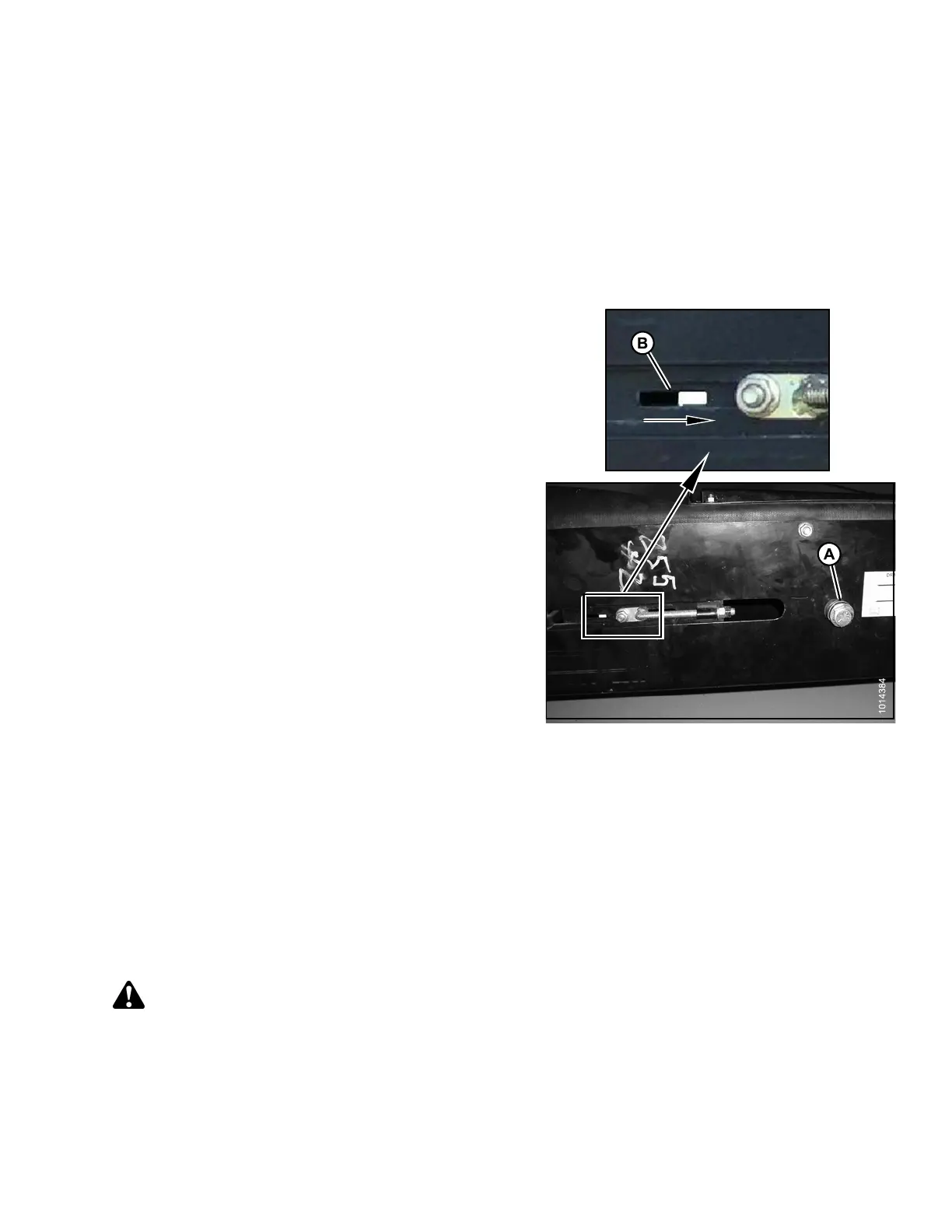
4.1.1 Adjusting Draper Tension
Adjust the d
raper tension enough to prevent slipping and eliminate sagging.
Set draper t
ension as follows:
1. Check that d
raper guide (rubber track on underside of
draper) is
properly engaged in groove of drive roller,
and that id
ler roller is between the guides.
2. Turn bolt (
A) clockwise (tighten).
NOTE:
The white indicator bar (B) will move to the right,
indicating the draper is tig htening. Tighten until
the white indicator sits halfway within the window.
IMPORTAN T:
To avoid premature failure of the draper, draper
rollers, and/or tightener components, do not
operate when the white tension indicator bar is
not visible.
Figure 4.1: Draper Tension
4.1.2 Checking the Draper Tracking
Drape
r tracking needs to be checked w hen the draper is first run up otherwise damage to the draper can occur.
Refe
rto4.1.3 Adjusting Draper Tracking, page 67 to adjust the tracking.
4.1.
3 Adjusting Draper Tracking
The draper deck has one fixed drive roller and one spring-loaded idler roller. The spring loaded idler roller is
located at the same end of the deck as the draper tensioner. Both rollers can be aligned with adjuster rods to
adjust draper tracking.
DANGER
To avoid bodily injury or death from unexpected start-up or fall of raised machine, stop engine, remove
key and engage safety pin before going under machine for any reason.
If the draper is tracking incorrectly, use the following table to adjust the rollers:
214049 67 Revision A



 To Next Page