ASSEMBLY/SETUP INSTRUCTIONS
2.4 Installing the Linkage
To install the linkage, proceed to the section that applies to your windrower:
• 2.4.1 Installing the Linkage: M 1 50/M155/M15 5E4, page 19
• 2.4.2 Installing the Linkage: M200, page 22
• 2.4.3 Installing the Linkage: M205, page 26
2.4.1 Installing the Linkage: M150/M155/M155E4
To install the linkage on an M150, M155, or M155E4
windrower, follow these steps:
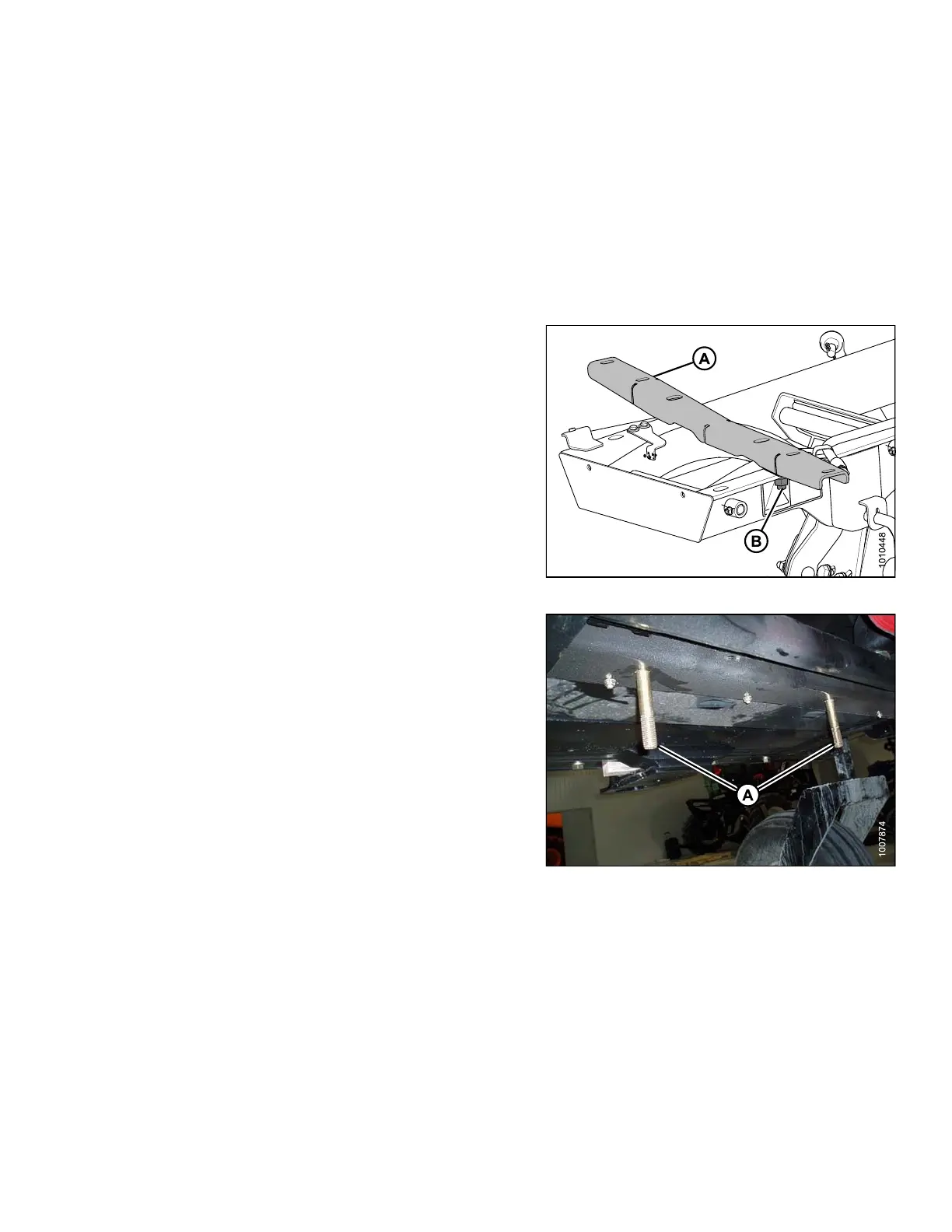
1. Remove support (A) from the DWA linkage by
removing nut (B).
Figure 2.16: Linkage Support
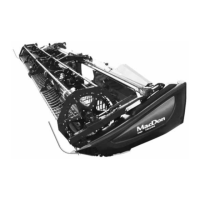
2. Install two 3/4 in. x 4-1/2 in. long carriage head bolts (A)
in the windrower frame member located between the
engine and caster wheels.
NOTE:
Move the hoses located above the frame
member to get the bolts in place.
Figure 2.17: Frame Member under Windrower
214049 19 Revision A


 To Next Page