215620 124 Revision A
4.2.7 Checking Interior Lights
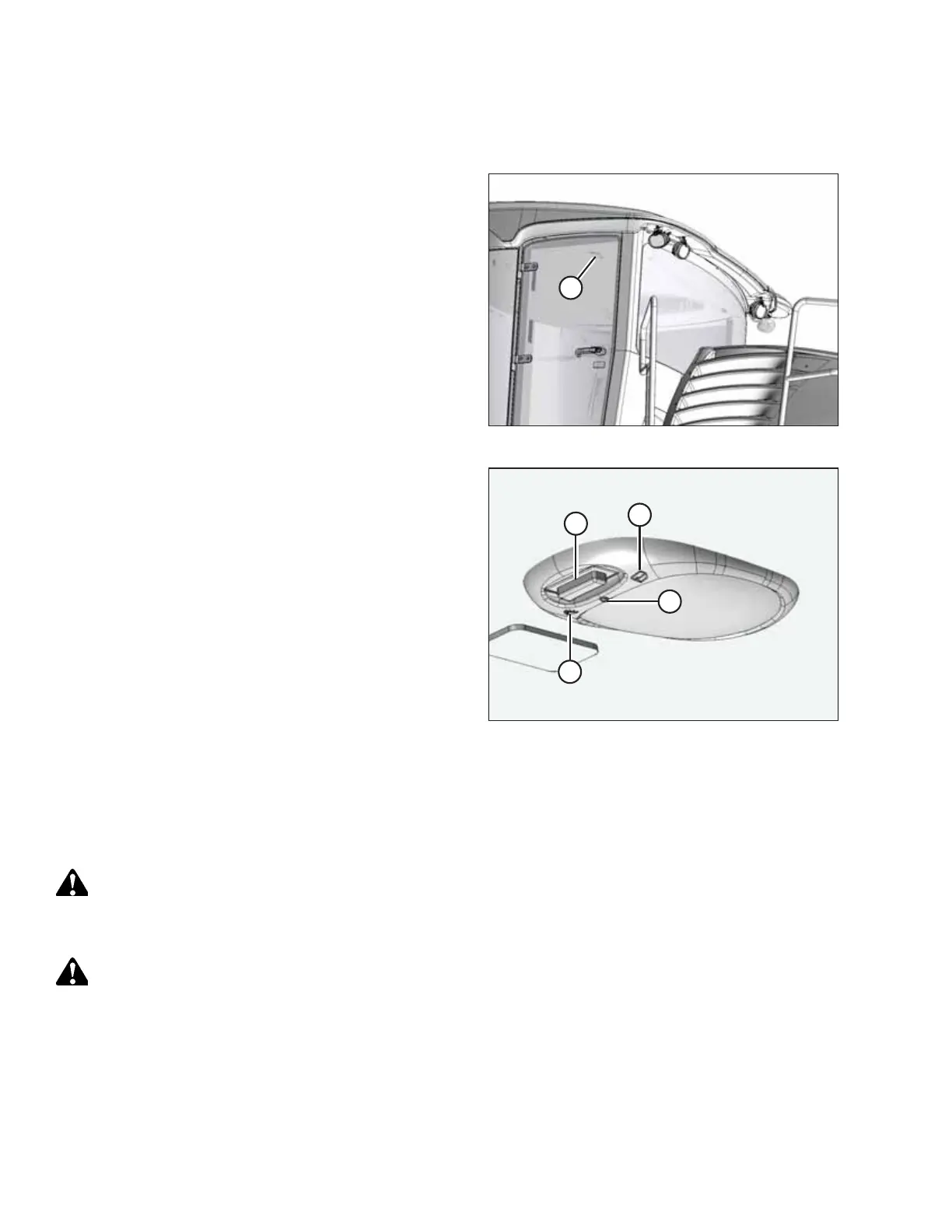
Interior lights provide visibility within the cab. Check all parts of the interior lighting system for functionality.
Figure 4.55: Interior Light
1. Open the cab door. Confirm that interior light (A) turns on.
2. Enter the cab and close the door. Confirm that interior
light (A) darkens.
Figure 4.56: Interior Light
3. Turn the IGNITION key to the RUN position.
4. Push OVERHEAD DOME LIGHT switch (A) to ON position (B).
Confirm that the light turns on.
5. Push the LIGHT switch to DOOR position (C). Confirm that
the light is off.
6. Open the door and check that the light turns on. Leave the
door open.
7. Push switch (A) to OFF position (D). Confirm that the light
is off.
4.2.8 Checking Climate Controls
The cab climate system is comprised of the cab air conditioner (A/C), fans, vents, and the defroster. Check all of these
features for functionality.
DANGER
To prevent bodily injury or death from the unexpected startup of the machine, always stop the engine and remove the
key from the ignition before leaving the operator’s seat for any reason.
DANGER
Ensure that all bystanders have cleared the area.
PERFORMING PREDELIVERY CHECKS



 To Next Page