215620 82 Revision A
3.13 Installing Slow Moving Vehicle Signs
Slow moving vehicle (SMV) signs let other drivers know that the windrower is not capable of moving at a high speed.
If required by local regulations, install SMV sign onto the mirror/light support and walking beam as follows:
1. Retrieve the SMV signs from inside the cab and the installation hardware from the toolbox.
NOTE:
Use the ignition key to unlock the cab door and the toolbox compartment.
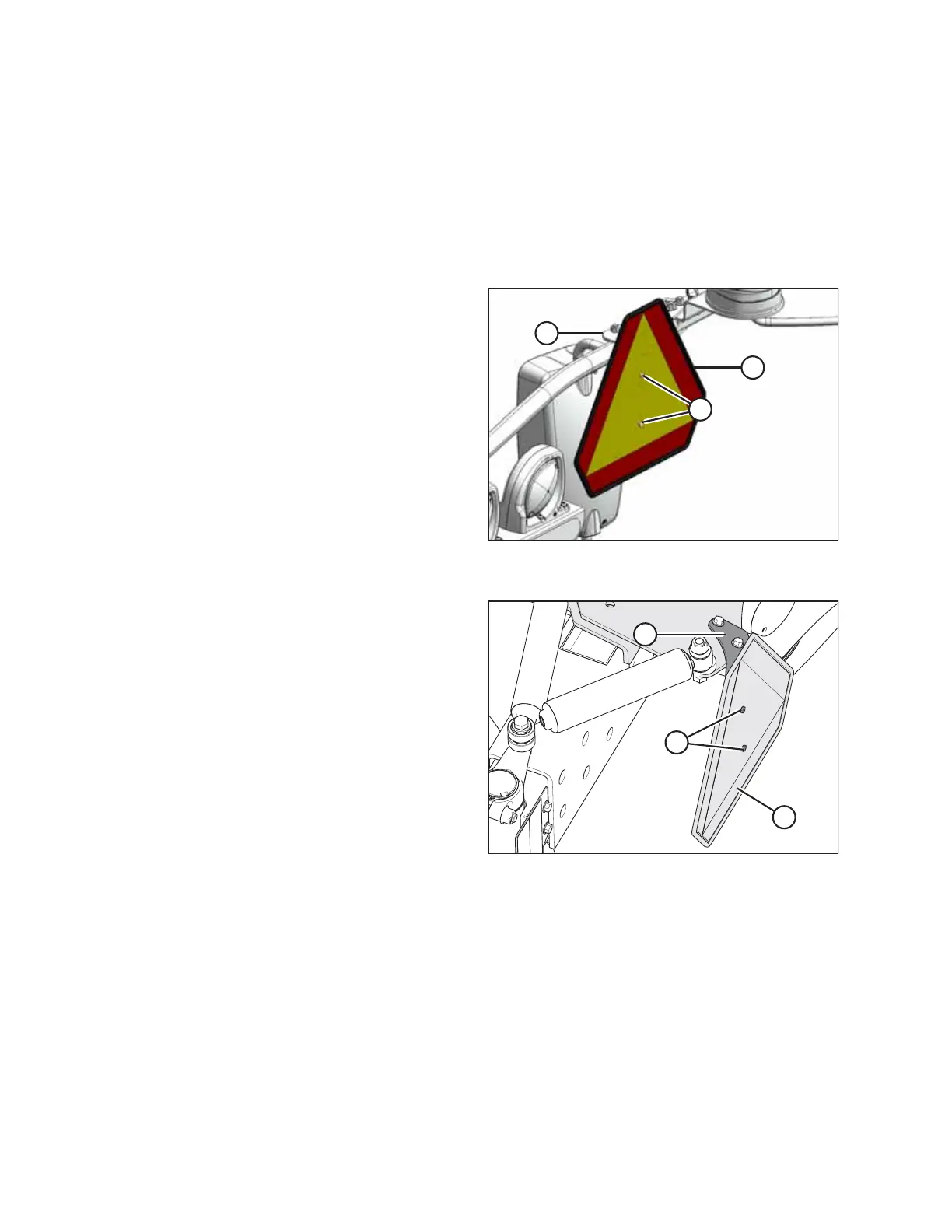
Figure 3.83: SMV Sign Installed on Mirror/Light
Support – Right Cab-Forward Side
2. Position sign (A) on existing bracket (B) as shown on the
right cab-forward side mirror/light support, and secure it
with two M6 x 20 hex head bolts and M6 lock nuts (C).
IMPORTANT:
Ensure that the SMV sign does NOT cover the brake light.
Figure 3.84: SMV Sign Installed – Left Cab-
Forward Side
3. Locate support (A) on the left cab-forward side of the
walking beam.
4. Position sign (B) on support (A) as shown, and secure it
with two M6 x 20 hex head bolts and M6 lock nuts (C).
ASSEMBLING WINDROWER



 To Next Page