215620 126 Revision A
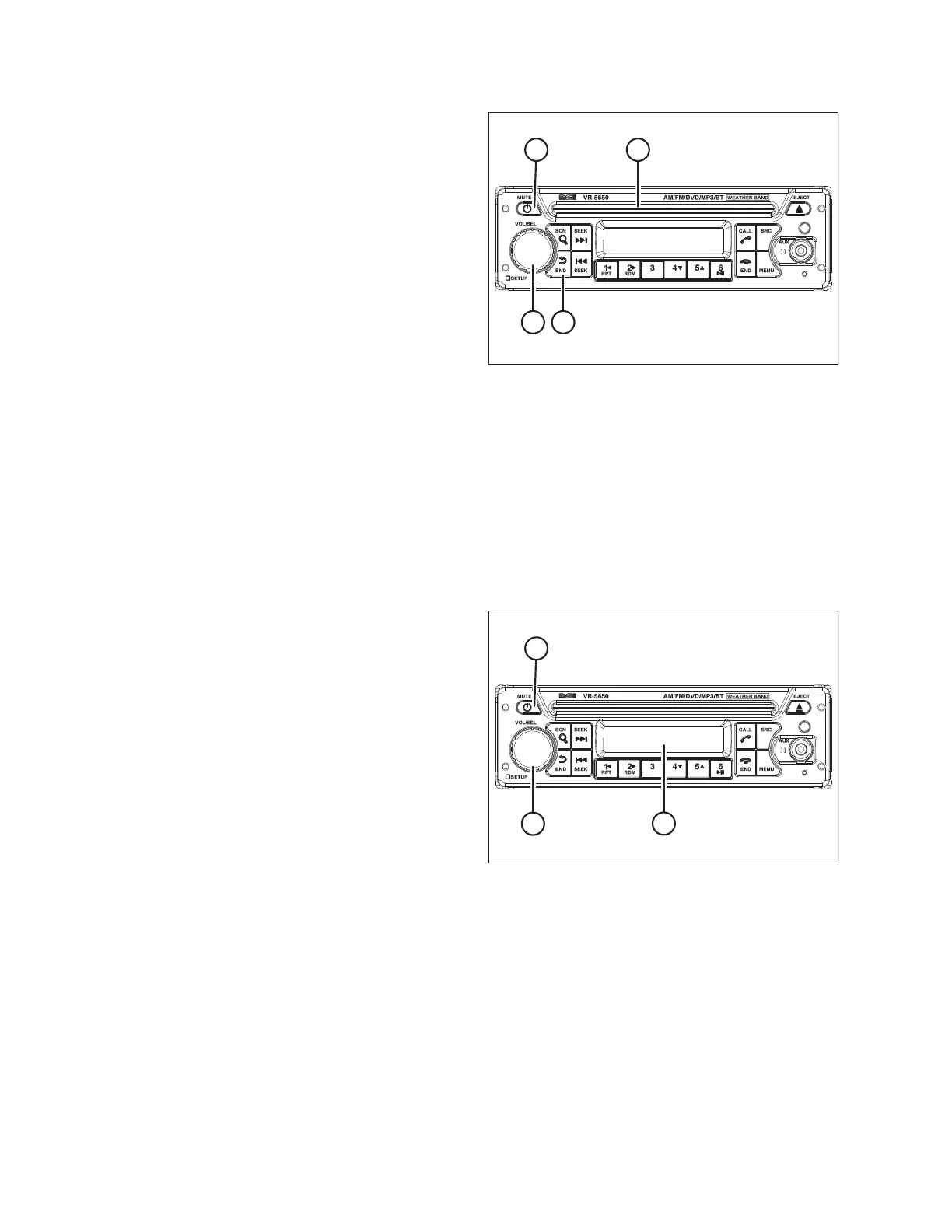
Figure 4.60: Radio
1. To check the radio, follow this procedure:
a. Turn the IGNITION key to the RUN position.
b. Press POWER button (A) to turn the radio on. Hold the
POWER button to turn it off.
NOTE:
The button will light up red when OFF and blue
when ON.
c. Press BAND/BACK button (B) to change radio bands as
follows:
• FM1
• FM2
• FM3
• AM1
• AM2
d. Rotate Volume/Select knob (C) to change the
volume level.
e. Insert a CD or DVD into disc slot (D), or connect a USB
storage device to the unit. The radio will automatically
switch modes and begin playback after the media is
successfully loaded.
Figure 4.61: Bluetooth
®
Radio
2. To activate the Bluetooth
®
feature:
a. Press POWER button (A) to turn the radio on.
b. Press and hold VOL/SEL knob (B) for two seconds.
MENU appears on screen (C).
c. Rotate VOL/SEL (B) to highlight BT SET menu and press
VOL/SEL to select it. BLUETOOTH ON/OFF (C) appears.
d. Press VOL/SEL to select BLUETOOTH.
e. Rotate the VOL/SEL knob so that ON appears and press
VOL/SEL.
f. Rotate the VOL/SEL knob and select DISCOVER.
g. Rotate the VOL/SEL knob to display ON and press
VOL/SEL.
4.2.10 Setting Radio for USA or European Region
Access the radio’s service mode to switch between European and North American radio frequency bands.
NOTE:
The radio is set to the USA frequency at the factory.
PERFORMING PREDELIVERY CHECKS



 To Next Page