215620 40 Revision A
2.7 Removing Upper Shipping Supports
Remove the specified shipping supports in preparation for windrower assembly.
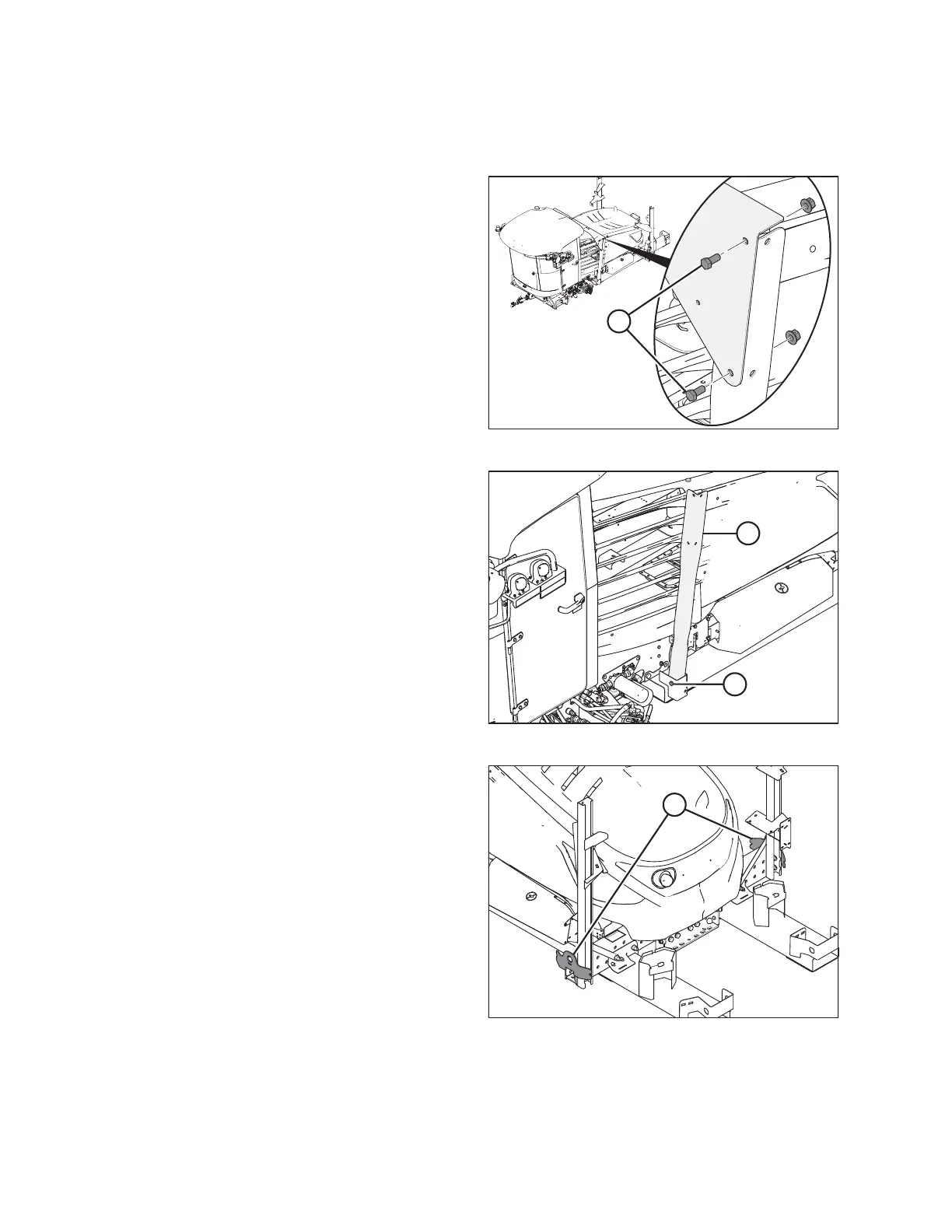
Figure 2.38: Forward Cross Member
1. Support the cross member behind the cab with a suitable
lifting device.
2. Remove two bolts (A) on each side and then remove the
cross member.
Figure 2.39: Forward Vertical Supports
3. Remove nut and bolt (A), and remove vertical support (B).
Repeat on the opposite side.
Figure 2.40: Rear Lift Points
4. If lifting the windrower with a crane: Do NOT remove rear
vertical channels/crane lifting points (A) until after lifting
the machine onto the assembly stand.
UNLOADING WINDROWER



 To Next Page