215620 166 Revision A
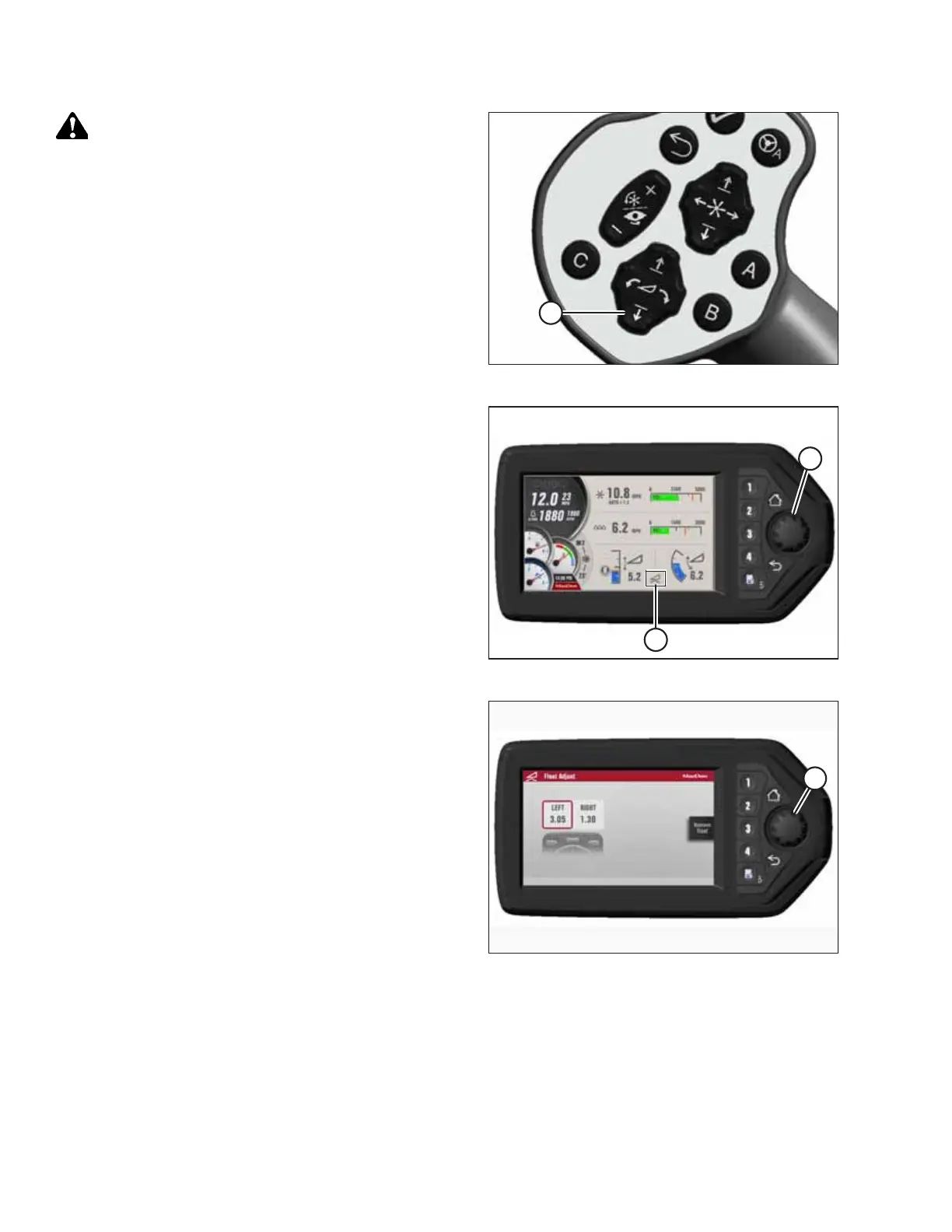
Figure 5.93: GSL
DANGER
Ensure that all bystanders have cleared the area.
21. Start the engine and press HEADER DOWN switch (A) on
the GSL to fully lower the header.
Figure 5.94: HPT Display
22. Press rotary scroll knob (A) on the HPT to highlight the
QuickMenu options.
23. Rotate scroll knob (A) to highlight HEADER FLOAT
symbol (B), and press scroll knob to select it.
Figure 5.95: HPT Display
24. Turn scroll knob (A) to highlight the left or right float setting
and press knob (A) to activate the selection.
25. Rotate scroll knob (A) to adjust the float setting and press
the knob when you are finished.
NOTE:
Float adjustments of 1.0 (out of 10) change the header
weight at the cutterbar by approximately 91 kg (200 lb.).
Adjust the float in increments of 0.05 for best performance.
26. Shut down the engine, and remove the key from
the ignition.
27. Grasp one end of the rotary header and lift. The lifting
force should be 448 N (100 lbf) and should be the same at
both ends.
5.3.2 Connecting R85 Rotary Disc Header Hydraulics
The procedure for attaching the R85 ’s hydraulic connections to the windrower differs depending on the type of hydraulic
fittings the windrower is equipped with.
IMPORTANT:
To prevent contamination of the hydraulic system, use a clean rag to remove dirt and moisture from all hydraulic couplers.
ATTACHING A HEADER TO THE WINDROWER



 To Next Page