215620 51 Revision A
3.4 Installing Drive Wheels
Be sure to check the wheel nut torque again once the windrower has begun operation.
CAUTION
Use a lifting device capable of supporting a minimum of 907 kg (2000 lb.) to lift the wheel assembly.
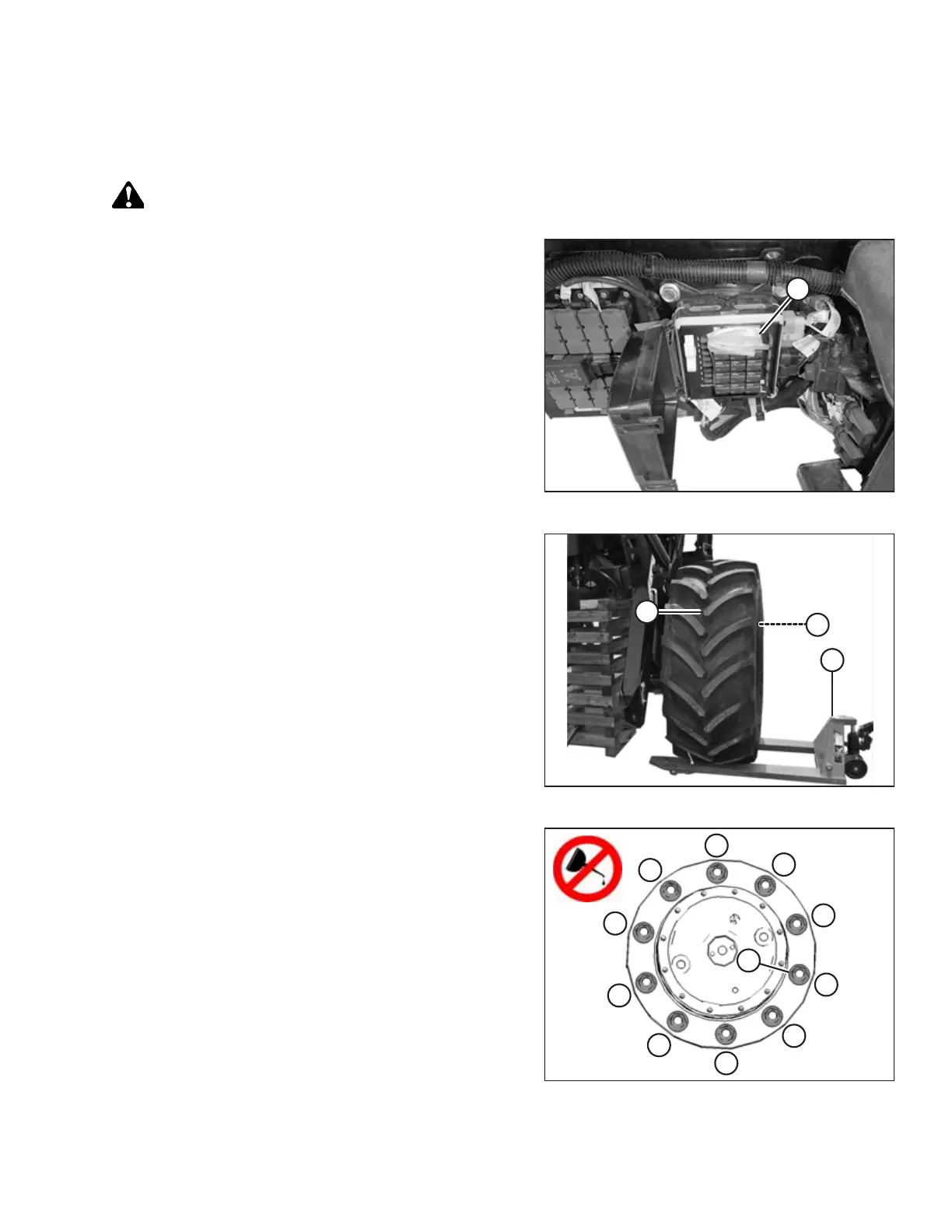
Figure 3.14: Windrower Keys Inside mVEC
1. Retrieve windrower keys (A) from inside the chassis
multiplexed Vehicle Electrical Center (mVEC), and retrieve
the bag of wheel nuts from behind the operator’s seat.
2. Clean the mounting surface on the wheel drive and the rim.
Figure 3.15: Drive Wheel Ready for Installation
3. Position lifting device (A) under the tire and raise it slightly.
4. Position the wheel against the wheel drive hub so that air
valve (B) is on the outside while tread (C) points forward.
NOTE:
For wheels equipped with turf tires (those with a diamond
tread pattern), be sure that the arrow on the sidewall
points cab-forward.
Figure 3.16: Tightening Sequence – 10-Bolt Wheel
5. Align the wheel rim with the studs on the hub. Push the
wheel onto the hub.
6. Install and hand-tighten wheel nuts (A).
IMPORTANT:
To avoid damage to the wheel rims and studs, do NOT use
an impact wrench to tighten the nuts. The stud threads
must be clean and dry. Do NOT apply lubricant or anti-seize
compound to the stud threads. Do NOT overtighten the
wheel nuts.
7. Torque the drive wheel nuts to 510 Nm (375 lbf·ft) using
the tightening sequence shown.
ASSEMBLING WINDROWER



 To Next Page