215620 178 Revision A
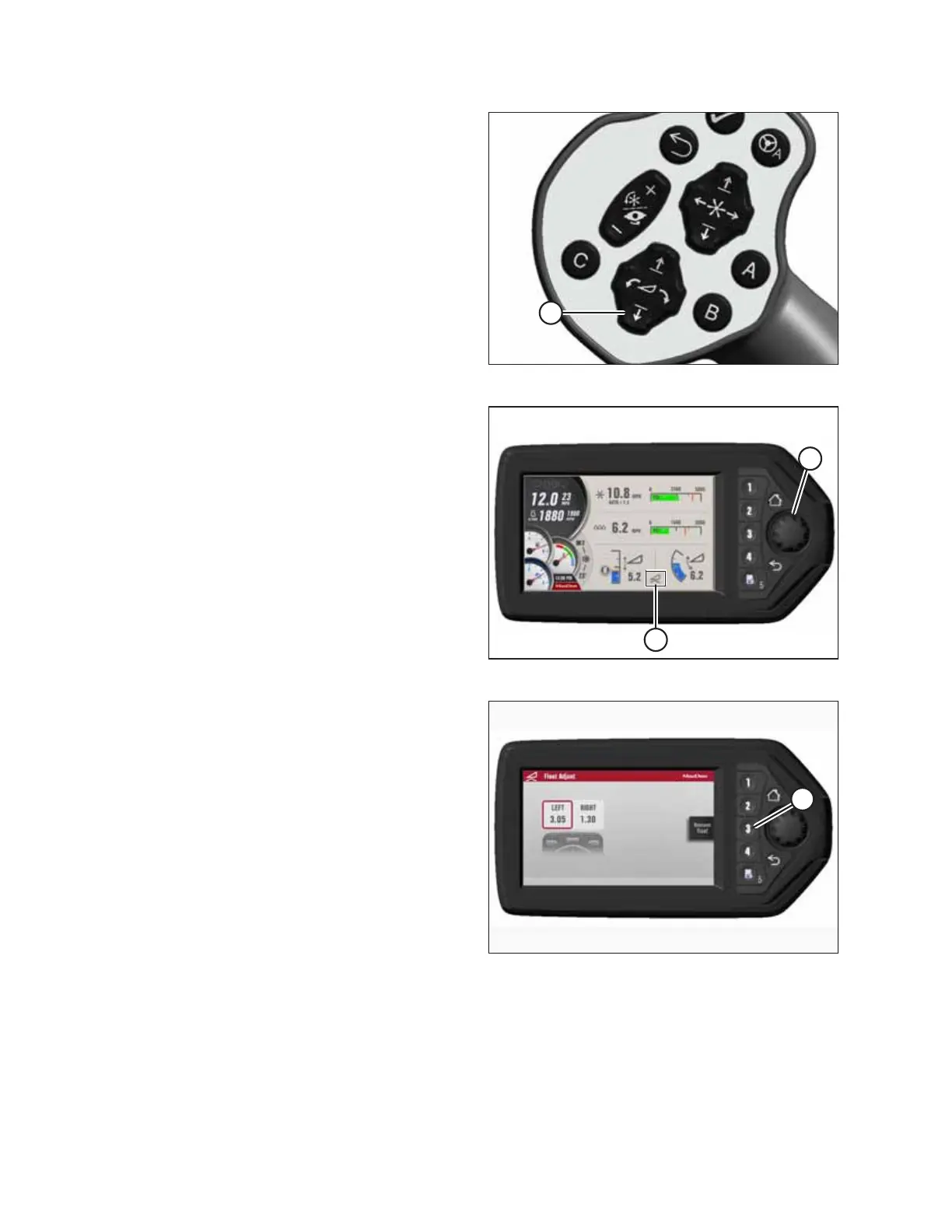
Figure 5.125: GSL
20. Start the engine and press HEADER DOWN switch (A) on
the GSL to fully lower the header.
21. Shut down the engine, and remove the key from
the ignition.
Figure 5.126: HPT Display
22. If you are not prompted by the HPT display to restore the
header float, restore the header float manually:
a. Press rotary scroll knob (A) on the Harvest Performance
Tracker (HPT) to highlight the QuickMenu options.
b. Rotate scroll knob (A) to highlight Header Float
icon (B), and press the scroll knob to select it. The float
setting page appears.
Figure 5.127: HPT Display
23. Press soft key 3 (A) to restore the header float.
NOTE:
If the header float is active, the icon at soft key 3 displays
Remove Float; if the header float has been removed, the
icon displays Resume Float.
24. Shut down the engine, and remove the key from
the ignition.
ATTACHING A HEADER TO THE WINDROWER



 To Next Page