Manitowoc Published 08-06-19, Control # 237-09_v1 3-23
MLC165-1 OPERATOR MANUAL OPERATING CONTROLS AND PROCEDURES
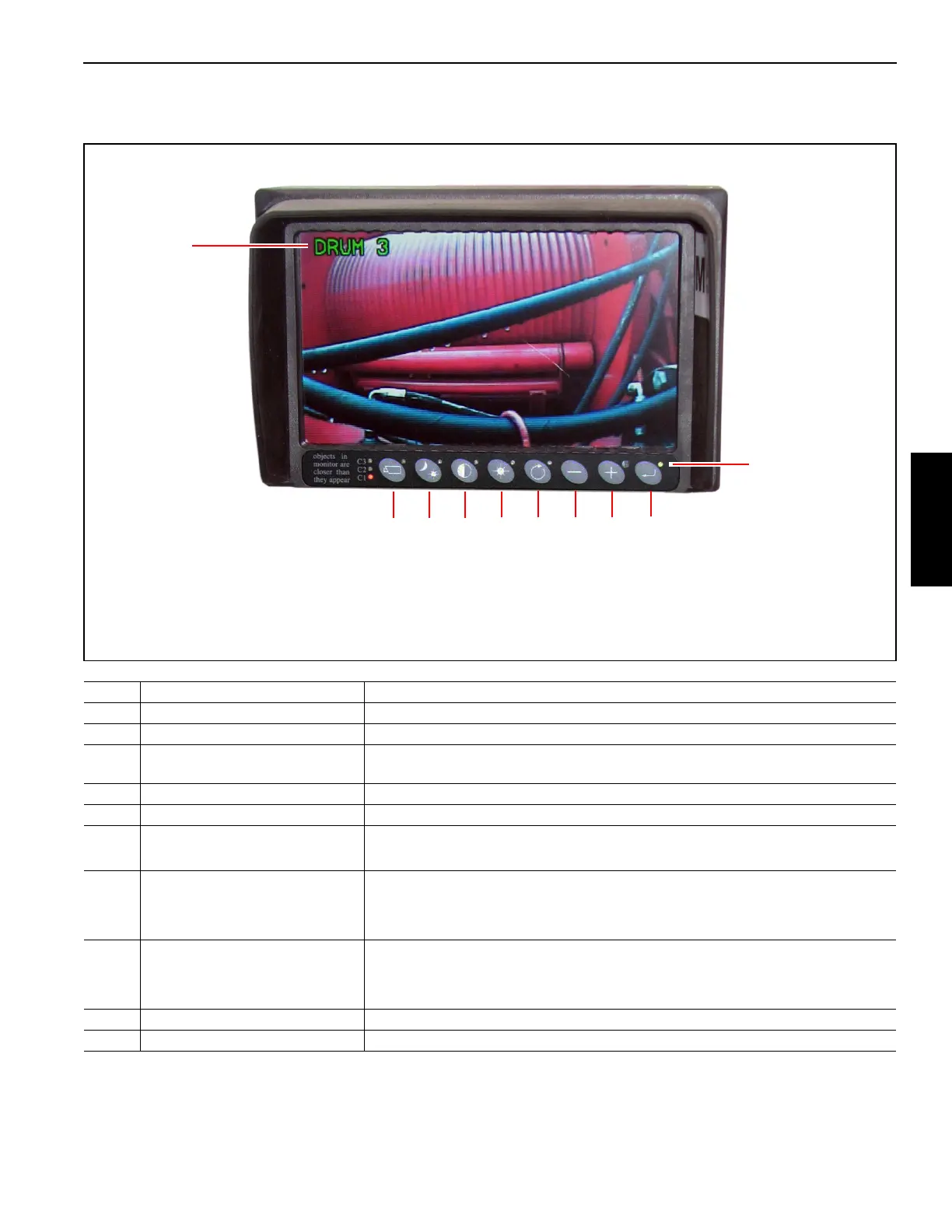
Table 3-9. Camera Monitor Operating Controls
NOTE For detailed information about the camera monitors, refer to the camera manual that is supplied with the crane.
Item Name Description
1 Camera Label To change the label (“DRUM 3” in this case), refer to the vendor manual.
2 Camera Button After pressing Camera, use Plus or Minus to select one of the three cameras.
3 Automatic Brightness Button
Press Automatic Brightness. The monitor brightness will adjust automatically to
changing light conditions.
4 Contrast Button After pressing Contrast, use Plus and Minus to adjust the monitor contrast.
5 Brightness Button After pressing Brightness, use Plus and Minus to adjust the monitor brightness.
6 Option Button
Used to go to a previous menu item.
Press button for 3 seconds to exit menu screens.
7 Minus Button
After pressing Brightness, decreases the monitor brightness.
After pressing Contrast, decreases the monitor contrast.
In the Operator Menu, go to the previous menu option.
8 Plus Button
After pressing Brightness, increases the monitor brightness.
After pressing Contrast, increases the monitor contrast.
In the Operator Menu, go to the next menu option.
9 Enter Button Press once to enter the monitor Operator Menu.
10 Power LED Glows green when the monitor is powered.














 To Next Page