Series F Test Frames + IntelliMESUR
®
Software User’s Guide
The cursor will snap to the closest plot when multiple runs are displayed simultaneously.
Zoom
To zoom by hand, pinch fingers to zoom in and out. To zoom in via mouse, click and drag to
create a zoom window.
To zoom out, select Graph Reset.
Graph Reset
Zooms out to show the complete plot.
10.2.3 Starting The Test
To start the test, select Start. To interrupt a test while it is running, select Stop.
10.3 Results View
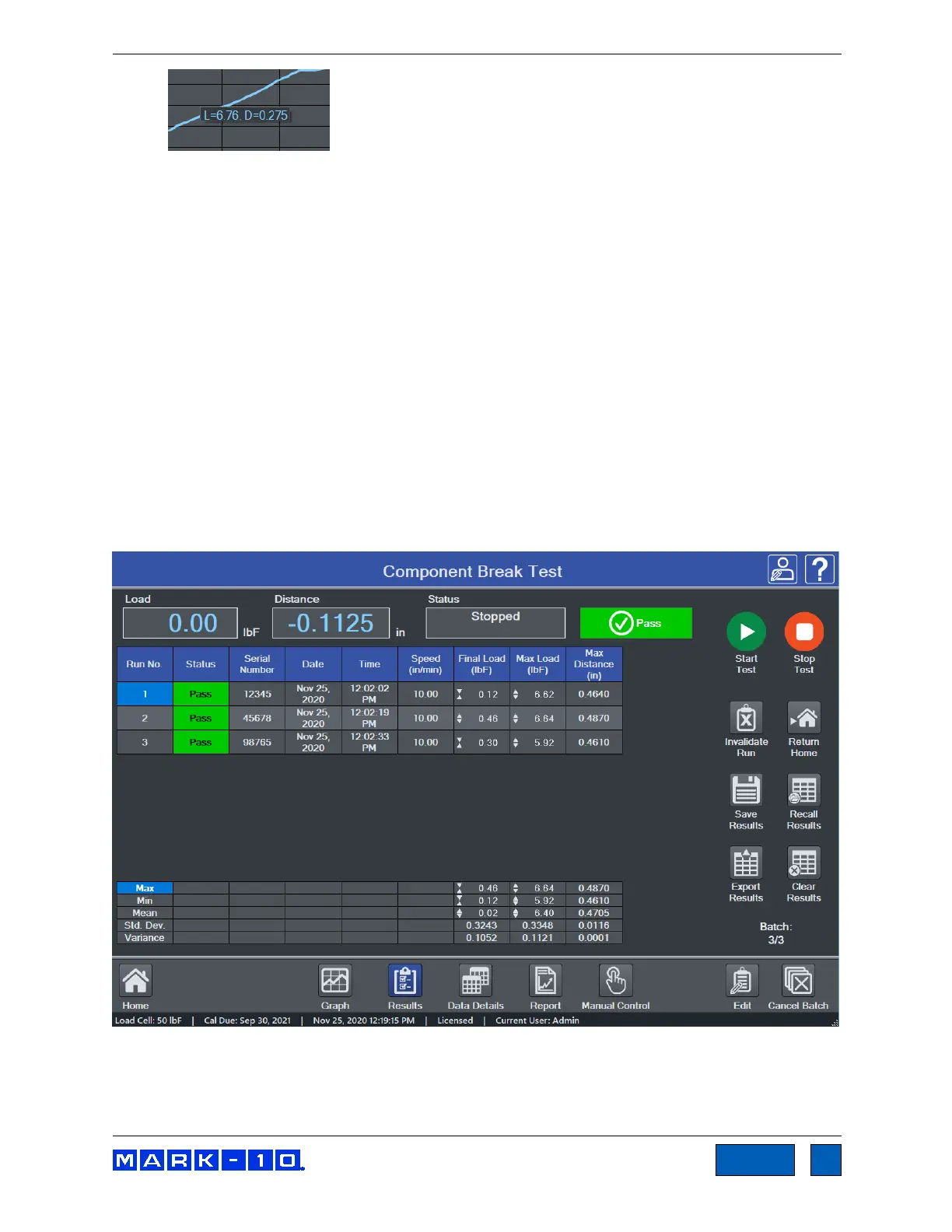
10.3.1 Basic and Multi-step Test Result Tables
The screen appears as follows for a basic test:
Results and statistics are presented as configured in the test setup. The Statistics table below the
Results table is aligned to the results, as depicted below:
www.GlobalTestSupply.com
Find Quality Products Online at: sales@GlobalTestSupply.com



 To Next Page