Matrox Mura Display Wall – User Guide 23
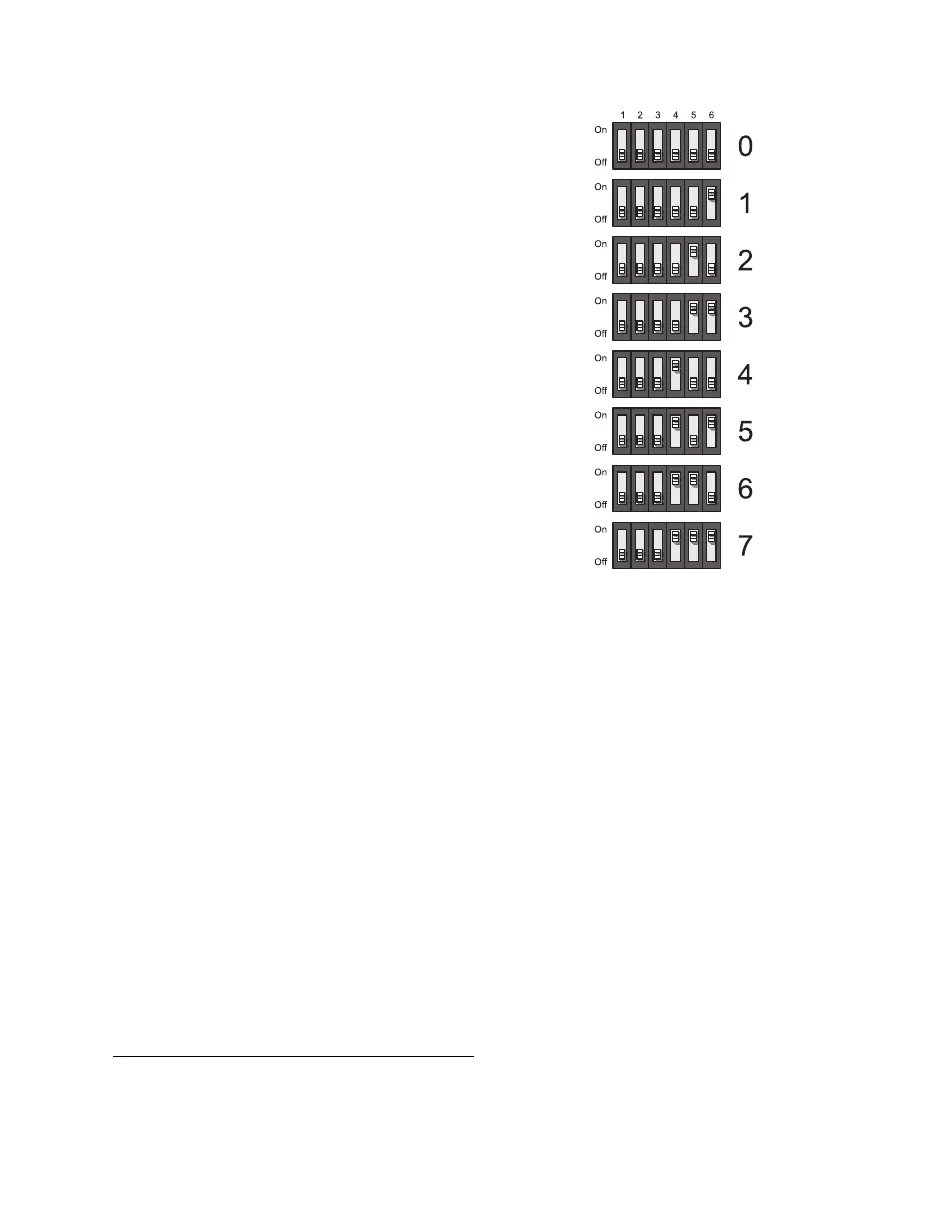
Setting the DIP switches
Mura MPX Series
*
and Mura IPX Series capture
cards
– The DIP switches on your Mura MPX
Series and Mura IPX Series capture cards are used
to control the order of the cards in each group.
Setting the DIP switches is useful if you’re setting
up a large display wall layout that uses multiple
cards. Ordering the input connectors enables you
to properly identify the inputs of your display wall.
For example, setting the first Mura MPX Series
card to
0
means that the input connectors on that
card will be the first one used and the first input
connector will be labeled
Input 1
.
To set the DIP switches on your cards, use the tip of
a pen or pencil to flip the switch on or off. We
recommend setting your card order as follows,
starting with card
0
.
†
* Except Mura MPX-4/0.
† The DIP switches use binary counting to set the card order.



 To Next Page