40 Matrox Display Wall – User Guide
Description of cables
Description of supported connections
Cable Description
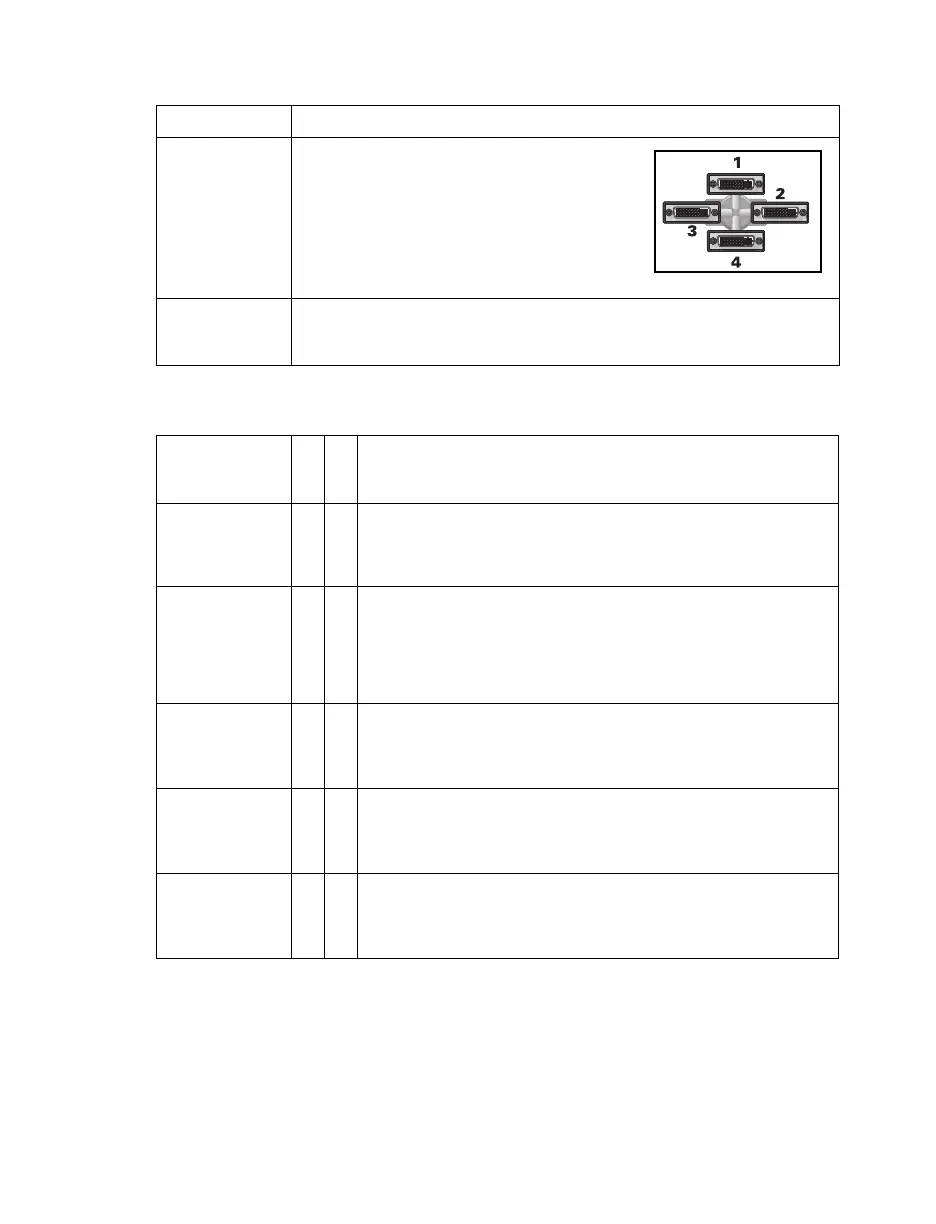
Output Mura MPX-4/4 and MPX-4/2 cards use
KX20 to quad-DVI cables to connect up to
four (4) monitors per card.
Monitors are numbered consecutively
based on which connector each is attached
to, starting with connector labeled 1.
Input A Mura MPX-4/4 card uses a KX20 to quad-DVI cables to connect up to
four (4) input devices per card. A Mura MPX-4/2 card uses a KX20 to
dual-DVI cable to connect its input devices.
Device
connector
Output
Input
Description
DVI 99If your monitor has a DVI connector, connect your monitor cable
directly to a DVI connector on your output cable.
If you connect a graphics card with a DVI monitor cable, connect
your monitor cable directly to your input cable.
HD-15 99If your monitor has an HD-15 connector, use a DVI to HD-15
adapter included with your Mura product to connect your monitor
cable to your output cable.
If you connect a graphics card with an HD-15 monitor cable, use
a DVI to HD15 adapter included with your Mura product to
connect your monitor cable to your input cable.
S-video 9 If your video device has an S-video connector, use a DVI to
S-video adapter to connect to the DVI connector on your input
cable. Connect your video device to the S-video connector on
your adapter.
Composite 9 If your video device has a composite connector, use a DVI to
Composite (RCA) adapter to connect to the DVI connector on your
input cable. Connect your video device to the composite
connector on your adapter.
Component 9 If your video device has a component connector, use a DVI to
Component adapter to connect to the DVI connector on your input
cable. Connect your video device to the component connector on
your adapter.



 To Next Page