Matrox Display Wall – User Guide 49
C680
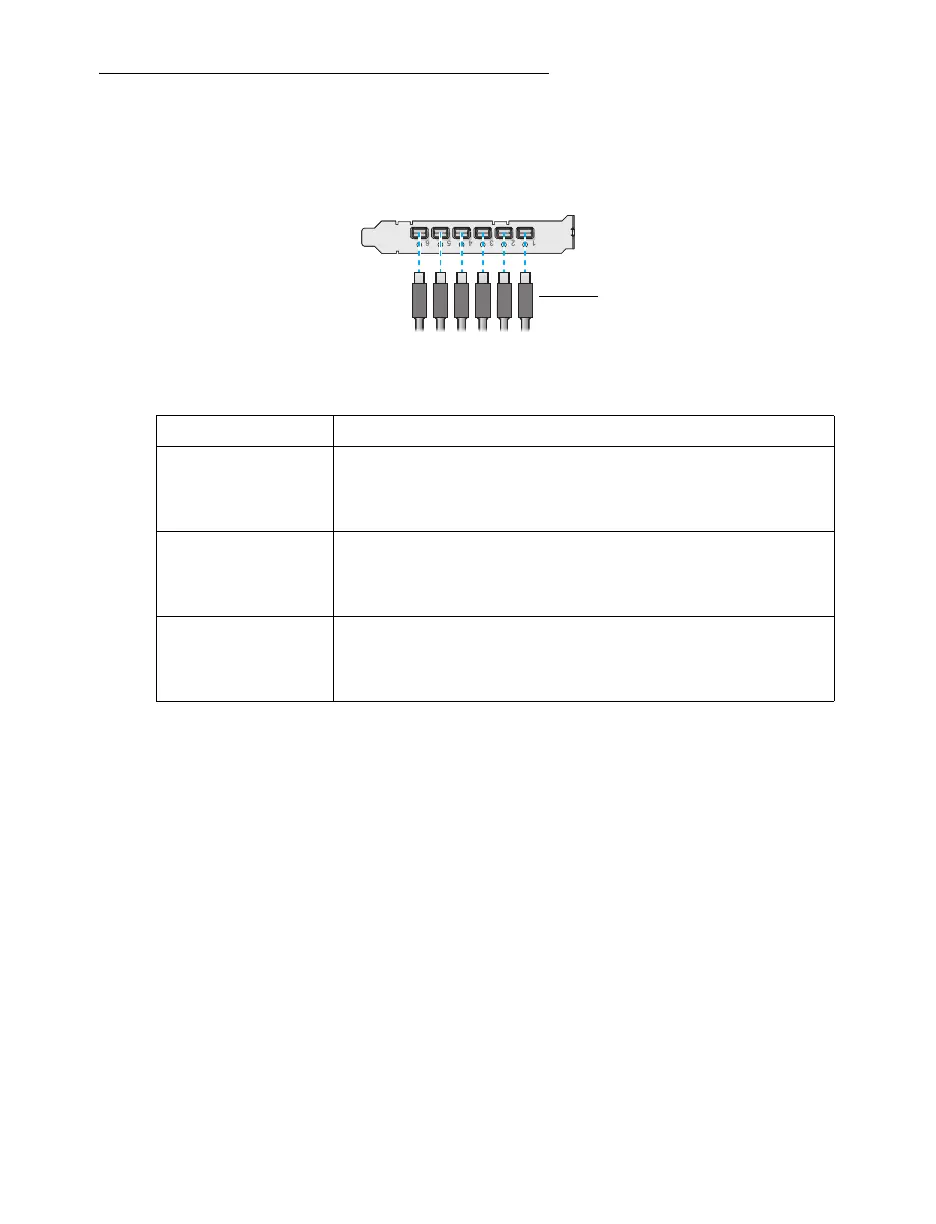
This section explains how to connect your output devices (monitors) to your C680 card.
Connection overview
Description of supported connections.
Device connector Description
DisplayPort If your monitor has a DisplayPort connector, attach your mini
DisplayPort to DisplayPort adapter to the mini DisplayPort connector
on your Matrox card. Connect the other end of the cable to your
monitor.
HDMI If your monitor has an HDMI connector, use a mini DisplayPort to
HDMI adapter (active
*
) to connect your monitor cable to the mini
DisplayPort connector on your Matrox card. Connect the other end
of the cable to your monitor.
* Only active adapters (sold separately) are supported. Passive adapters aren’t supported.
DVI If your monitor has a DVI connector, use a mini DisplayPort to DVI
adapter (active
*
) to connect your monitor cable to the mini
DisplayPort connector on your Matrox card. Connect the other end
of the cable to your monitor.
Monitor connector
(Mini DisplayPort)



 To Next Page