Installation Comet Executive Gas
2-18
Safety Device and Control Function
Checkout
The machine can now be checked for proper
safety device and control function operation.
After that, the brown paper covering the ironing
cylinder can be removed.
NOTE: Work with another
person. The “buddy system” is
the safest system.
All test procedures should be handled by at
least two qualied people. Using the “buddy
system” facilitates a quicker procedure and
decreases the risk of an accident.
WARNING
Do not place the machine
into service until all controls
are functioning properly.
Failure to follow this rule
may cause serious injury
to operators or
maintenance personnel.
Safety Device Check
1. Turn power ON at the main disconnect
switch.
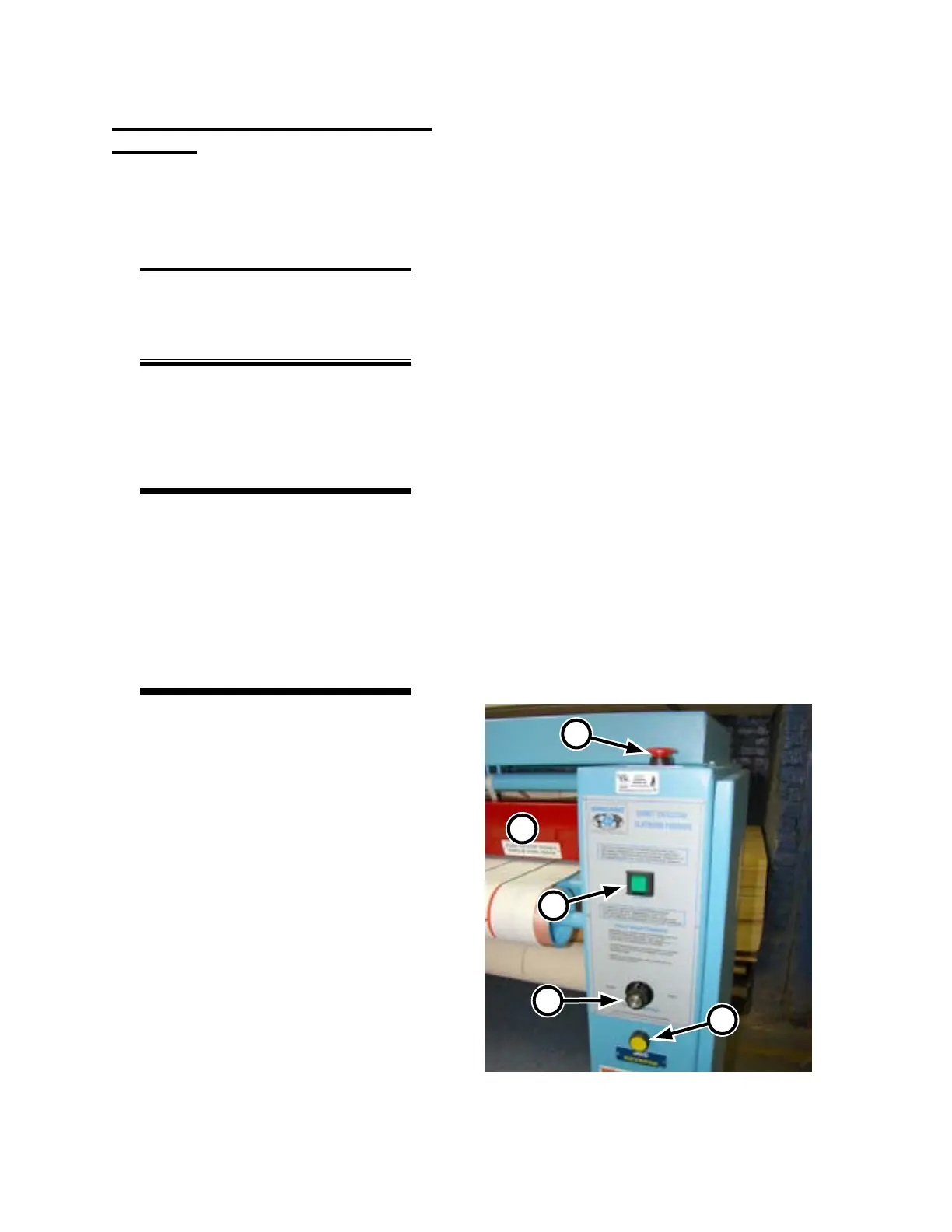
2. Press the green START button (Figure
2-18, A). All rotating and conveying ele-
ments of the machine should operate.
3. There are four red safety STOP buttons
on the unit, one on each endframe of the
machine (Figure 2-18, B).
• With the unit running, test each button
in turn to make sure the unit comes to
a complete stop.
• Restart the unit after each red safety
STOP button test.
4. Restart the unit.
5. Test the red safety nger guard at the front
of the ironer (Figure 2-18, C) by pushing
in on it. Make sure that all moving ele-
ments stop.
Figure 2-18: All rotating parts should stop when
you press the red safety nger guard.
C
D
A
E
B



 To Next Page