Operating Guidelines Comet Executive Gas
3-2
3.1 Safety Features
The unit is manufactured with several built-in
features to promote safety and proper operating
procedures.
WARNING
Never bypass any of the
safety devices.
Serious Injury Could Result.
There are ve general categories of safety
features:
• Main Disconnect Switch
• Safety Stop Buttons
• Safety Guards
• Safety Interlock Switch
• Safety Labels
Main Disconnect Switch
CAUTION
The main disconnect switch
must be set to “O” (OFF)
when opening and closing
the endframe door.
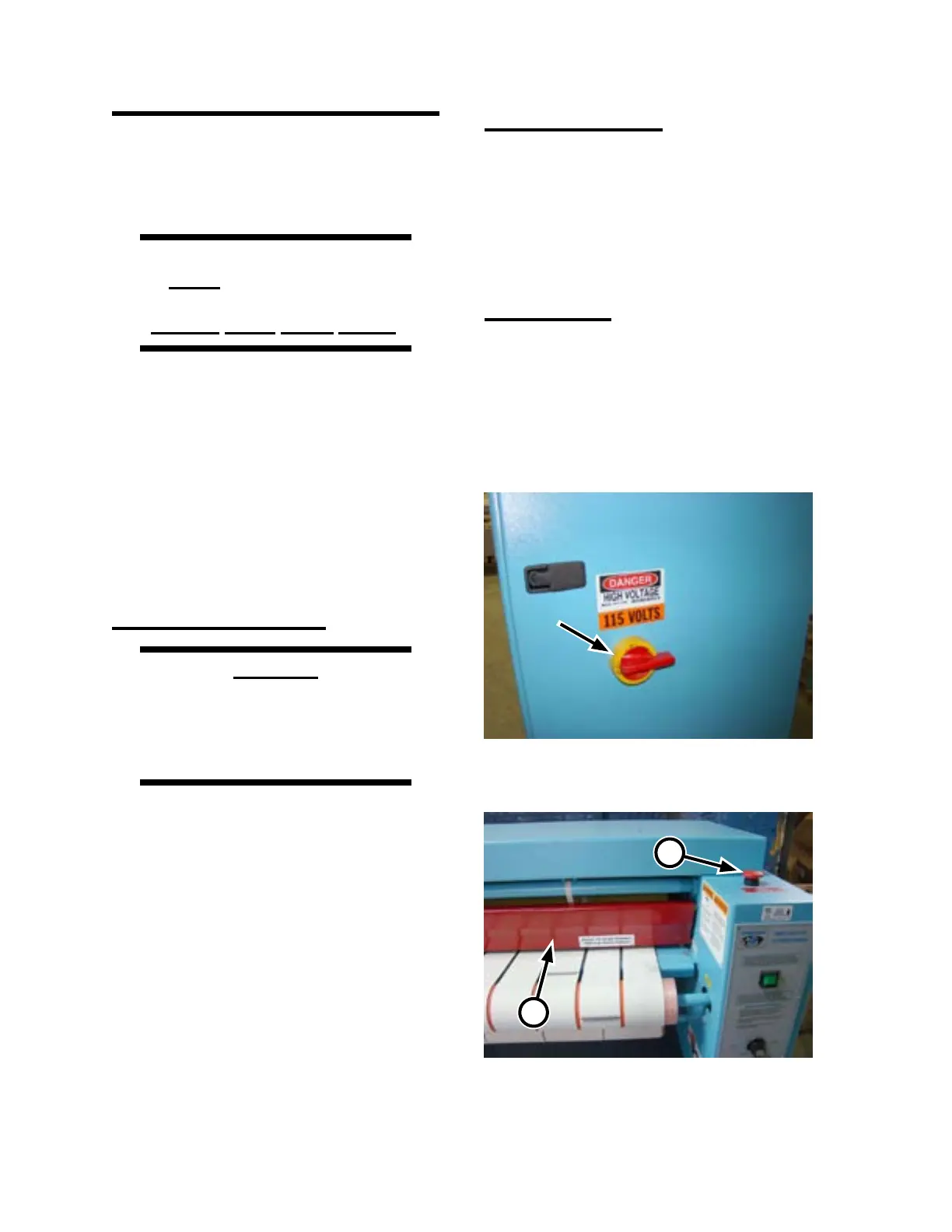
The main disconnect switch (Figure 3-2) is
located on the right endframe door. When turned
to “O” (horizontal position), the main disconnect
switch is o, and shuts o the incoming electrical
power to the unit.
Unless otherwise indicated, turn the main
disconnect switch to o before performing any
maintenance or repair work.
Safety Stop Buttons
The preferred method of stopping the operation
of the unit is by pressing any of the four red safety
STOP buttons located at each corner of the unit
(Figure 3-3, A). Pressing any of these buttons
immediately stops the heating system and all
rotating parts.
Safety Guards
A red safety finger guard (Figure 3-3, B)
covers the moving parts at the front of the unit.
It runs the entire length of the unit’s working area
and physically restricts hands from coming into
contact with moving and heated parts. Pushing the
safety nger guard immediately stops the heating
system and all rotating parts.
Figure 3-2: The main disconnect switch is located
on the right endframe door.
Figure 3-3: The red safety STOP buttons (A) and
red safety nger guard (B) provide
immediate shut-down capability.
A
B



 To Next Page