Comet Executive Gas Installation
2-19
Control Function Check
1. Press the green START button.
2. Turn the SPEED knob (Figure 2-18, D)
clockwise to increase the speed.
3. Make sure the ironing cylinder, feed rib-
bons, and return ribbons change speed as
the knob is turned.
4. Turn the SPEED knob counterclockwise
to decrease the speed.
5. Make sure the ironing cylinder, feed rib-
bons, and return ribbons change speed as
the knob is turned.
6. Set the ironer to its slowest setting.
7. Press a red safety STOP button.
WARNING
Make sure the SPEED control
knob is turned to the slowest
speed before pressing the
JOG REVERSE button.
Failure to do so may result in
unsafe conditions or damage
to the unit.
8. Press the JOG REVERSE button (Figure
2-18, E) for a few seconds and release it.
The rotating elements should move slowly
in reverse while the button is pressed.
9. Stop the unit and turn power OFF at the
main disconnect switch.
Ironing Cylinder Paper Removal
Perform only when the unit is OFF
with power connected and COOL.
Use Extreme Caution.
CAUTION
Do not use sharp objects
to remove the brown paper
protecting the ironing
cylinder. Avoid scratching
the cylinder surface during
paper removal.
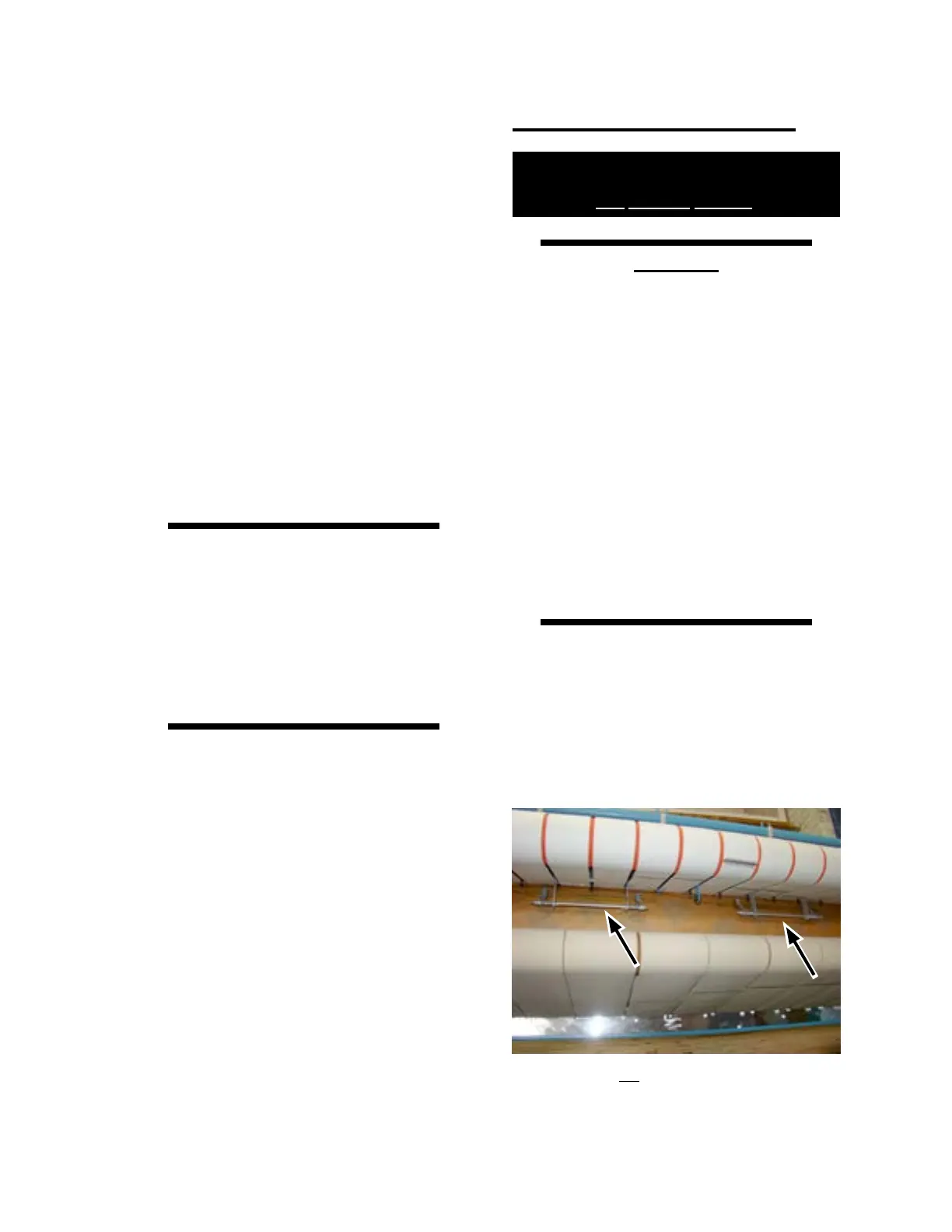
There are two temperature
sensor contact shoes (Figure
2-19) seated against the
front of the ironing cylinder.
Be careful not to move
either sensor, which may
cause the ironing section to
malfunction.
1. Remove the brown paper from the ironing
cylinder. Tear away a strip across the full
length at the front of the cylinder, under
the feed table.
2. Turn power ON at the main disconnect
switch.
Figure 2-19: Do not disturb the positioning of the
temperature sensors when removing
the brown paper.



 To Next Page