Page86Alterations reserved Version 05/2008
Operating Manual B21-C - en
7.3.4.3 Knife control
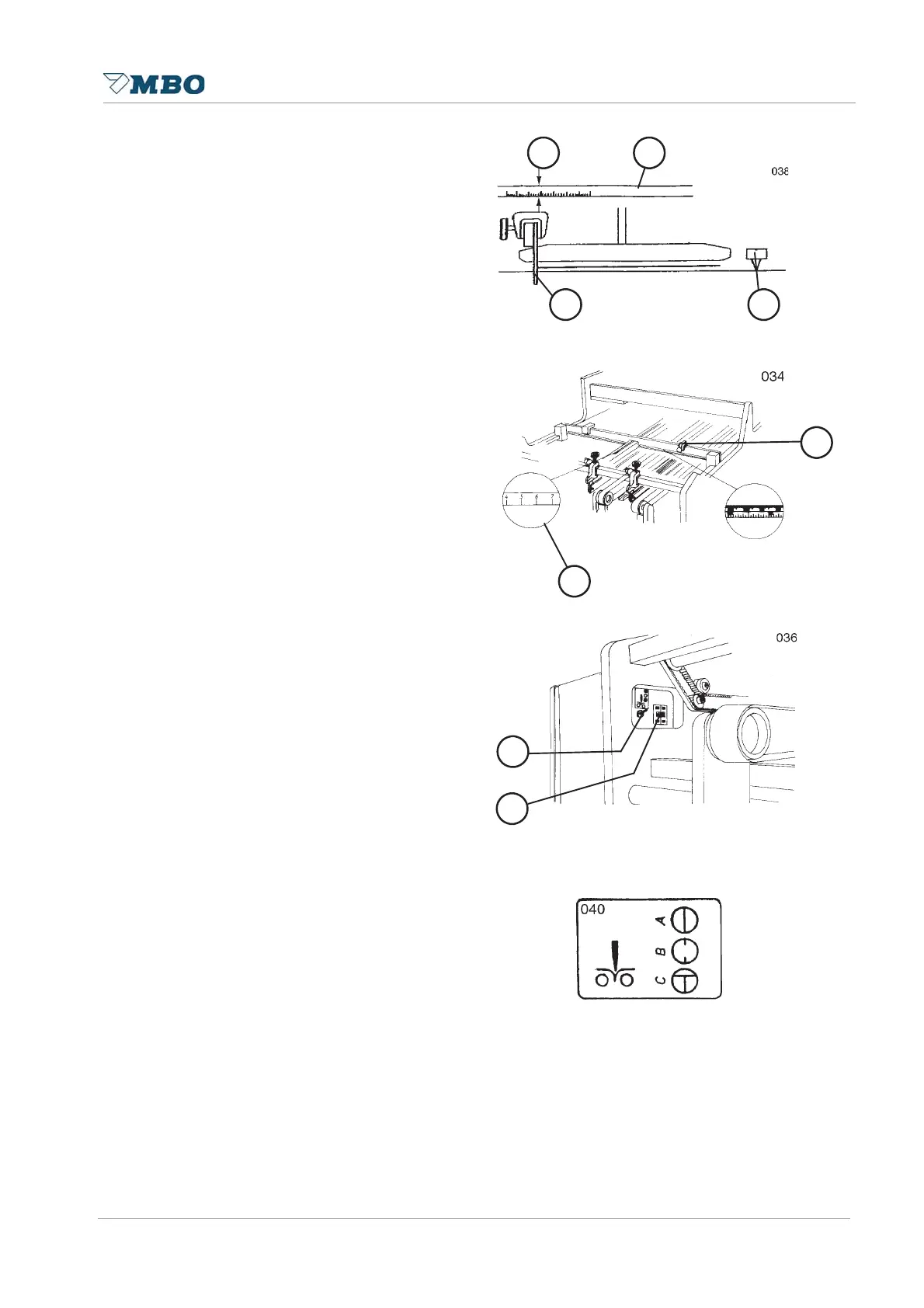
The folding knife operates independently.
The knife motion is activated by a
photocell with the passing sheet. Set the
time of release as follows. Set the sheet
stop (see 7.3.1,page 77) in accordance
to the size of sheet. The upper part of the
measurement scale 5 shows a value in
cm 4. This value is the path between the
photocell 7 and the sheet stop 6. Enter
the value at main control panel through
push buttons into the digital push button
switch 9, which are available for the
individual folding knives. You may
increase the cm-value, e.g. for longer
sheet aligning underneath the knife, or
decrease the value to achieve a higher
rate of production, e.g. for perforated
sheets. In addition, all photocells serve
as a jam control, i.e. if a sheet is held
underneath the photocell the machine
will turn-off immediately. Moreover, each
photocell may also be used as sheet
length control. Enter the sheet length
through the digital push button switch.
However, if the sheet is longer than the
entered value the machine will swtich off
automatically.
7.3.4.4 Use of switch to turn the folding knife ON/OFF
The switch 8 near the digital push button
switch 9 can be set for various
procedures as follows:
turn switch to position A = machine ready for production
turn switch to position B = machine OFF e.g. during set-up procedures or
production without knife
turn switch to position C = knife release, e.g. during set-up procedure if
should be folded after it has been positioned.
4 5
6
7
6
9
8
5


 To Next Page