Operating Instructions – Labmaster
©
130 and MB20G Systems
Instruction Manual
Chapter 9: System Operation
© MBraun, Inc. Edition 1/2007 Page 9-7
Automatic Mode
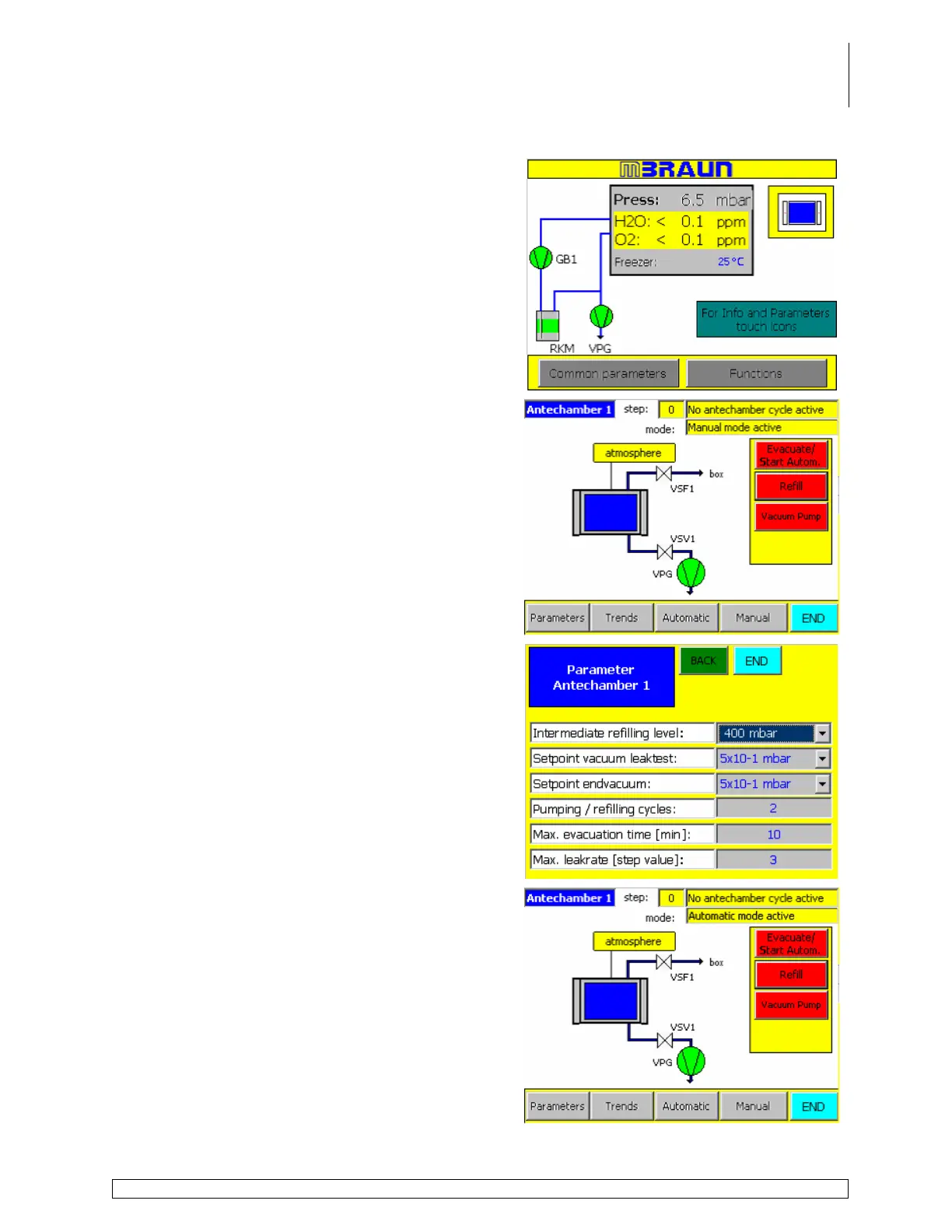
Touch the Antechamber icon on the Start
Screen to display the antechamber screen.
Touch the Parameters button to display the
Antechamber parameters screen.
Use the drop down menus and information fields
to specify the settings for the antechamber cycle.
Touch the Back button to return to the
Antechamber layout screen.
Touch the Evacuate/Start Autom. button to
initiate the automatic antechamber cycle.



 To Next Page