TA80V User Manual
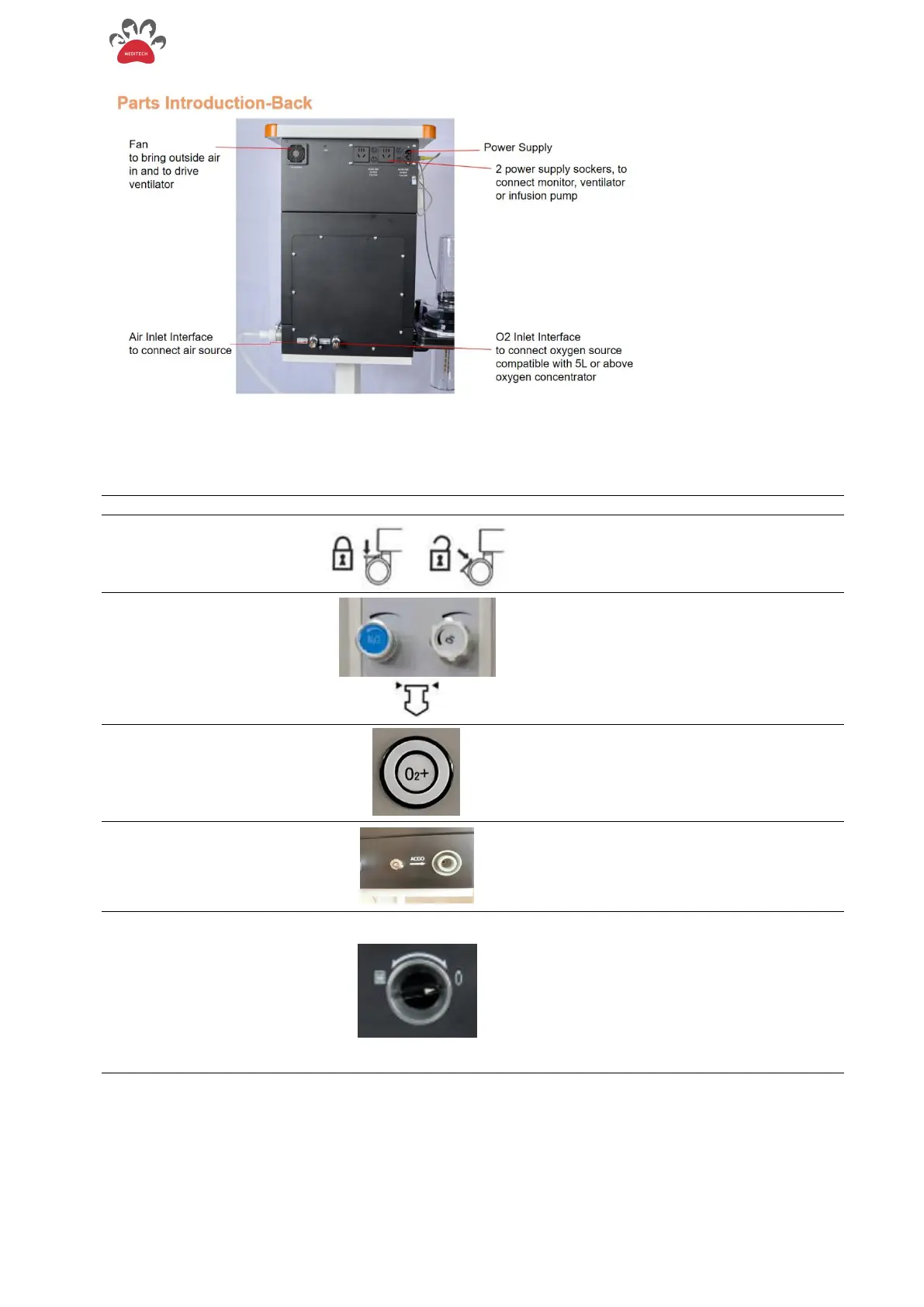
Figure 2- 2 Back view of TA80V
Push lock. Lift up to unlock..
Turn the control knob
counterclockwise to increase flow and
clockwise to decrease flow.
When reading the flow meter, read the
reading from the top of the float.
Press the O2 rapid oxygen supply
button to provide high flow oxygen to
the system.
Turn the switch toward (towards its right)
the ACGO port, the fresh gas will be
output through the ACGO interface, and
comes into Non-rebreathing Circuit. It is
quite essential for small animals.
Turning clockwise, pointing to Manual,
directly below the hand control interface,
you can connect the manual airbag
ventilation at the hand control interface.
Turn counterclockwise to point to Auto,
the working state is ventilator-controlled
state, and the ventilator provides the air
source to work.
Figure 2-3 Controls on the Front Side of the TA80V


 To Next Page