M
AVTM246004 BITE 2/2P Rev 4 July 2011
122
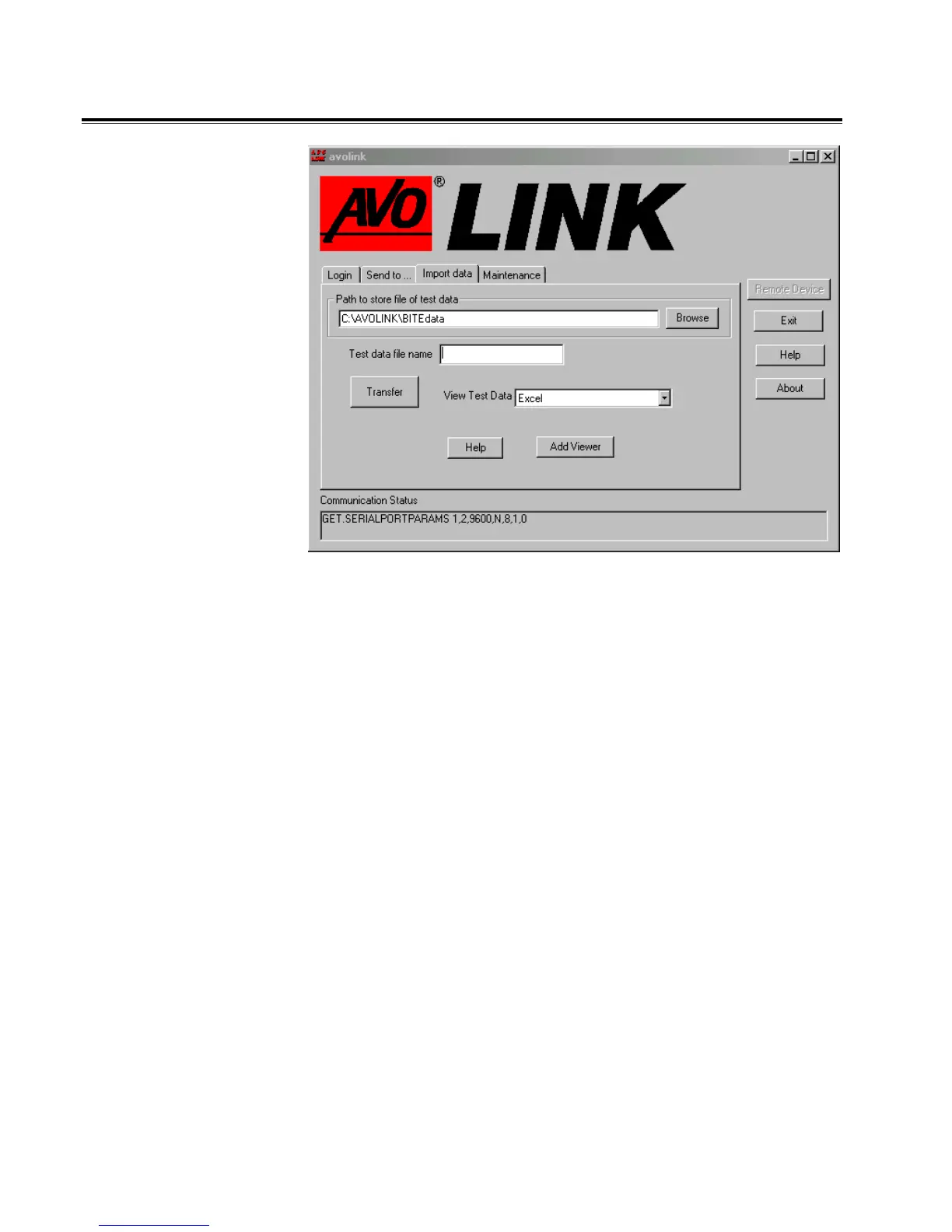
Import Data Tab
The features on this tab enable you to
• transfer test data from the BITE to a PC.
• specify the location on the PC where the BITE test data files
will be stored.
• assign a unique filename to the test data to be transferred.
• view the transferred data in Notepad or Excel.
As the transferred data is received by the PC, it is stored as a
.raw data file. After all the data is received, it is converted into
the following formats:
• Text file with a .txt extension
• Spreadsheet file with an .xls extension
• Battery Maintenance file with an .csv extension
Each transfer of test data can contain more than one test. For
each test transferred, the system creates three files, one file in
each of the three formats mentioned above. The system adds a
two-digit number, starting at 01, to each file name (to indicate
the test number).
www.GlobalTestSupply.com
Find Quality Products Online at: sales@GlobalTestSupply.com


 To Next Page