USING AVOLINK WITH THE BITE
AVTM246004 BITE 2/2P Rev 4 July 2011
121
Transferring the BITE Test Data
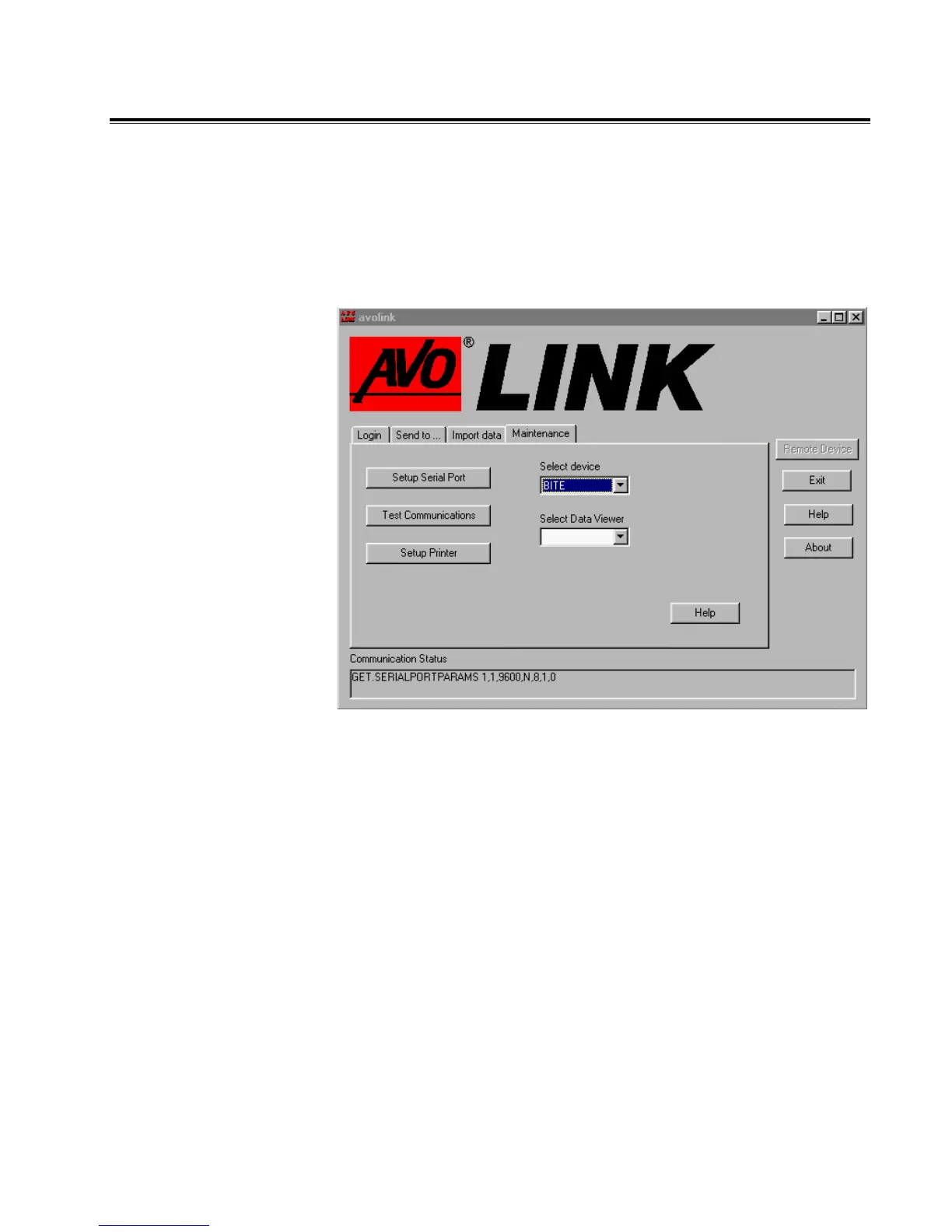
When you start the AVOLINK program to transfer BITE test
data, the AVOLINK window displays with the Maintenance tab
selected. Click on the Select Device drop-down list and select
BITE. The Get From tab will now display as Import data. Click
on the Import data tab.
Maintenance Tab
www.GlobalTestSupply.com
Find Quality Products Online at: sales@GlobalTestSupply.com


 To Next Page