USING AVOLINK WITH THE BITE
AVTM246004 BITE 2/2P Rev 4 July 2011
129
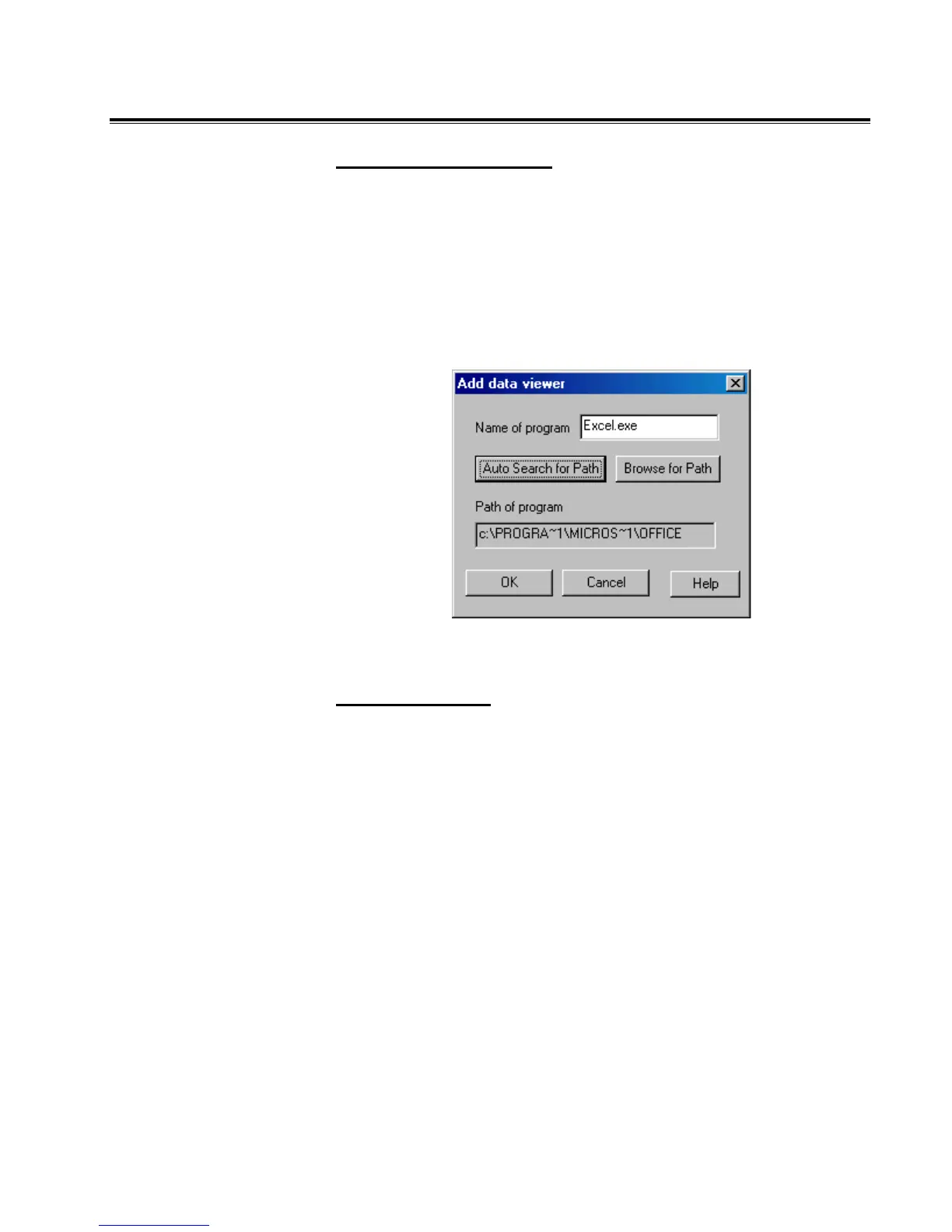
AutoSearch for Viewer
1. Type the name of the viewing program in the Name of
program box.
2. Click on Auto Search for Path. AVOLINK will search for the
specified program and display the path to the program in
the box.
3. Click OK.
Results of Auto Search
Browse for Path
1. Click on Browse for Path, then use the Select Path dialog
box to find the desired viewing program.
2. Click OK.
3. Select the drive, folder and executable file for the viewing
program.
www.GlobalTestSupply.com
Find Quality Products Online at: sales@GlobalTestSupply.com


 To Next Page