Page | 28
4.4 Test Network Speeds
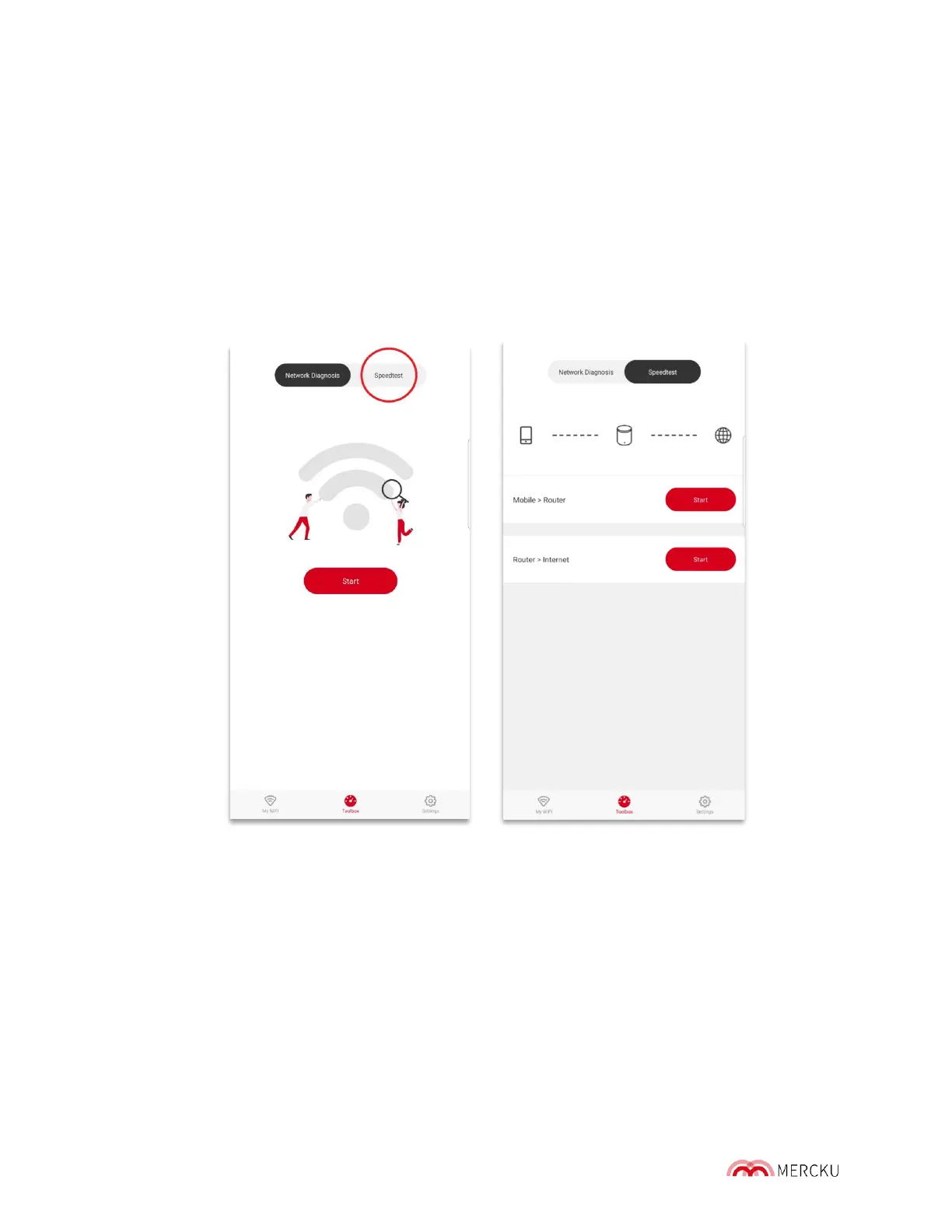
Using the Mercku App or Mercku Portal, you can test your wireless network ' s download and
upload speeds.
4.4.1 From Device to Router
This tests the network speed between any given mobile device and through all the nodes
that connect it to the M6 router. This can only be tested via the Mercku App.
1. Open the Mercku App on your mobile device
2. Select Toolbox > Speedtest > Beside Mobile>Router, press Start
4.4.2 From Router to Internet
This tests the wired network speed between the M6 router and the internet. It can be tested
either via the Mercku App or the Mercku portal.
Using the Mercku App:
1. Open the Mercku App on your mobile device
2. Select Toolbox > Speedtest > Beside Router >Internet, press Start



 To Next Page