Page | 63
Using the Mercku Portal:
1. Visit http://mywifi.mercku.tech, and log in using your Router Admin Password
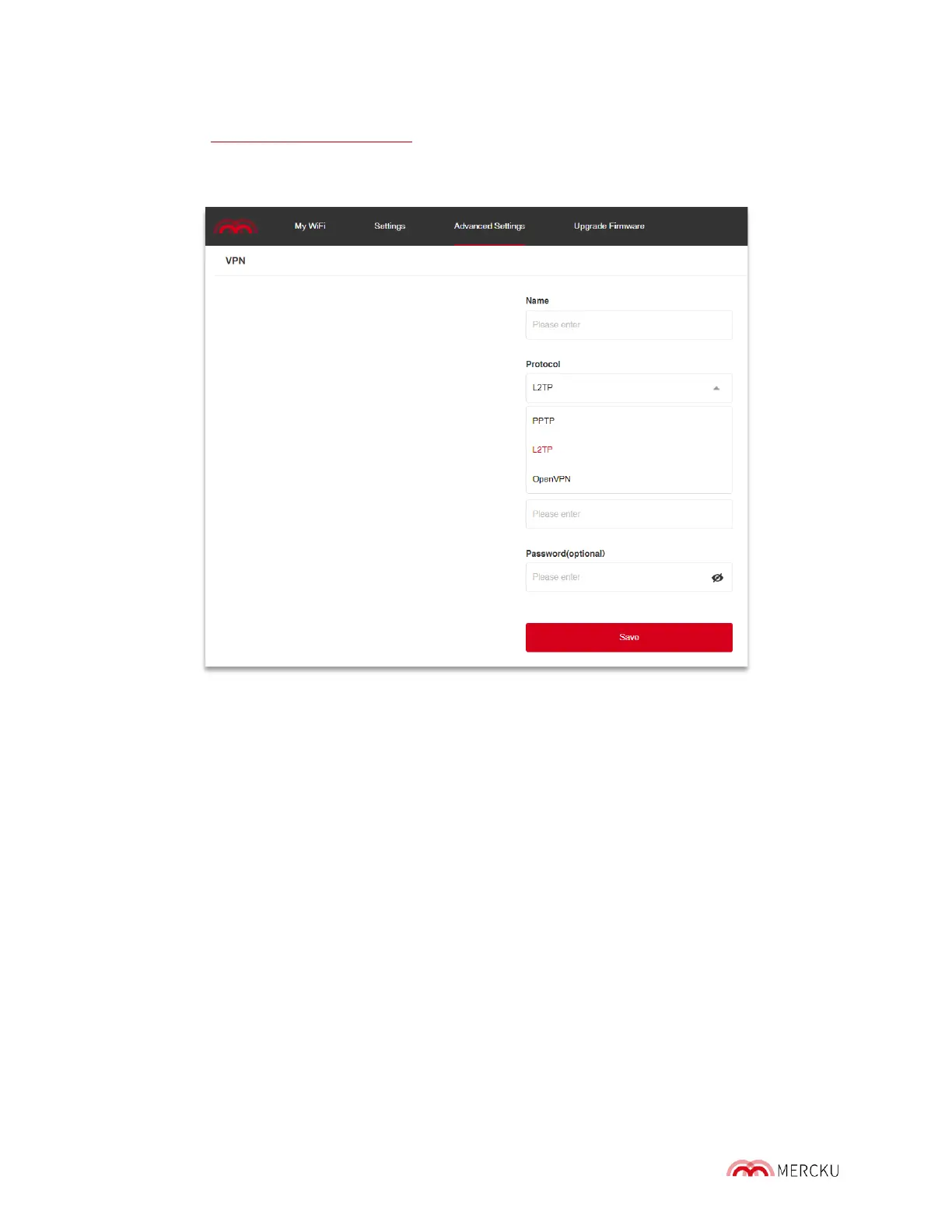
2. Select Advanced Settings > VPN > Add
3. Select what protocol your VPN provider uses and enter the appropriate credentials
4. Press Save.
How to configure VPN passthrough:
Since the M6 offers VPN passthrough, you will need to get an VPN service in advance and
fill in the VPN information accordingly.
The M6 only supports PPTP, L2TP, and OpenVPN protocols for the VPN connection. Please
enable both 'MPPE Encryption' and ' MPPC Compression' for the PPTP protocol.
9.8 Set Up Bridge Mode
Bridge mode is a configuration that disables the NAT feature on the M6.
The process of Network Address Translation (NAT) involves re-writing the source and/or
destination address of IP packets as they pass through a router and it allow s multiple hosts
on a private network to access the internet using a single public IP address. Bridge mode is
only needed when encountering specific cases of Double NAT.
The M6 supports bridge mode, but some features including port forwarding, DMZ host,
DDNS VPN and Parental controls will be disabled.
Bridge mode can be configured through the Mercku App or Portal.



 To Next Page