Page | 55
Using the Mercku Portal:
1. Visit http://mywifi.mercku.tech, and log in using your Router Admin Password
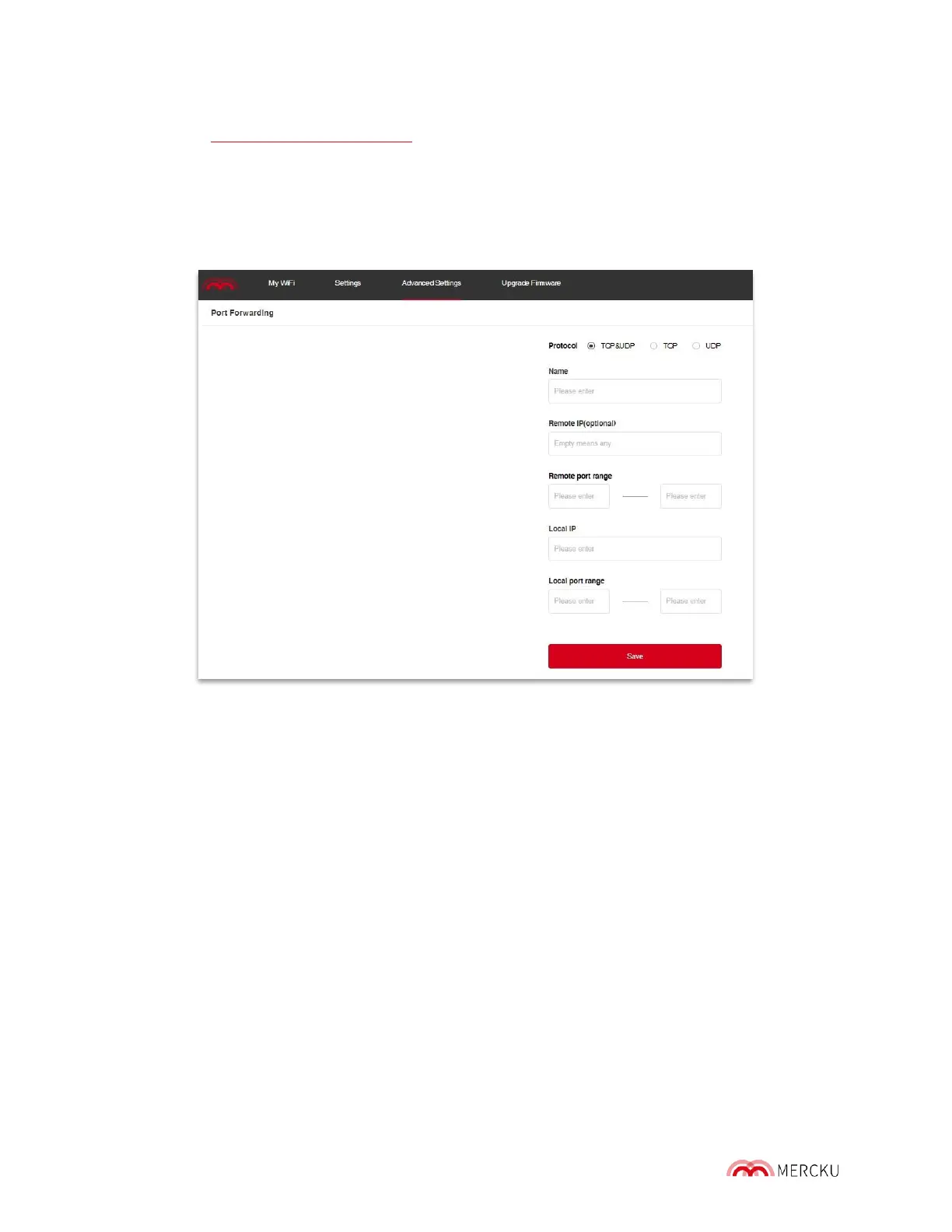
2. Select Advanced Settings > Port Forwarding > Add
3. Assign permissions to an already connected device, or manually add a new one.
4. Edit permissions with a specific IP address and port range, and select a protocol for
both TCP & UDP, TCP, or UDP.
5. When you have finished editing perm issions and selecting protocols, click Save.
Please note: "Remote IP" is the IP address of the remote end device that you want to
access from your router, and the "Local IP " is the IP of the host device in your own network.
9.2 DMZ Host
A home router DMZ (demilitarized zone) host is a host on the internal network that has all
UDP and TCP ports open and exposed, except for those ports that have been forwarded.
This is used as a simple method to forward all ports to another NAT device or firewall. The
purpose of a DMZ is to add an additional layer of security to an organization's local area
network (LAN): an external network node can access only what is exposed in the DMZ,
while the rest of the organization's network is firewalled.
The M6 DMZ host solves issues where the external net work cannot access the internal
network server after installing a firewall and sets up a buffer between the non -secured
system and the secured system. The DMZ is typically a filtered subnet that establishes a
safe zone between the internal and external net works and allows you to only expose one
device to the internet.
DMZ host features can be accessed through the Mercku App or Portal.



 To Next Page