Page | 67
10.1 Internet Protocol Setup
Please Note: Contact your Internet Service Provider (ISP) before changing the internet setup
protocol to retrieve all the necessary information. Please note that not using your ISP 's
setup information may impact your ability to use the Mercku network .
Using the Mercku App:
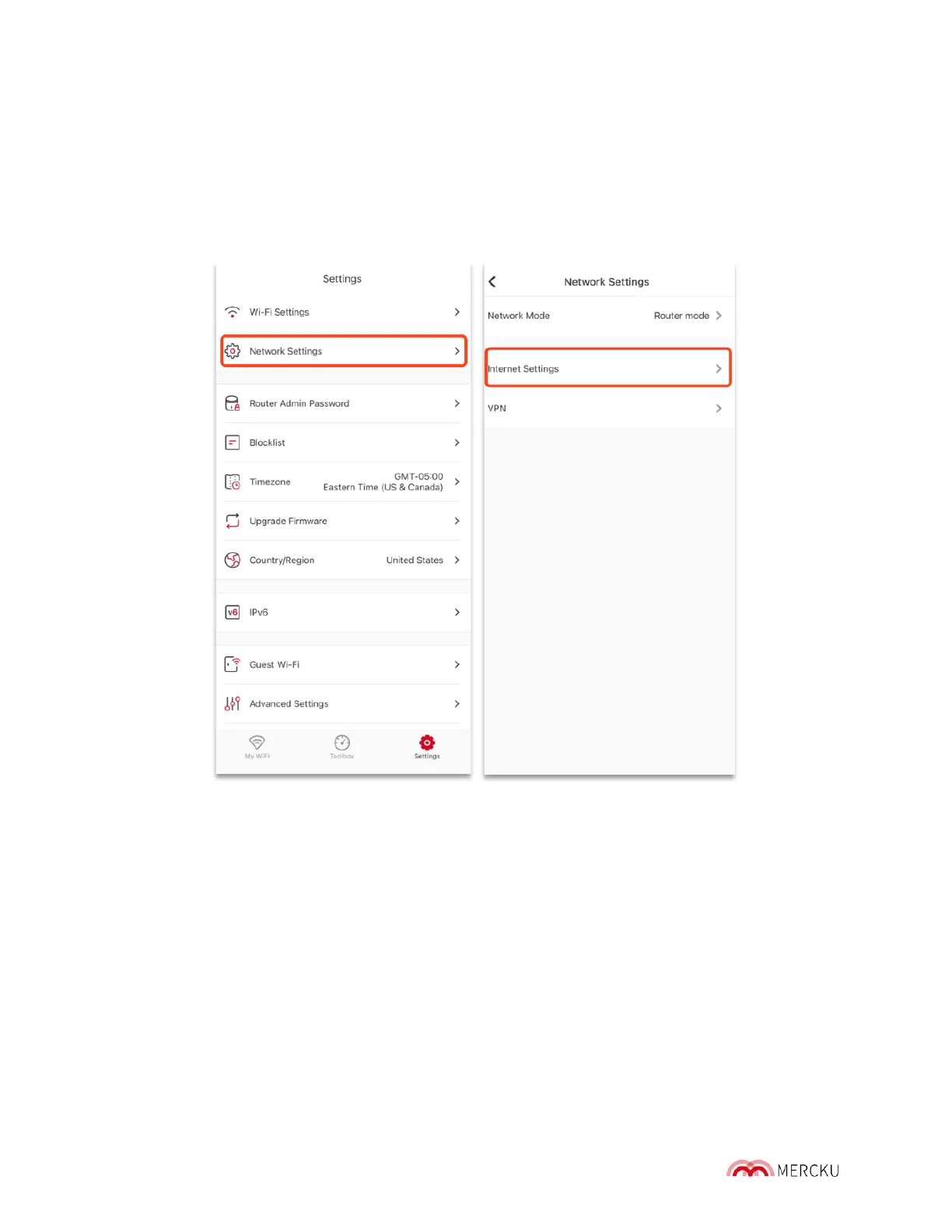
1. Go to Settings > Network Settings > Internet Settings
2. Under Internet Settings, you can choose between DHCP, PPPoE, Static IP.
3. You can also change the DNS Settings from Automatic DNS to Manual DNS.
Please contact your Internet Service Provider (ISP) to obtain the information required
to change your settings.



 To Next Page