Page | 35
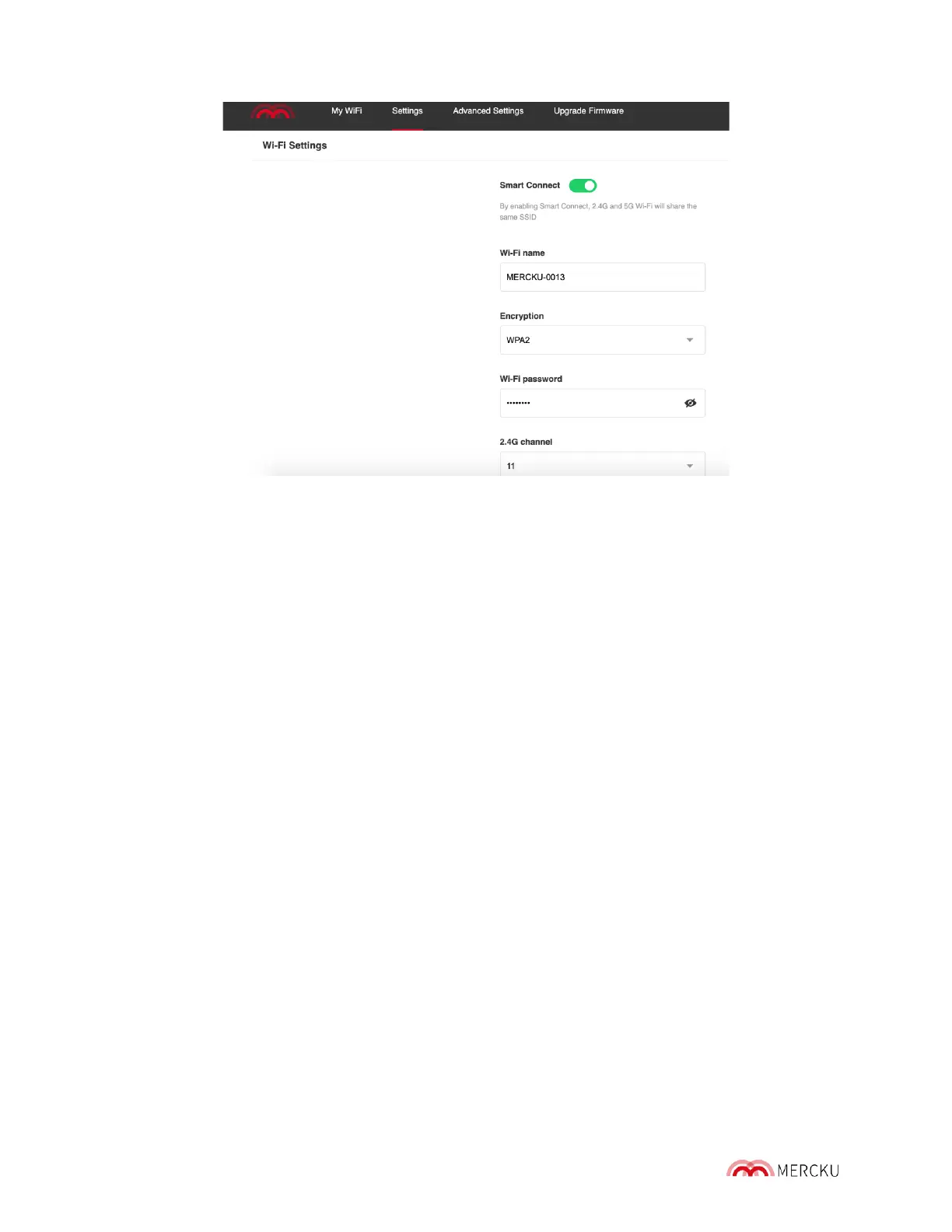
Once you disable Smart Connect, you will see two networks - the 2.4 GHz network (will
have the same SSID), and the 5 GHz network (SSID - 5G). The passwords and SSID's for
both networks will remain the same unless you choose to change them.
Please Note: Some wireless devices only support connection with the 2.4 GHz channel,
mainly IoT (Smart Home) devices like thermostats, and smart cameras.
5.3. Channel Switching
Channel switching allows you to manually change the channel your system is connected to
on each of the 2.4 GHz and 5 GHz bands. By default, Mercku systems are connected to the
following channels:
• 2.4 GHz – Channel 11
• 5 GHz – Channel 40
Please note that the available channels on each band vary depending on your
country/region settings. Channel switching is available whether Smart Connect is enabled.
Using the Mercku App or Portal, you can select which channel(s) you would like your
system to use.
Using the Mercku App:
1. Open the Mercku App on your mobile device
2. Select Settings > Select Wi-Fi Settings
3. Under "2.4G channel" and "5G channel" you can select which channels you would
like your network to use within each band.
4. Select Done



 To Next Page