Page | 48
8.1 Set Time Limits
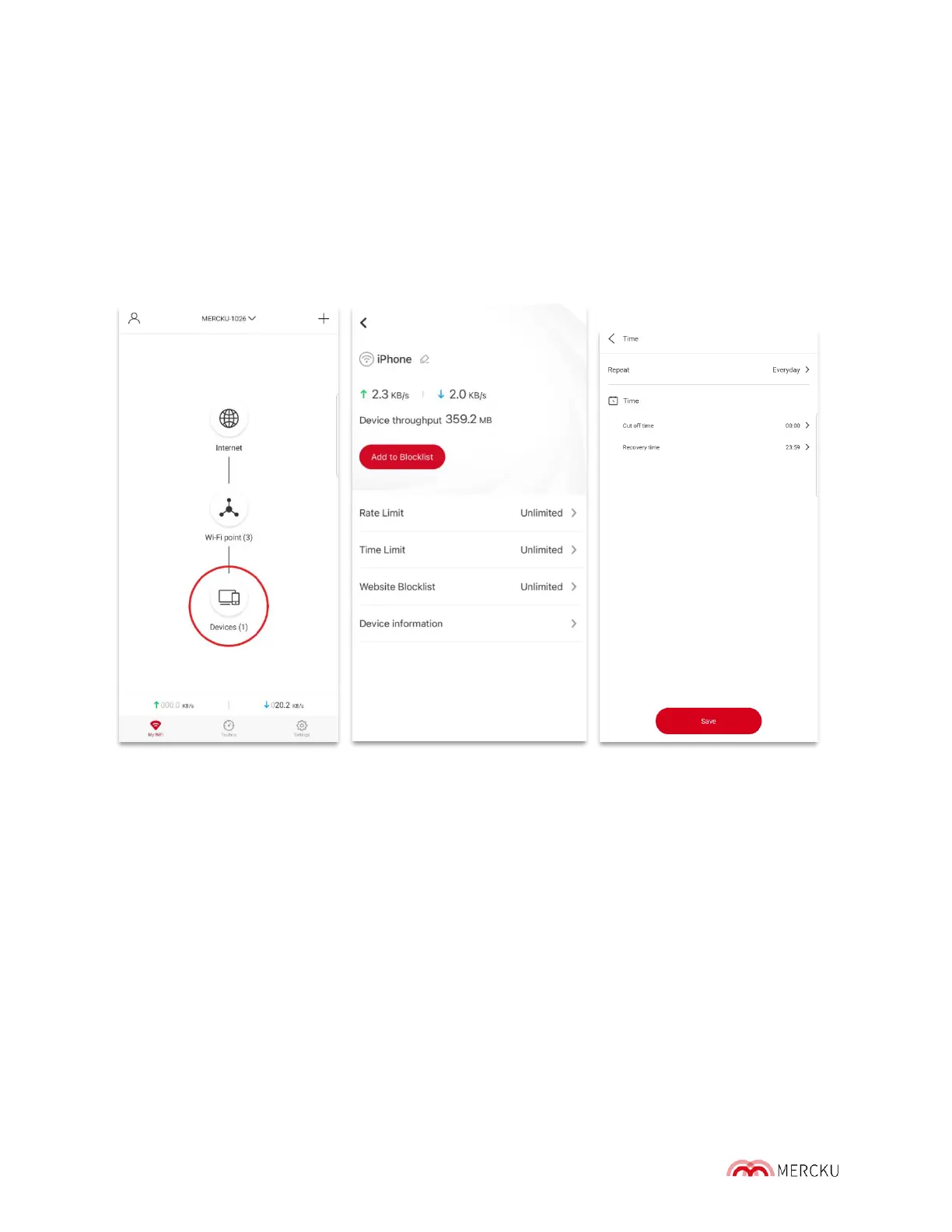
Setting time lim its enables you to control the amount of time a specific device on your
network can stay connected to your Mercku Wi-Fi.
Using the Mercku App:
1. Open the Mercku App on your mobile device
2. Select My Wi-Fi> Devices > Select the device you want to set limits for > Time Limit >
Enter cut-off time parameters > Save
NOTE: If time lim it does not work, please check whether your time-zone is configured
correctly.



 To Next Page