Page | 29
Using the Mercku Web Portal:
1. Visit http://mywifi.mercku.tech, and log in using your Router Admin Password
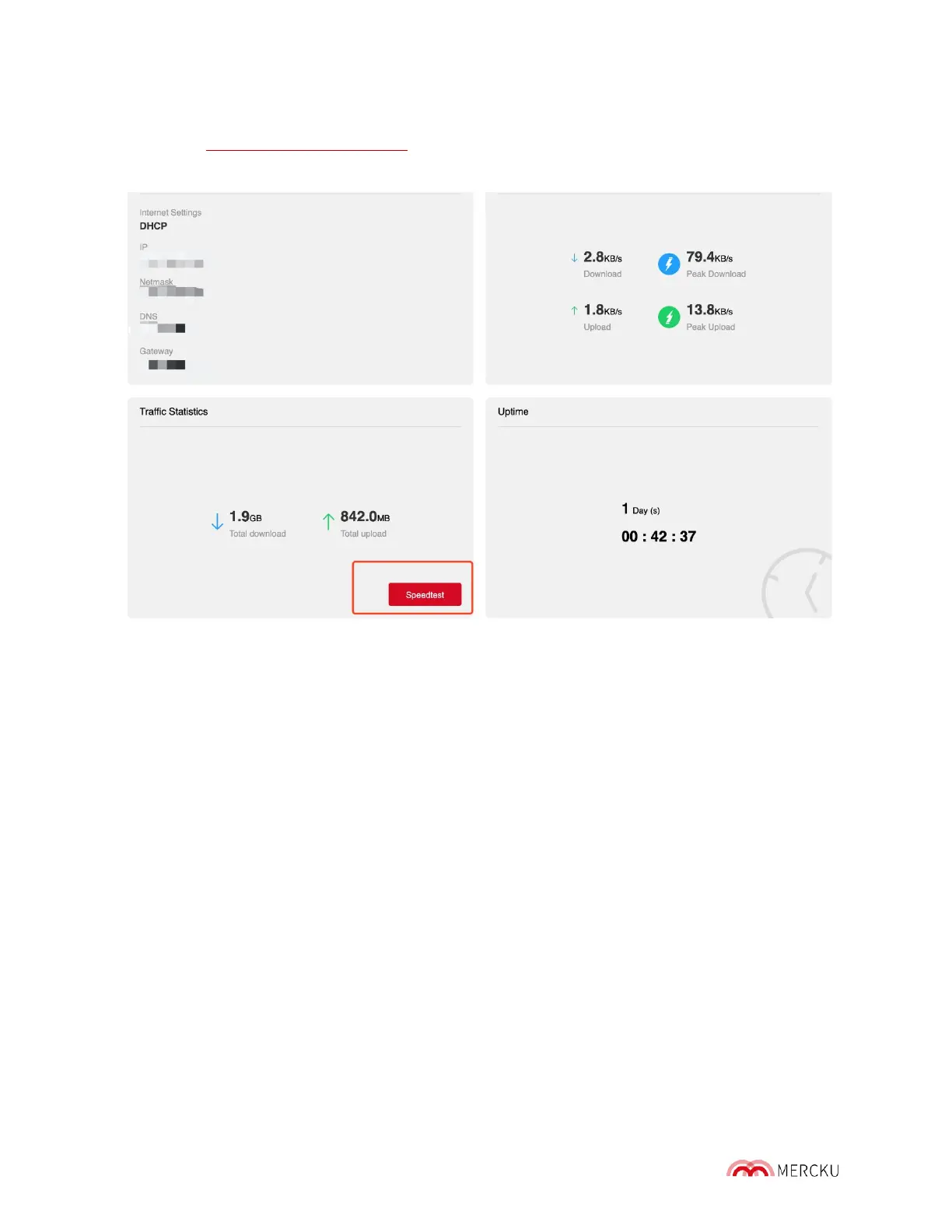
2. Under My Wi-Fi> Select Internet > Click on Speedtest under the Traffic Statistics
header
4.5 Monitor Internet Traffic Usage
From the Mercku Portal you can monitor the following:
• WAN Status: shows current internet settings including IP address, netmask, DNS,
and gateway
• Realtime Traffic: current download and upload speeds, peak upload and download
speeds
• Traffic Statistics: total download and total upload for the duration of the router' s
uptime, which can be found under Router Status (please refer to the picture above)



 To Next Page