Page | 40
6.1. Setting Up Your Guest Network
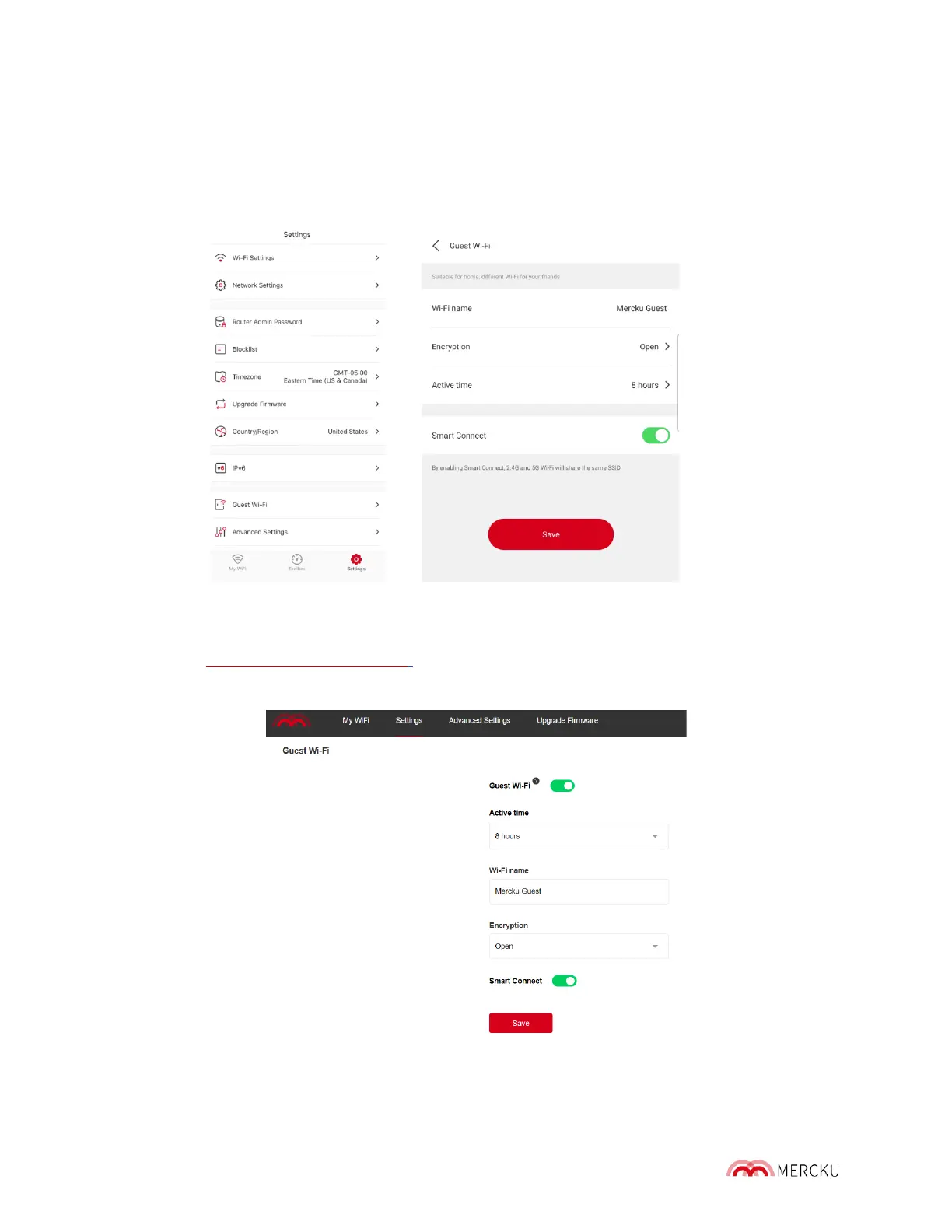
Using the Mercku App:
1. Open the Mercku App on your mobile device
2. Select Settings > Select Guest Wi-Fi > Press the toggle to enable Guest Wi-Fi
Using the Mercku Portal:
1. Visit http://m ywifi.mercku.tech, and log in using your Router Admin Password
2. Select Settings > Select Guest Wi-Fi> Click the toggle to enable Guest Wi-Fi



 To Next Page