Page | 37
5.4 Adjusting Channel Width
Adjusting your channel width impacts the amount of bandwidth used during data
transmission. Increasing the channel width generally leads to faster speeds but makes it
more susceptible to interference.
You can adjust your Mercku network' s channel width to the following on each band:
• 2.4 GHz band: 20 MHz or 40 MHz
• 5 GHz band: 20 MHz, 40 MHz, or 80 MHz
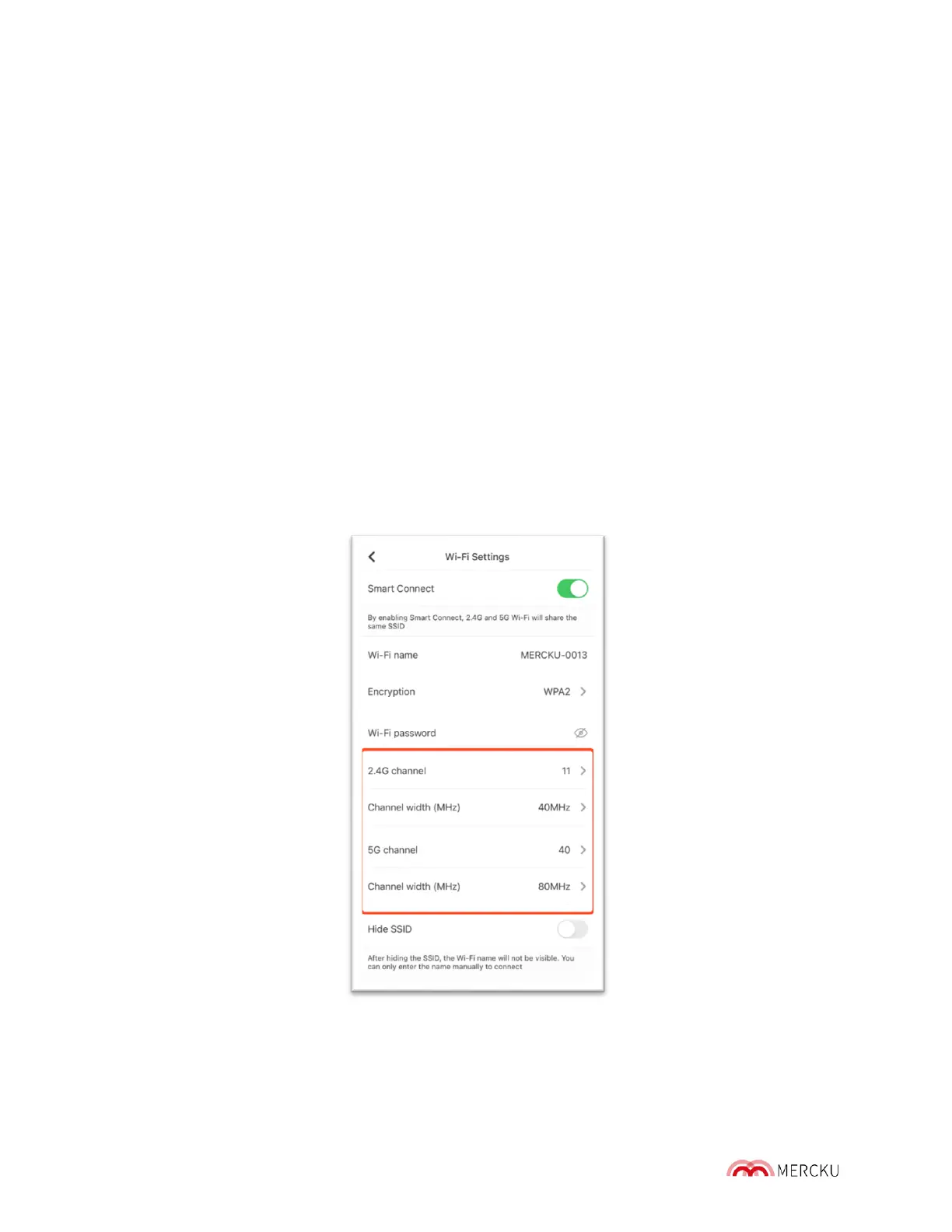
Using the Mercku App or Portal, you can adjust your network ' s channel widths.
Using the Mercku App:
1. Open the Mercku App on your mobile device
2. Select Settings > Select Wi-Fi Settings
3. Under "2.4G channel" and "5G channel", you can select what width you would like
your channel to use.
4. Select Done.



 To Next Page