Page | 57
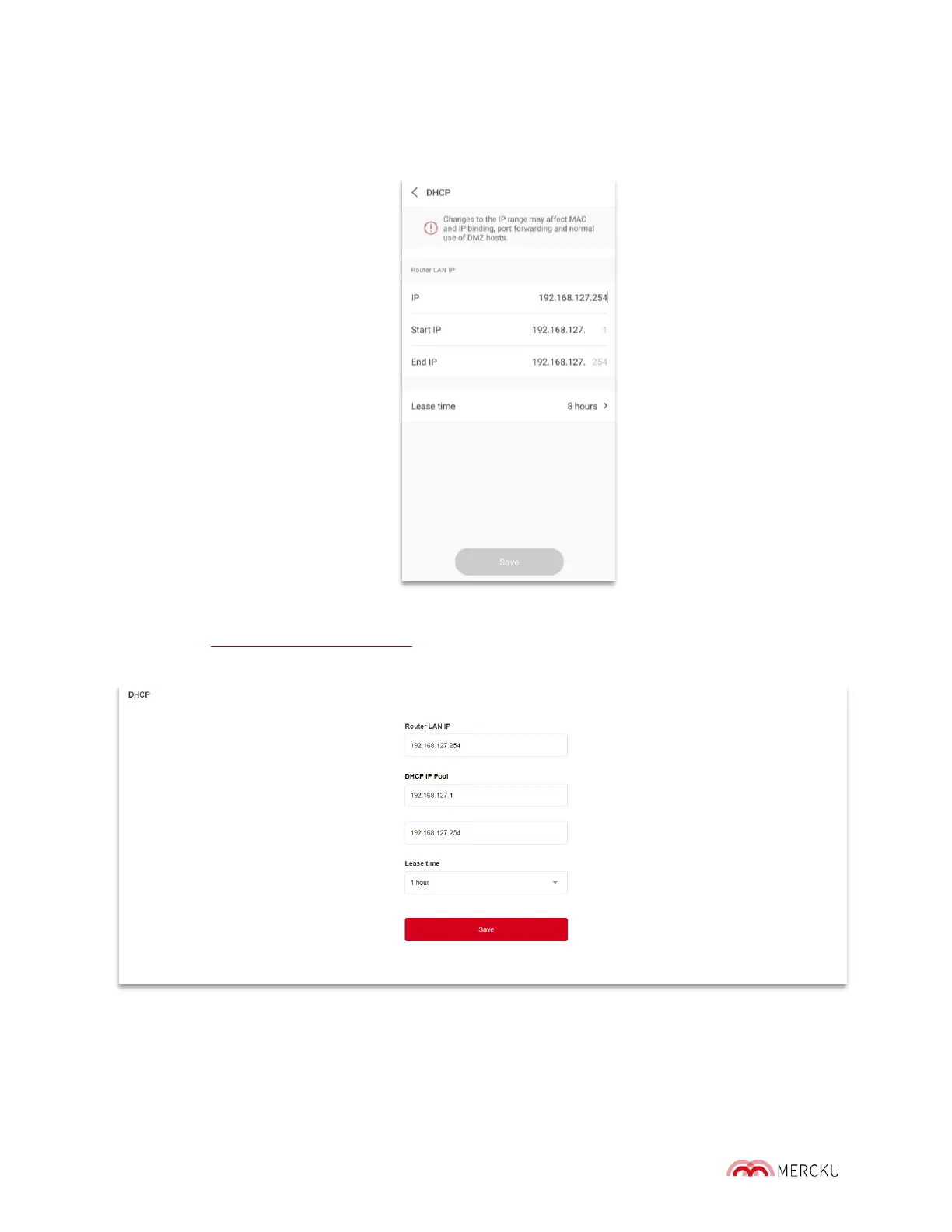
Using the Mercku App:
1. Open the Mercku App on your mobile device
2. Select Settings > Advanced Settings > DHCP
Using the Mercku Portal:
1. Visit http://mywifi.mercku.tech, and log in using your Router Admin Password
2. Select Advanced Settings > DHCP
How to change the DHCP LAN I P:
By default, M6 runs a DHCP server on the LAN IP 192.168.127.1, with a default range of
192.168.127.100 through 192.169.127.199. You may also decide the time these released IP's
or enabled by changing the "Lease Time". The Lease Time is 8 hours by default.



 To Next Page