Page | 61
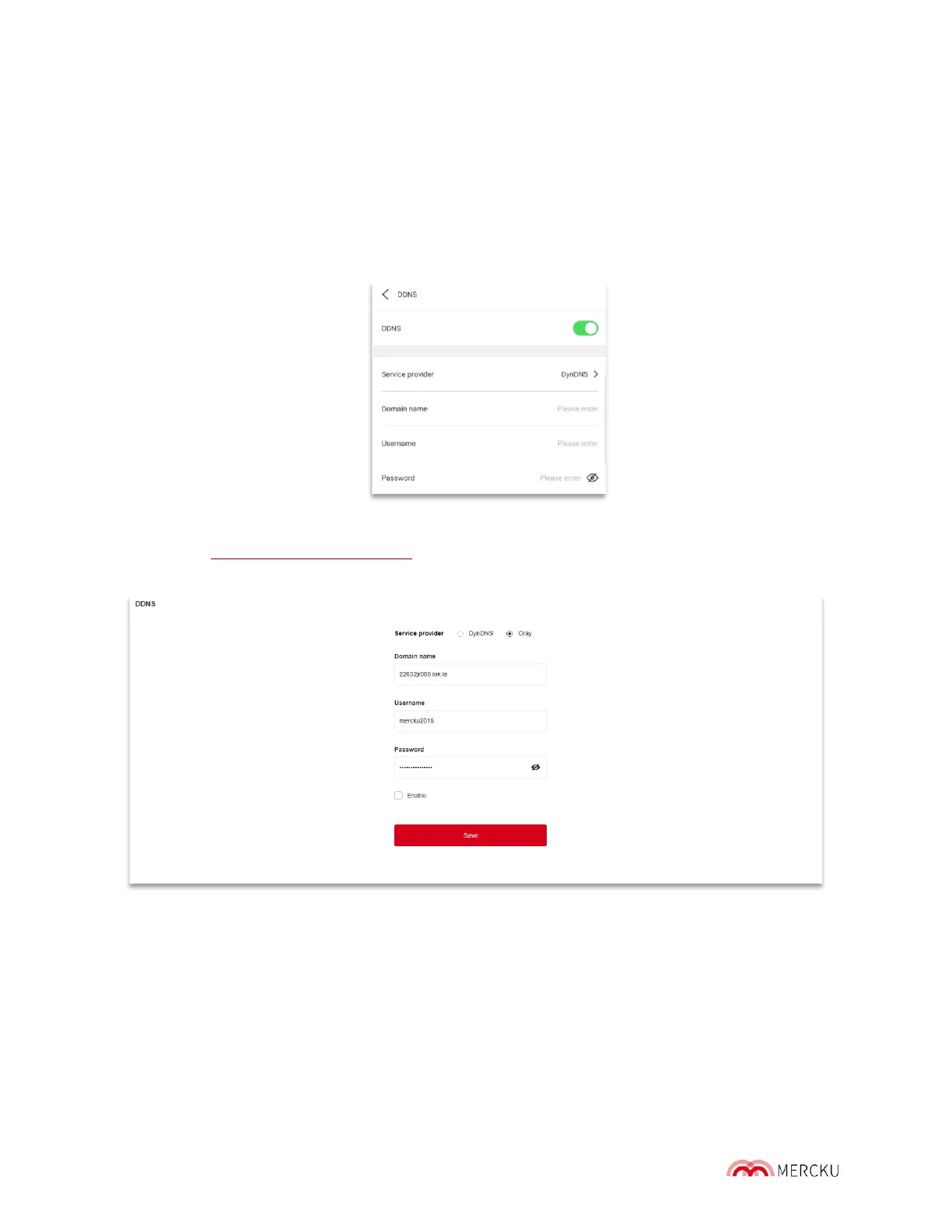
The M6 provides with a passthrough to the DDNS service by DynDNS and Oray. As a result,
you will need to buy a DDNS service pr ovided by either of these two operators and enter
account information in the DDNS section.
You can access the DDNS configuration through the Mercku App or Portal.
Using the Mercku App:
1. Open the Mercku App on your mobile device
2. Settings > Advanced Settings > DDNS > Enable
Using the Mercku Portal:
1. Visit http://mywifi.mercku.tech, and log in using your Router Admin Password
2. Select Advanced Settings > DDNS



 To Next Page