Transparent cover
Tubing cover
Tubing cover release lever
Opening system
Injection / filling port
Reservoir and tubing
Battery cover
RS232 port
– computer port
Bag Hook
Carrying Handle
Bolus handset port
Door hood
12 13
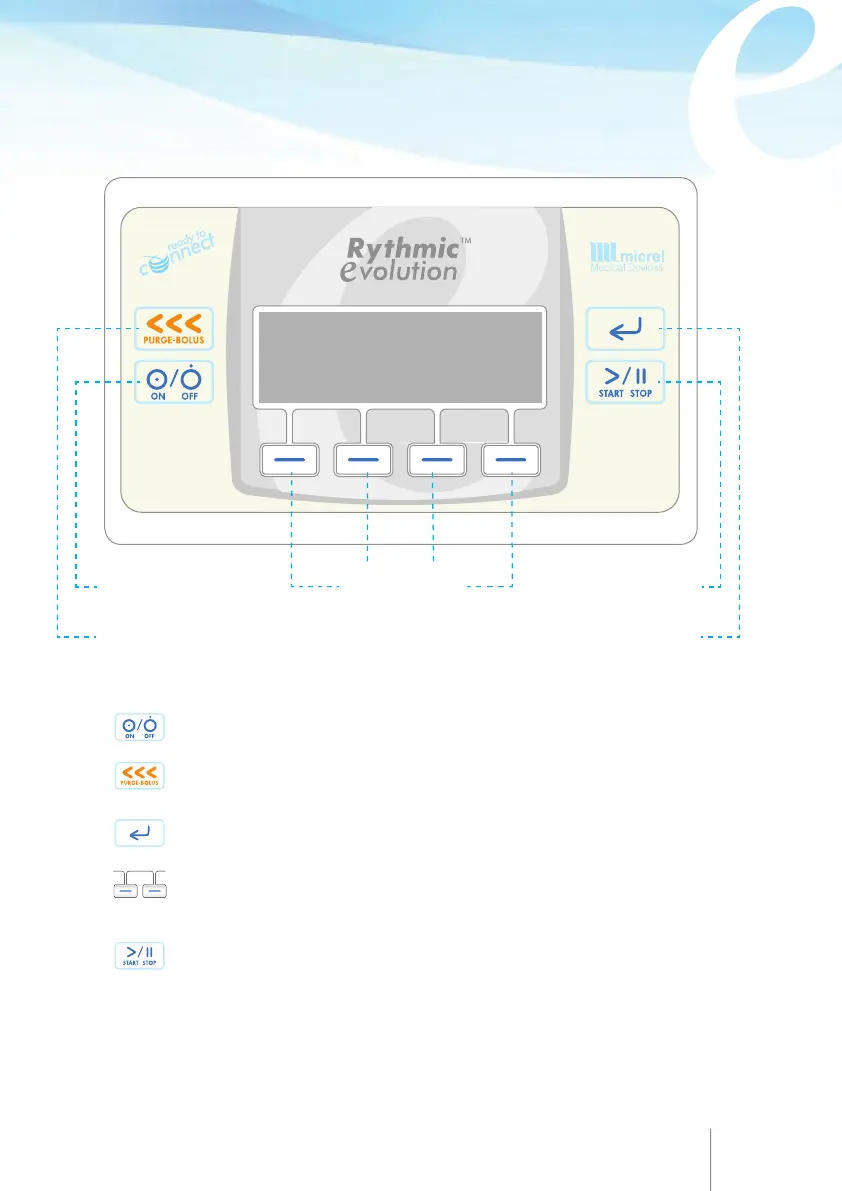
CONTROLS AND DISPLAY
Enter key
Purge/Bolus key
Start / Stop keyOn/Off key
Turn the pump ON or OFF by pressing and holding the key for 2 sec.
Start and stops priming the line and during infusion generates patient
bolus demands, if bolus handset is not connected.
Scroll down through pump menu, confirms a programmed value or
selected option.
Enters codes, sets value during programming, silence the audible alarm
for one hour, answer questions on the pump screen, navigates through
pump history and protocol.
Starts and stops infusion, by pressing the button twice quickly.
Soft keys
function depends on the
respective display symbol
or label



 To Next Page